
Writesonic vs ChatGPT vs HyperWrite: The Real Differences That Matter in 2026


Writesonic, ChatGPT, and HyperWrite solve three different problems. Here's how to tell which one matches how you actually work.
Writesonic vs ChatGPT vs HyperWrite: At a glance
*Pricing current as of May 2026. ChatGPT individual plans are monthly only, no annual option.
Choose Writesonic if: you produce SEO blog content or marketing copy at high volume.
Choose ChatGPT if: you do a wide mix of work and want one flexible tool for drafting, research, and reasoning.
Choose HyperWrite if: you write all day across multiple tabs and need to stay in flow without switching tools.
Meet the contenders
Writesonic: The SEO and AI search platform
Writesonic is an AI Search Visibility platform built for marketing teams and agencies tracking how their brand appears across ChatGPT, Gemini, and other AI search engines. Its AI Article Writer, SEO & Content AI Agent, and Chatsonic still handle long-form drafting and keyword research, but the platform's main value prop now sits on the GEO side.
ChatGPT: The general-purpose drafting tool
ChatGPT handles drafting, research, brainstorming, and coding from one chat interface, with Canvas for collaborative document editing. It's the most flexible for blank-page work or tasks that need actual reasoning. The downside is it lives in its own tab, and getting consistent voice across uses takes setup.
HyperWrite: The writing layer that follows you
HyperWrite is a writing co-pilot built for professionals who write fast across multiple tabs. Its TypeAhead Chrome extension reads context from your open tabs and completes sentences in your voice as you type. It's strongest when you have a direction to start from. It's less helpful when you need a full, long-form draft built from scratch.
Writesonic vs ChatGPT vs HyperWrite: Feature breakdown
Workflow fit
Writesonic lives in its own dashboard. You step away from your inbox or doc, generate content in Writesonic, then copy-paste it back into the place where the work actually happens. That works for marketing teams producing scheduled content. It's slow for the writing that fills the rest of your day.
ChatGPT is more flexible but still requires a tab switch. You can ask it anything, but you have to leave whatever you're writing, frame the request, and bring the result back. Canvas helps with longer documents, but it's still a separate workspace.
HyperWrite's TypeAhead pulls context from every open tab and completes sentences as you type, right inside Gmail, Google Docs, your CRM, or wherever the work is. It requires no copy-paste and no tab-switching, so you don’t lose the thread of what you were writing.
Winner: HyperWrite. If most of your writing happens across tabs and tools, this is the only one that doesn't break your flow.
Long-form and SEO content
Writesonic is built around long-form content and AI search visibility tracking. The AI Article Writer handles structured blog posts with research, keyword integration, and meta descriptions, while the SEO & Content AI Agent layers in real-time SERP data for keyword targeting. If that's what you're optimizing for, Writesonic is the most purpose-built option here.
ChatGPT can write long-form content, but you have to bring the SEO process yourself. It won't fetch SERP data, suggest keywords, or generate meta descriptions unless you ask. Output quality is high, but it takes more prompting and structure to match what Writesonic does out of the box.
HyperWrite handles long-form drafting through AI Writer and its document editor, but it isn’t built as an SEO content platform. You get SEO-adjacent tools, including keyword and meta description support, but not a full SERP-led workflow with competitor scraping, content scoring, rank tracking, or live optimization briefs.
Winner: Writesonic. If you're producing high-volume, SEO-driven blog content, this is the most efficient tool for that specific job.
Versatility and reasoning
Writesonic is built for content and AI search visibility work. Inside that lane (long-form articles, AI search tracking, and GEO content production), it performs well. Outside it, the platform shows its limits fast. Ask it to plan a roadmap, debug a script, or work through a multi-step business problem, and you'll feel the walls.
ChatGPT covers a wide range. The same window handles a draft, a SQL query, a research dive, meeting prep, questions, and brainstorming. If your work cuts across more than one lane, range beats specialization.
HyperWrite includes an AI Assistant for general questions, but writing is the center of the product. It's not the tool to reach for when you need an AI that pivots between code, research, analysis, and writing in the same afternoon.
Winner: ChatGPT. If you want one tool that genuinely covers a wide mix of work, this is the most flexible.
Writing in your own voice
Writesonic has a Brand Voice feature that trains on writing samples to match a target tone, though the Starter plan only includes one brand voice, with higher tiers unlocking more. It works reasonably well for marketing copy, but tends to flatten distinctive voices on longer pieces, so expect to edit before publishing.
ChatGPT can match your voice with the right setup, including custom instructions, voice samples, and clear prompting. The work is on you, though. Without that setup, the default voice is recognizably ChatGPT.
HyperWrite uses custom Personas to learn your preferred writing style. Once set up, TypeAhead can apply that personalization as you write across browser-based tools like Gmail, Google Docs, and CRM replies, so your writing sounds more consistent without rebuilding the same voice prompt every session.
Winner: HyperWrite. If you want a consistent voice across daily writing without re-training the AI every session, this is the easiest setup.
Templates and pre-built tools
Writesonic ships with content-shaped tools and templates: AI Article Writer for long-form blog posts, plus shorter-form generators for product descriptions, ad copy, meta descriptions, and social posts. They cut down on prompting time for repetitive work, but the output tends to read like a template.
ChatGPT's Custom GPTs let you build your own templates as configurable assistants with instructions, knowledge files, and tools. More setup than picking a Writesonic template, but the ceiling is higher because you're shaping it to your job.
HyperWrite's AI Tools library does something similar with hundreds of pre-built tools for email replies, rewrites, summaries, and SOPs, plus custom tools for your own workflows. They run inside the same browser environment as TypeAhead, so output stays close to where you're writing.
Winner: Tie between ChatGPT and HyperWrite. Custom GPTs reward the time you put in, HyperWrite's library is closer to ready-made.
What real users say
Writesonic
Pros:
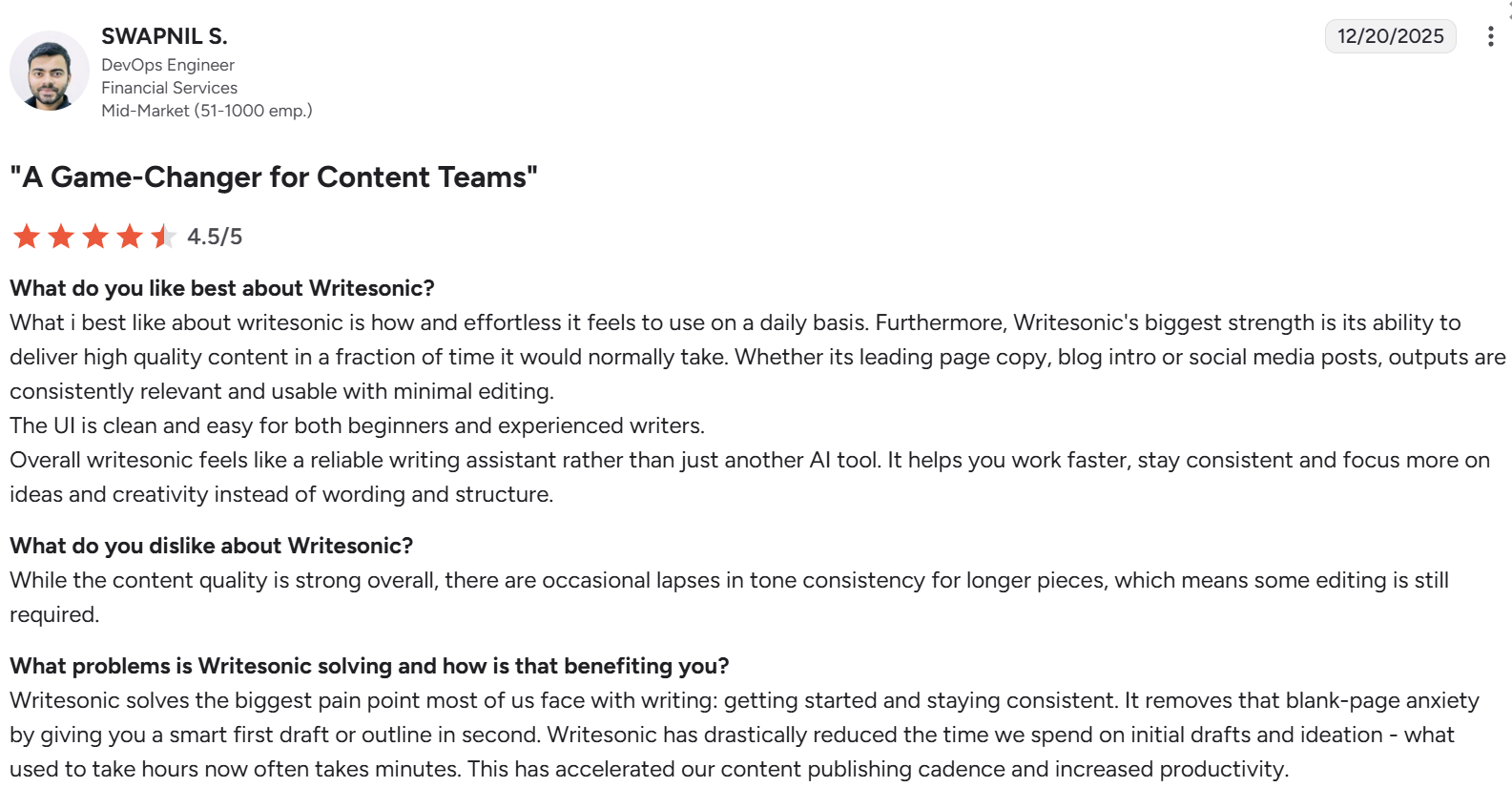
Writesonic produces usable drafts for landing page copy, blog intros, and social posts in a fraction of the time manual writing takes, with output that needs minimal editing for short-form work.
Swapnil S., a DevOps engineer, described it as "a reliable writing assistant rather than just another AI tool" that helps you stay consistent and focus on ideas instead of wording and structure.
Cons:
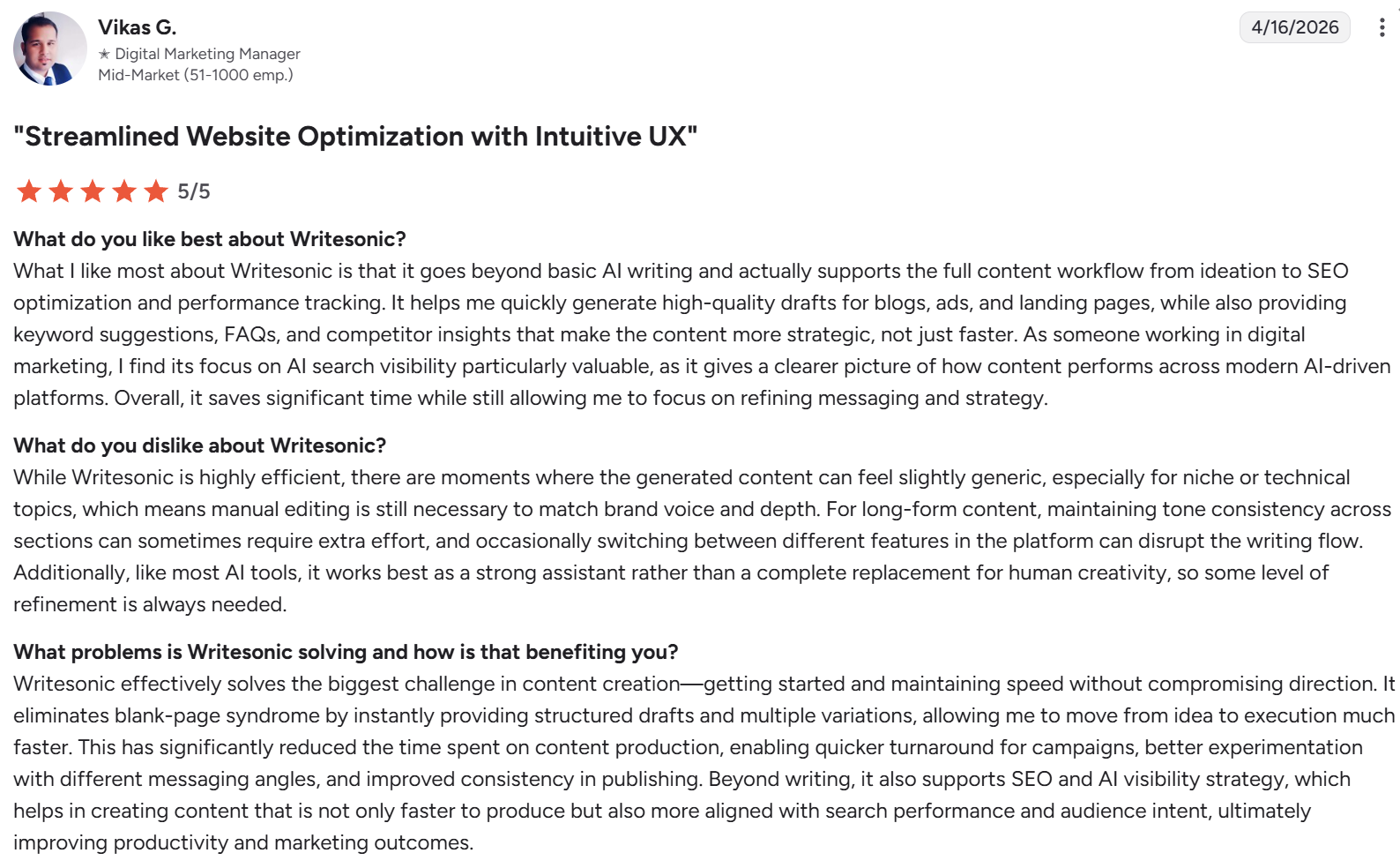
Output goes generic on niche or technical topics. Writesonic produces clean drafts for general marketing copy, but it loses depth on subject matter that requires specialized knowledge.
Vikas G., a digital marketing manager, said the generated content "can feel slightly generic, especially for niche or technical topics." Switching between features mid-draft can also disrupt the writing flow.
ChatGPT
Pros
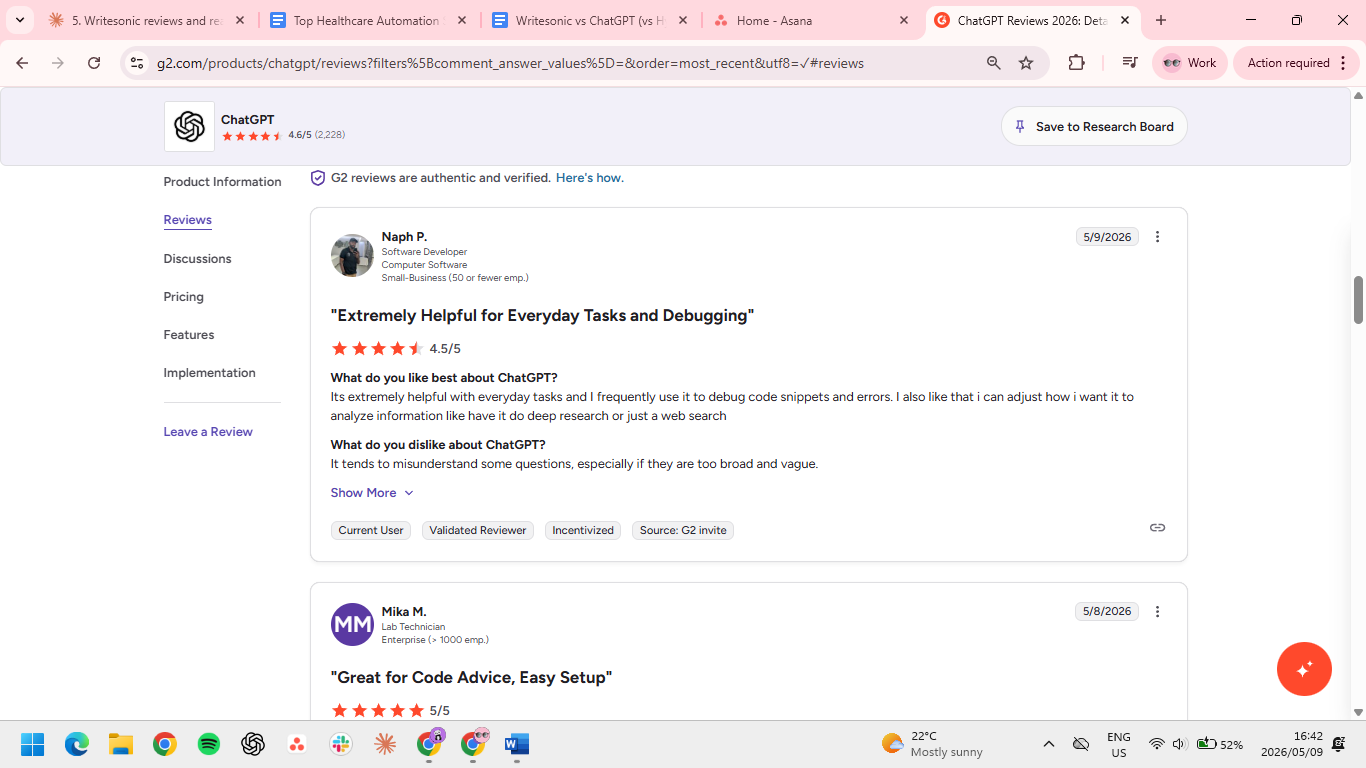
ChatGPT handles everyday tasks and technical work in the same interface. Its strength is its breadth: drafting copy, debugging code, parsing data, and pulling research all in one tool.
Naph P., a software developer, uses it to debug code snippets and error messages alongside writing work, saying he “can adjust how I want it to analyze information.” The depth controls (deep research, web search, and basic completion) let you match output to the question instead of always getting the same level of analysis.
Cons
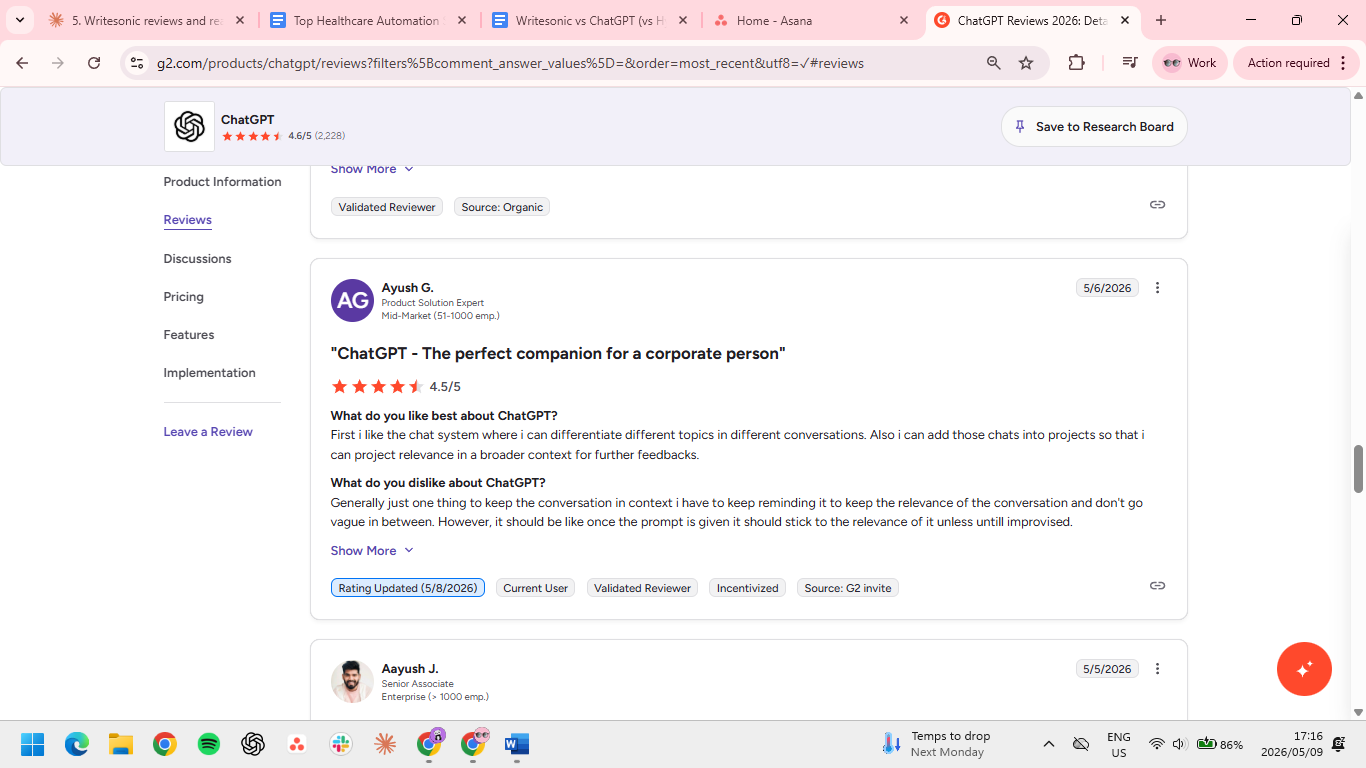
ChatGPT tends to lose context in longer conversations. It can drift away from the original task as a conversation gets longer, forcing you to re-anchor it on the topic.
Ayush G., a product solution expert, said you "have to keep reminding it to keep the relevance of the conversation" so it doesn't go vague between turns. Once the prompt is given, the model should hold the thread without manual nudging, but it doesn't always.
HyperWrite
Pros
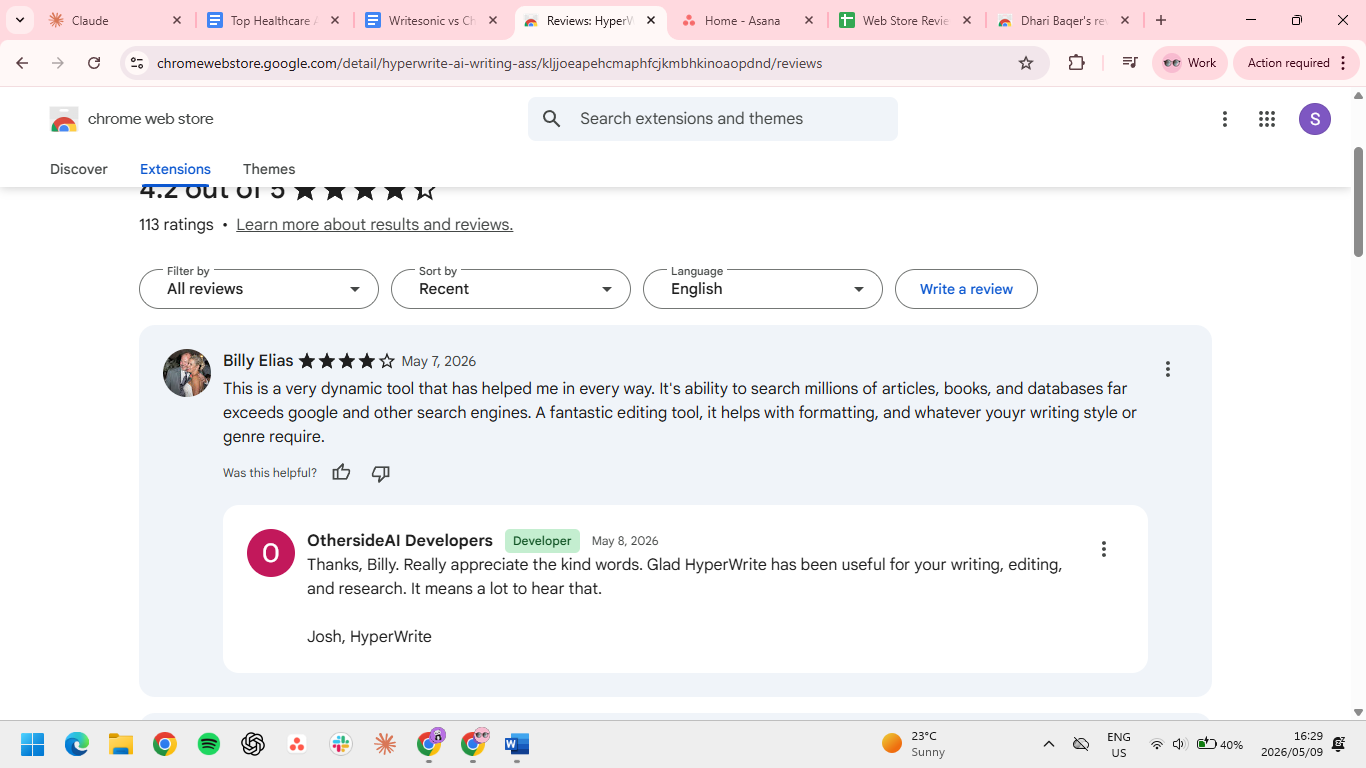
HyperWrite reduces how much you have to type for high-volume tasks like emails, replies, and short or long docs. Dhari Baqer, a Chrome Web Store reviewer cites it as “a promising tool for writers looking for AI-powered assistance with their work.”
Billy Elias added that its research depth "far exceeds Google and other search engines" when pulling from articles, books, and databases.
Cons
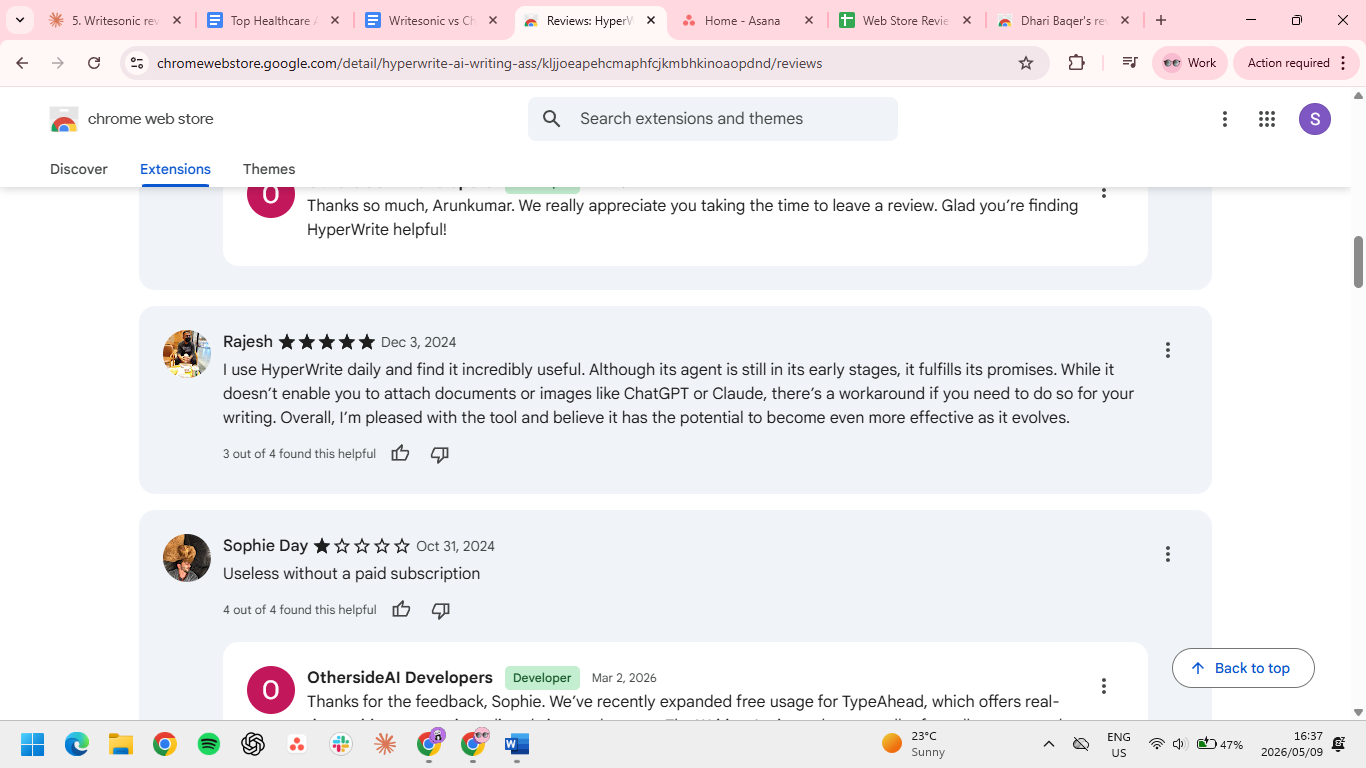
There’s no native file or image attachments in the chat interface. Rajesh, a Chrome Web Store reviewer, flagged that HyperWrite "doesn't enable you to attach documents or images like ChatGPT or Claude." There's a workaround if you need to reference a document, but it's an extra step compared to other tools.
Which tool should you choose?
If you're trying to pick just one, the easier way to think about it is this: what kind of writing eats most of your week?
Choose Writesonic if you:
- Produce SEO blog posts or marketing content at high volume
- Want built-in keyword research and AI-generated meta descriptions
- Don't mind working inside a separate dashboard
Choose ChatGPT if you:
- Need a flexible tool for drafting, research, and reasoning
- Often start from rough notes or half-formed ideas
- Do a wide mix of work that isn't strictly writing
Choose HyperWrite if you:
- Write across multiple tabs all day (email, docs, CRMs, chat tools)
- Care about staying in flow without switching to a separate workspace
- Want consistent voice across every tool you use
The final verdict
If your job is content production at scale, Writesonic earns its place with templates and SEO features built around that workflow. ChatGPT is the tool to reach for when the work is open-ended and you need flexibility across drafting, research, and reasoning.
HyperWrite is for the writing that actually fills your day: emails, replies, doc updates, and internal messages. If the bulk of your week is short-form professional writing across tabs, HyperWrite saves you the most time day to day.
Try HyperWrite where your work actually happens
The best way to test HyperWrite is on a normal workday. Use it during real email replies, doc updates, and quick messages. That's where TypeAhead earns its place: in the moments where switching tools would have killed your momentum.
Install the TypeAhead Chrome extension and try it on the next thing you have to write.
Frequently asked questions
Is Writesonic better than ChatGPT?
Writesonic is better than ChatGPT for SEO blog content and marketing copy because it has templates, keyword research, and an AI Article Writer built around that workflow. ChatGPT is better for general-purpose tasks, reasoning, and drafting from scratch, where you're not specifically producing SEO content.
Can HyperWrite replace Writesonic for blog writing?
No, HyperWrite doesn’t replace Writesonic as a long-form SEO content tool. HyperWrite works better as an always-on writing layer for everyday professional writing across email, docs, and CRMs. For producing five or more SEO articles a week, Writesonic has more built-in scaffolding for that specific workflow.
Which tool is best for writing in your own voice?
HyperWrite is the best tool for writing in your own voice during daily work because its Custom Personas and TypeAhead features apply your trained voice across every browser tab, not just inside one app. Writesonic and ChatGPT both support voice matching, but they take more setup or re-prompting per session.

HyperWrite is the AI writing assistant that learns your style. It handles drafting, editing, and researching so you can focus on ideas.
- Autocompletes sentences as you type
- Works inside Google Docs & Gmail
- Adapts to your personal writing style
- 500+ AI tools for any writing task

Powerful writing in seconds
Improve your existing writing or create high-quality content in seconds. From catchy headlines to persuasive emails, our tools are tailored to your unique needs.