
Wordtune vs Grammarly vs HyperWrite: The Real Differences


Most writing tools help at one stage: rewriting, editing, or drafting. Wordtune, Grammarly, and HyperWrite each focus on one of those moments.
Wordtune vs Grammarly vs HyperWrite: At a glance
*Pricing correct as of April 2026. Verify with vendor.
Choose Wordtune if: you need quick phrasing alternatives for short-form content and don't want a full writing platform.
Choose Grammarly if: you want a thorough editor that catches grammar, tone, and clarity issues before you hit send.
Choose HyperWrite if: you write across Gmail, Docs, LinkedIn, or a CRM all day and want help drafting responses without stopping to rewrite or switch tools.
Meet the contenders
Wordtune: A focused rewriting tool
Wordtune is a writing tool that helps you rephrase sentences you’ve already written. You paste or highlight text, and it gives you a few alternative versions with different tones or lengths. It works best for short sections like emails, messages, or single paragraphs where you want a quick phrasing change.
It’s mainly built for polishing wording, improving clarity, and shifting tone. People usually use it when a sentence feels awkward, but the idea is already there.
Grammarly: The editing-first writing assistant
Grammarly is a writing assistant that catches grammar, spelling, punctuation, and tone issues as you write, with clear explanations for every suggestion. It's the go-to for professionals who need clean, polished output before hitting send.
Its AI rewriting features handle brainstorming and drafting, too, though editing is where it genuinely excels.
HyperWrite: The professional's writing co-pilot
HyperWrite is a professional writing co-pilot that works across every tab in your browser. Its TypeAhead feature reads context from your open tabs and suggests full sentence completions across Gmail, Google Docs, CRMs, LinkedIn, and other browser-based apps. It also matches your writing style through customizable Personas.
The AI tools library also adds drafting, rewriting, and research support, making it a full writing platform when you need more than quick completions.
Wordtune vs Grammarly vs HyperWrite: Feature breakdown
Grammar and error-checking
Wordtune: Focused on rewriting, not correcting
Wordtune may improve clarity when you rewrite a sentence, but it won’t reliably catch grammar mistakes across a full document. It works better as a phrasing tool than an editor.
Grammarly: The clear standard
Grammarly catches grammar, spelling, and punctuation mistakes in real time, explains the reasoning behind each correction, and adjusts suggestions based on tone and context. Its free tier covers more ground than most paid tools at this specific job.
HyperWrite: Covers basics, but not built for editing
HyperWrite catches simple grammar issues while generating text, but it doesn’t review full drafts line by line. You’ll still need a dedicated editor if your priority is polishing and accuracy.
Winner: Grammarly — it’s the only tool here built specifically for reviewing and correcting writing.
Writing speed and real-time assistance
Wordtune: Requires stopping to rewrite
Wordtune has no live writing layer. Every rewrite means stopping, pasting your text, choosing an option, and then returning to your document. On longer tasks like reports or multi-paragraph emails, this breaks your flow and slows down drafting.
Grammarly: Improves writing after you’ve drafted it
Grammarly gives grammar suggestions once you've finished writing. It helps refine sentences, but it doesn’t generate content mid-flow or help you move faster from a blank page.
HyperWrite: Writes with you as you work
HyperWrite’s TypeAhead feature suggests full sentence completions while you reply to emails, draft documents, or message clients and candidates. Instead of stopping to think through every sentence, you accept, edit, or ignore suggestions as you go. This reduces back-and-forth rewriting, especially on high-volume writing days.
Winner: HyperWrite — it actively speeds up writing in real time, without breaking your flow.
Voice matching and personalization
Wordtune: Same output for every user
Wordtune offers tone options like casual or formal, but it doesn’t learn how you write over time. A sales email and a hiring message will still sound structurally similar.
Grammarly: Tone adjustment, not voice learning
Premium tone settings align rewrites with a desired register (confident, formal, friendly), but Grammarly doesn't learn who you are as a writer. Every user's "confident" output sounds the same.
HyperWrite: Rewrites in your voice
The Personas feature lets you define your writing style, role, and tone so every rewrite reflects how you actually communicate. Set up separate Personas for different contexts: client emails, LinkedIn posts, internal reports. The AI rewrites to match each one.
Winner: HyperWrite — Personas actually matches tone, voice, and style to create a rewrite that's authentic.
Sentence rewriting & phrasing
Wordtune: Fastest for quick rewrites
Wordtune gives you multiple phrasing alternatives instantly: casual, formal, shorter, longer. It softens tone, tightens wording, or surfaces a few different versions without rewriting the sentence yourself. It's limited once you move beyond single-sentence rewrites, but for that specific job, it's the fastest tool here.
Grammarly: Minor rewrites tied to corrections
Grammarly Premium includes sentence rewrites, but they're conservative and correction-led. You'll get cleaner sentences in terms of grammar and spelling, not meaningfully different ones. It’s sentence refinement at best.
HyperWrite: Sentence rewrites plus voice matching
HyperWrite's AI tools library includes rewriting tools that rephrase sentences while preserving your original meaning and tone. Pair it with a saved Persona, and the rewrite sounds like you instead of generic AI output. The output usually fits better into longer drafts, but it’s slower than Wordtune for quick, one-line changes.
Winner: Wordtune — it’s built specifically for fast sentence-level rewrites.
Workflow integration
Wordtune: Focused on single-pass edits
Even with a browser extension, most rewrites require you to pause, highlight text, and choose from multiple options before continuing. On longer emails or documents, this constant stop-and-start breaks your flow and makes drafting feel slower than writing directly.
Grammarly: Broad coverage, but still editing-focused
The browser extension covers most standard writing platforms reliably. It occasionally runs into compatibility issues on specific sites, and you need to dig through support pages for cases where the extension stops working on a website.
HyperWrite: Stays inside your workflow
HyperWrite’s TypeAhead and rewriting tools work across Gmail, Google Docs, Slack, LinkedIn, CRMs, and other browser text fields. You don’t need to copy text into a separate tool. This helps on reply-heavy days, and you don’t break focus every few minutes.
Winner: HyperWrite — it integrates directly into how you write across tools.
Pricing and value
Wordtune: Lower entry price, but limited free usage
Wordtune’s Advanced plan costs $13.99/month or $6.99/month billed annually, but the free plan limits how often you can rewrite text. If you rely on it regularly for emails or short content, you’ll likely hit those limits quickly and need to upgrade.
Grammarly: Strong free tier for editing
The free plan covers grammar, spelling, and basic tone suggestions, which are genuinely useful without paying anything. Grammarly Pro starts at $12/month (billed annually) and adds advanced rewrites, tone adjustments, and clarity improvements. It’s a straightforward upgrade if you mainly want cleaner, more polished writing.
HyperWrite: Low barrier to try the best feature
HyperWrite’s free plan includes 10 AI messages and unlimited TypeAhead suggestions, so you can test real-time writing without paying. Premium costs $19.99/month ($16/month billed annually) and unlocks 250 AI messages, 3 Personas, and full access to drafting and rewriting tools.
Winner: Grammarly — the free plan delivers more standalone value, and the paid tier stays affordable for most users focused on editing.
What real users say
Wordtune
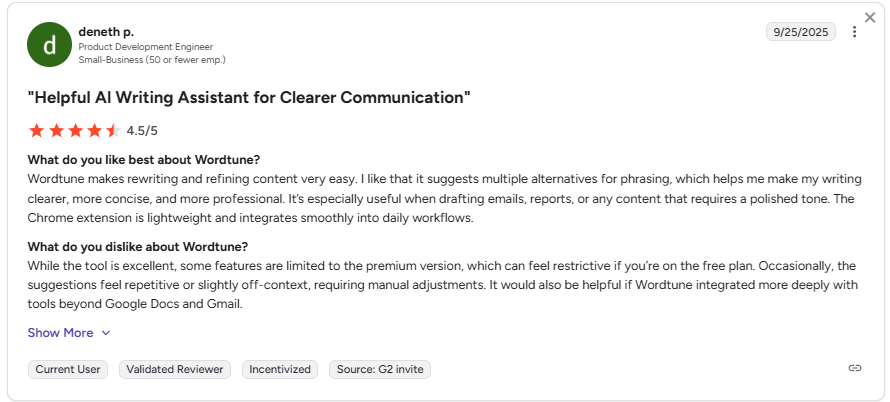
Pros: Users highlight the speed and simplicity of the rewrite feature. For sentence-level polishing, especially among non-native English speakers, the phrasing alternatives are seen as practical and quick.
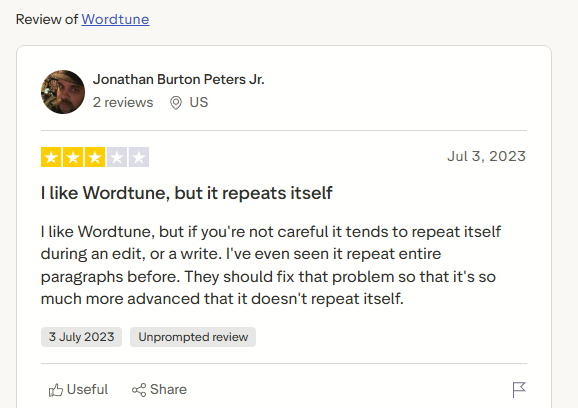
Cons: A common complaint across Trustpilot reviews is that Wordtune tends to repeat itself during edits, sometimes reproducing entire paragraphs. Users also flag the Chrome extension as inconsistent, and those who needed more than sentence-level rewrites often report moving on to other tools.
Grammarly
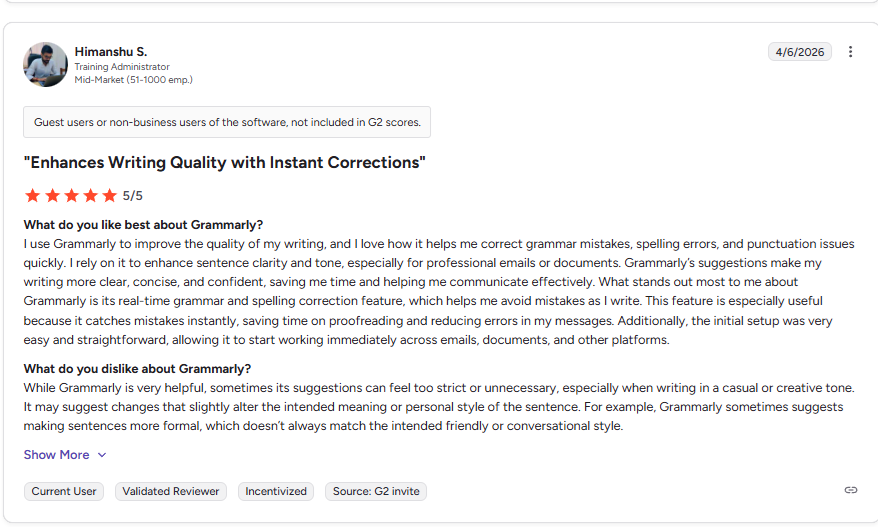
Pros: Many users call Grammarly the most reliable grammar tool they've used. Tone suggestions for professional emails are cited as genuinely useful, especially for writers who shift between formal and casual registers daily.
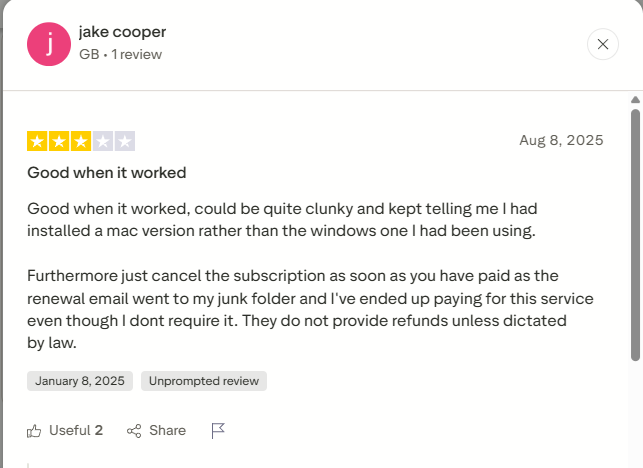
Cons: The most common criticism on Trustpilot is that AI rewrites strip your voice; even with custom style setups, output comes out generic. Users also flag that suggestions can feel interruptive mid-sentence, and they don't always fit the context, with some users noting Grammarly flags phrases that are already well written.
HyperWrite
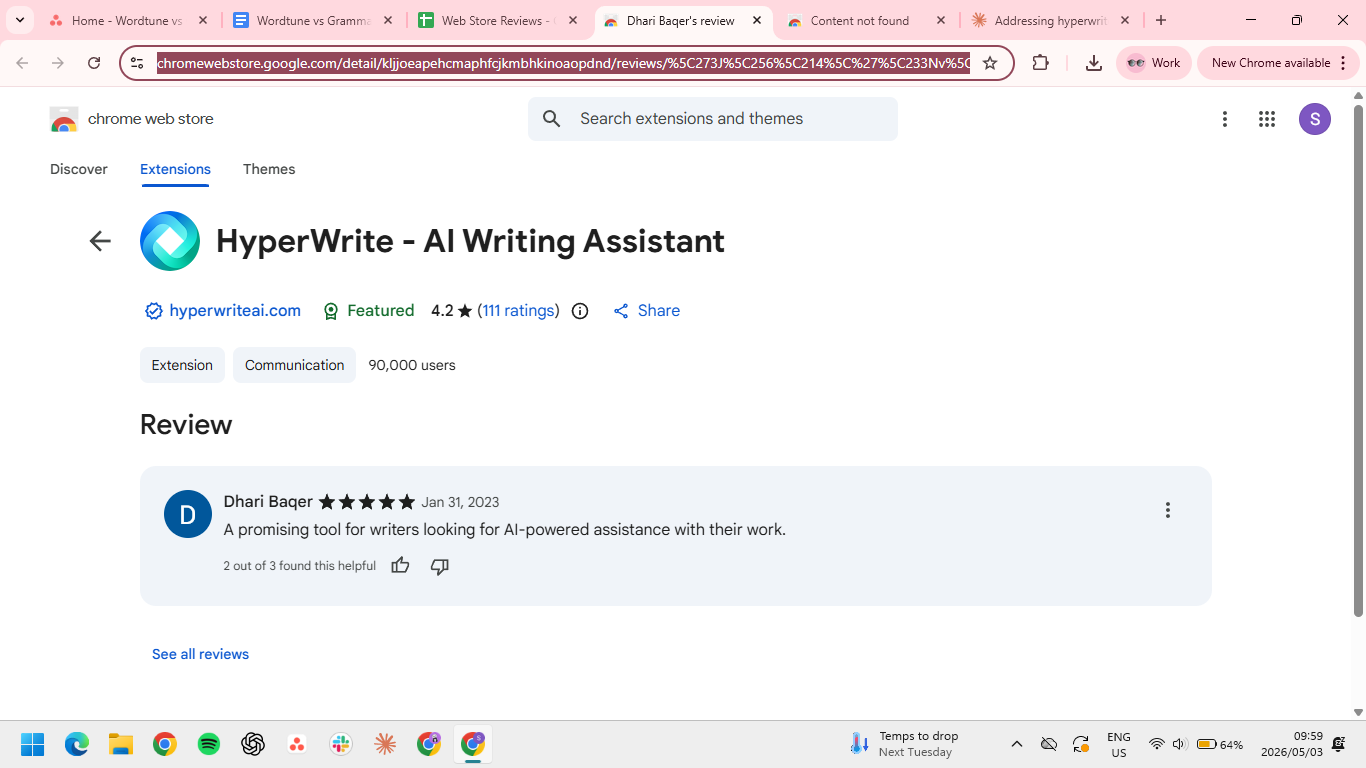
Pros: One Chrome Web Store reviewer, Dhari Baqer, called HyperWrite "a promising tool for writers looking for AI-powered assistance." That promise lands hardest with TypeAhead, which suggests full sentences in gray text as you type across different tabs on your browser. Just hit the “Tab” button to accept.

Cons: The most common friction point across reviews is the usage limits on lower-tier plans. Reviewers coming from unlimited tools like ChatGPT note that the message caps on both the Premium and Ultra plans can feel restrictive for heavy daily use, making the pricing less competitive than it appears at face value.
Which tool should you choose?
These tools solve different problems. The right choice depends on how you actually write during the day.
Choose Wordtune if you:
- Need fast, one-click sentence alternatives without a learning curve
- Write occasionally and want a simple, low-commitment tool
- Already have a draft and just need to rework specific phrasing
Choose Grammarly if you:
- Want a final check before sending emails, proposals, or documents
- Need to catch small grammar or tone issues in client-facing or formal writing
- Already write your drafts yourself and just need a reliable editing layer
- Care more about accuracy and polish than speed of drafting
Choose HyperWrite if you:
- Write professionally across multiple tabs and platforms daily
- Want AI that rewrites in your actual voice, not a generic register
- Need a tool that works inside your workflow
- Are a founder, executive, HR professional, or marketer writing high-stakes content
Try TypeAhead free with the HyperWrite Chrome extension
Grammarly works best when you’ve already written something and need to clean it up. Wordtune helps when a sentence feels off, and you want a quick rewrite. HyperWrite fits earlier in the process, helping you draft responses as you write across your daily tools.
TypeAhead alone separates HyperWrite from both competitors. If you’re spending time rewriting emails, messages, or documents from scratch, it removes that step by suggesting full responses as you go.
HyperWrite's free plan includes unlimited TypeAhead completions and 10 AI uses to get started, no credit card required. Install the Chrome extension and reduce time spent drafting emails and documents.
Frequently asked questions
Is Wordtune better than Grammarly?
No, Wordtune is not better than Grammarly for everything. Grammarly is stronger for correction and polish, while Wordtune is more rewrite-first, with paraphrasing, tone shifts, and multiple ways to rephrase a sentence. The better pick depends on whether you need to fix writing or rework how it sounds.
Does Wordtune work in Google Docs?
Yes, Wordtune works in Google Docs through its browser extension. However, Google Docs needs to be in Pages mode (not Pageless) for the extension to work properly.
What is the main difference between Wordtune and HyperWrite?
The main difference between Wordtune and HyperWrite is in when they help you. Wordtune works on writing you already have, rephrasing and refining sentences after the fact. HyperWrite works while you're still writing, with TypeAhead suggesting completions in real time across every tab in your browser.
Is Grammarly better than HyperWrite?
Grammarly and HyperWrite are better at different things. Grammarly is a stronger editor for catching errors and polishing finished writing. HyperWrite is the stronger tool for professionals who need real-time writing assistance across multiple platforms.

HyperWrite is the AI writing assistant that learns your style. It handles drafting, editing, and researching so you can focus on ideas.
- Autocompletes sentences as you type
- Works inside Google Docs & Gmail
- Adapts to your personal writing style
- 500+ AI tools for any writing task

Powerful writing in seconds
Improve your existing writing or create high-quality content in seconds. From catchy headlines to persuasive emails, our tools are tailored to your unique needs.