
ProWritingAid vs Grammarly: Which Writing Assistant Wins?


Choosing between deep-dive manuscript analysis and fast, cross-app editing is tough. This breakdown of ProWritingAid vs Grammarly shows which tool is worth paying for, based on what you write.
ProWritingAid vs Grammarly: What's the difference?
ProWritingAid is a writing editor built for long-form work, running 20+ reports on style, pacing, and structure alongside grammar and spelling.
Grammarly is a real-time writing assistant that catches grammar, spelling, and tone issues almost everywhere you write.
Choose ProWritingAid if: you write long-form, novels, theses, reports, and want deep style and structure analysis, plus the option to pay once for a lifetime license.
Choose Grammarly if: you write across many apps all day and want fast, reliable correction with a free plan that covers most everyday writing.
Pricing verified from each vendor's page as of June 2026. Annual billing rates shown, month-to-month costs more.
Meet the contenders
ProWritingAid
ProWritingAid is a writing coach mostly used for long projects. It runs 20+ distinct reports on your text, flagging issues such as slow pacing, weak dialogue, and repetitive words. Because it plugs directly into Scrivener and Word, it’s the go-to choice for novelists and academics.
Grammarly
Grammarly is a real-time proofreader and active AI writing partner. Beyond catching typos and punctuation slips everywhere you type, it offers one-click sentence rewrites and tone adjustments that change how your message lands. Pro adds a plagiarism checker, and its suggestions explain the reasoning behind every fix.
ProWritingAid vs Grammarly: Feature-by-feature comparison
Grammar and accuracy
ProWritingAid matches Grammarly on the core errors and adds subtler consistency checks that a real-time engine misses. It works on review, so corrections surface when you run a report, and it can slow down on very long documents.
Grammarly catches typos, punctuation, and agreement errors in real time, flagging each one the moment you type it with a short explanation of the rule behind the fix. Gradually correcting as you write trains you out of repeating the same mistakes.
Winner: Grammarly, for faster real-time correction on everyday writing.
Depth of analysis
ProWritingAid runs 20+ reports on a draft, breaking down pacing, sentence-length variation, overused words, dialogue tags, and readability. The feedback works at the level of craft, so a writer who keeps opening chapters the same way can see the pattern and fix it.
Grammarly focuses on correctness, like grammar, spelling, clarity, and tone. It sharpens individual sentences well, though it doesn't analyze how a full document is structured, so pacing and repetition across a long piece go unflagged.
Winner: ProWritingAid, with structural reporting that no mainstream grammar checker offers.
Long-form and manuscript handling
ProWritingAid catches the deep structural flaws that only appear at length, like sagging pacing, repetitive dialogue tags, or a character name overused across 40 pages. Because it handles book-length files, it integrates perfectly into Scrivener and Word.
While Grammarly can scan a long document, it reads it as a single, continuous stream of sentences. It evaluates your writing line by line, meaning the larger chapter-level structure of a manuscript completely falls outside what it checks.
Winner: ProWritingAid, the clear pick for books, theses, and long reports.
Integrations
ProWritingAid plugs into Word, Scrivener, Google Docs, Outlook, and Chrome. The Scrivener support is a major selling point for novelists who prefer to draft there.
Grammarly covers a much wider day-to-day surface, including your browser, desktop apps, mobile keyboard, and web text fields. It is built for writers constantly bouncing between different tools.
Winner: Tie. ProWritingAid for deep writing-app integration; Grammarly for broad everyday coverage.
Tone and voice
Grammarly reads how a message is likely to land, confident, friendly, or formal, and suggests adjustments before you send. The tone feature earns its keep on an email you can't afford to get wrong.
ProWritingAid takes an analytical view, surfacing patterns in your style across a whole document. It reports on tone and leaves the in-the-moment adjustments to you.
Winner: Grammarly, for real-time tone guidance on everyday writing.
Ease of use and learning curve
Grammarly works the moment you install it: start typing, and suggestions appear, with nothing to configure. The low barrier suits anyone who wants cleaner writing today.
ProWritingAid packs dozens of reports and settings that take time to learn. The depth pays off once a writer knows which reports matter for their work, though the early ramp is real.
Winner: Tie. Grammarly out of the gate; ProWritingAid for writers willing to learn it.
Pricing and value
Grammarly offers a free plan covering grammar, spelling, and tone well enough that many writers never upgrade. Pro runs $12/month annually ($30 month-to-month), with no lifetime or one-time option, so the cost recurs for as long as you use it.
ProWritingAid caps its free plan at 500 words. Premium is $10/month annually ($30 month-to-month), and a one-time lifetime license ($399 Premium, $699 Premium Pro) beats either subscription after roughly three years. The refund window is a tight 3 days.
Winner: Depends on your time horizon. Grammarly for the free tier and low annual cost, ProWritingAid for long-term lifetime value.
What real users are saying
ProWritingAid
Pros
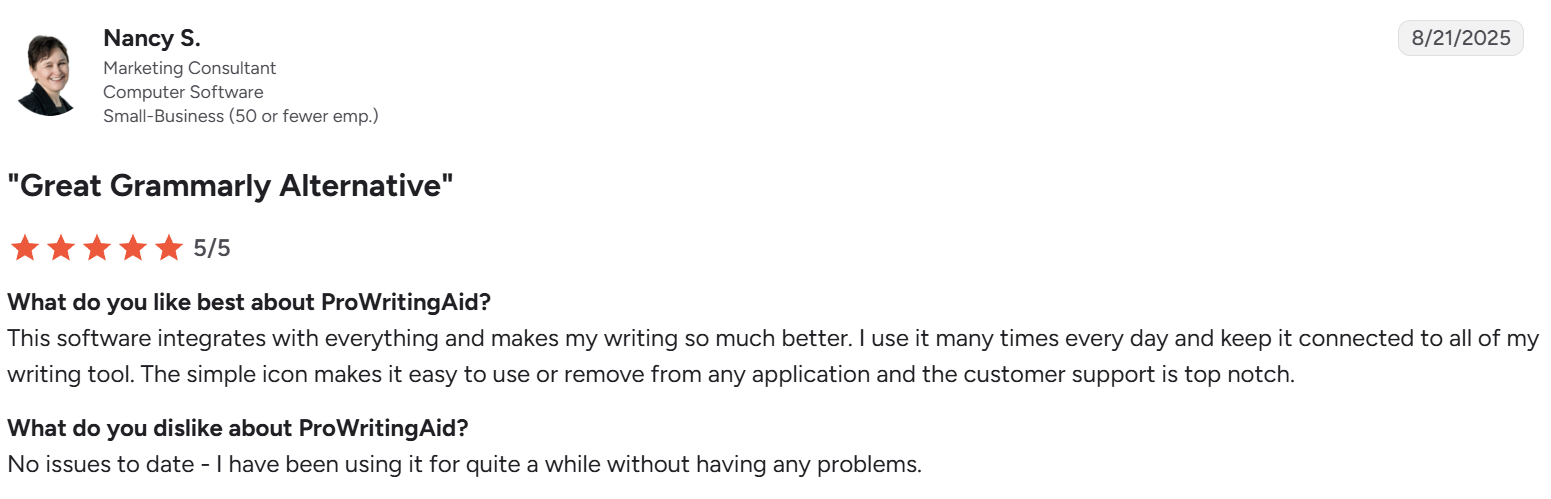
- It integrates everywhere and stays out of the way. Nancy S., a marketing consultant, uses it “many times every day” across her writing tools and credits the simple icon and customer support for making it easy to keep on.
- Suggestions are clear and easy to act on. Sharika B. shares on Trustpilot that the “suggestions are structured and clear [and] easy to understand or dismiss if needed.”
- It catches errors fast and teaches as it goes. David S., a writer and illustrator, runs his manuscripts through it to catch errors and omissions, adding, “I learn from their hints as well.”
Cons
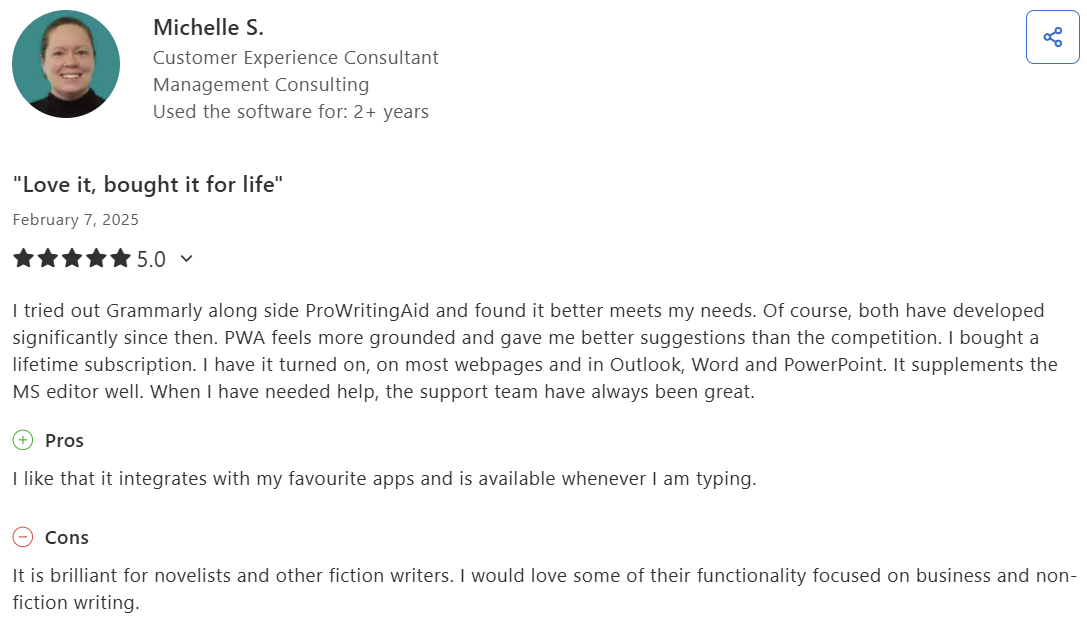
- The feature set skews to fiction. Michelle, a UK customer-experience consultant, calls it "brilliant for novelists and other fiction writers," then adds, "I would love some of their functionality focused on business and non-fiction writing."
- The free tier is limited for heavy users. Daksh, a writer, says the app "saved a lot of my time correcting my mistakes and rephrasing stuff," but the cap frustrates him: "I only get 10 rephrases for a day."
- No mobile keyboard. Kelly W., a marketing specialist, puts it plainly: "There's no [ProWritingAid] keyboard like there is with Grammarly," so on mobile, you're stuck in the browser.
Grammarly
Pros
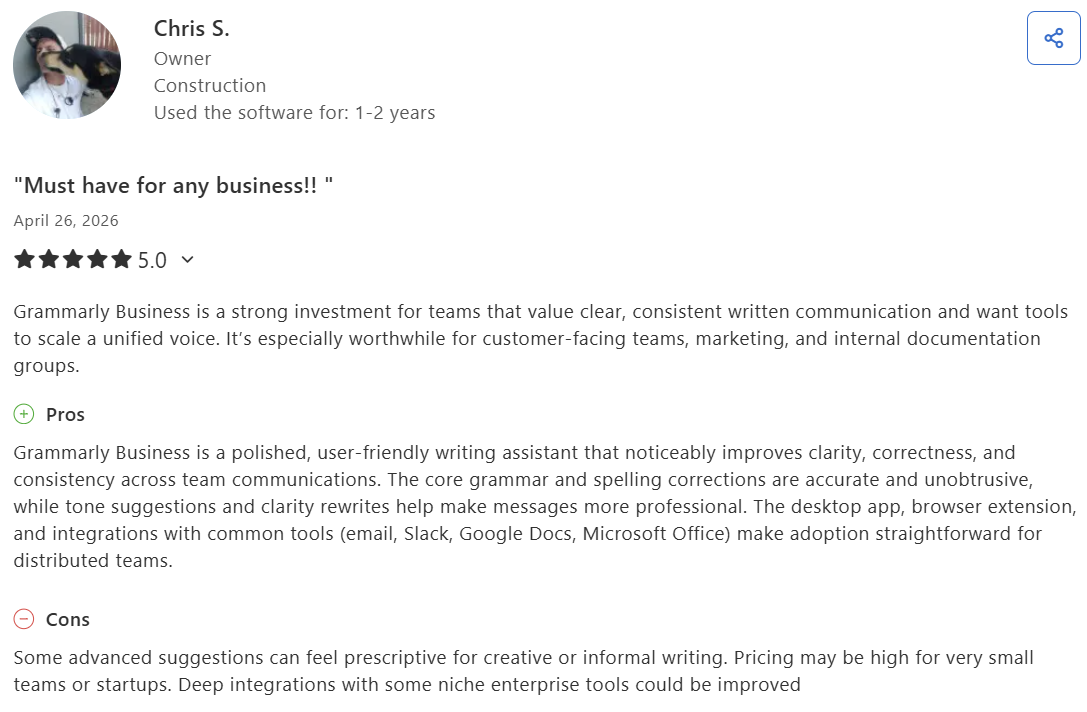
- Keeps a whole team's writing consistent. Chris, a US business owner, says Grammarly Business "noticeably improves clarity, correctness, and consistency across team communications," with integrations that make adoption easy for distributed teams.
- Rephrases for tone. Keerthana A., a junior HR executive, says Grammarly's AI is "no longer just about fixing grammar mistakes," helping her reword awkward sentences while "keeping the tone professional and friendly."
- It catches small mistakes before you hit send. Shane Giannim says it "quietly does its job in the background and saves a bit of time," even if he skips some suggestions.
- Corrects as you write, right inside your docs. Kostiantyn S., a creative copywriter, values how Grammarly works as an embedded tool, "suggesting corrections as soon as the text is written," with the paid version grouping mistakes by type.
Cons
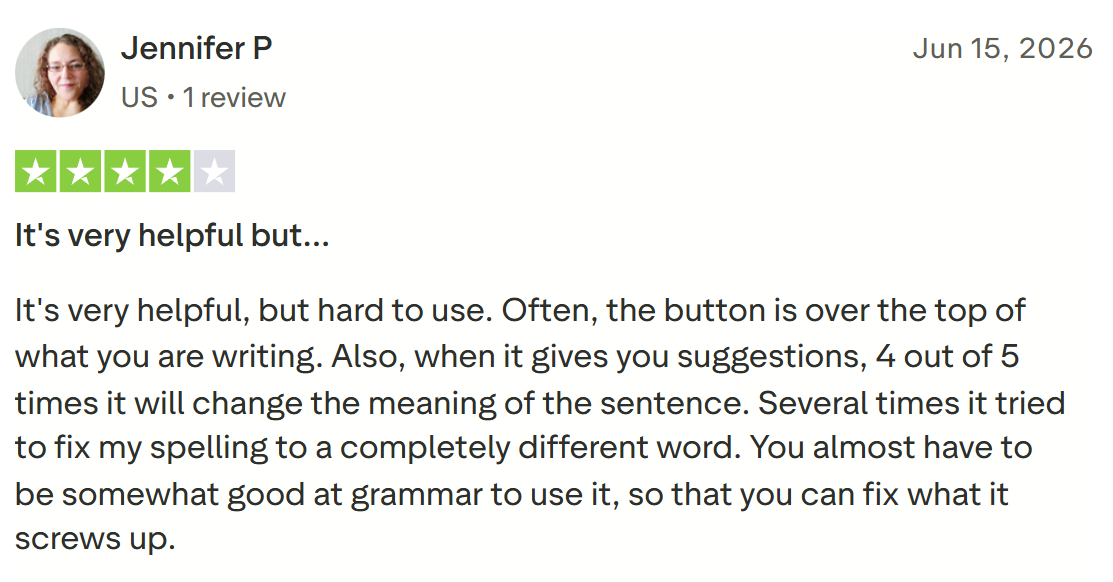
- Suggestions can change your meaning. Jennifer P. found Grammarly's fixes unreliable: "4 out of 5 times it will change the meaning of the sentence," and it sometimes swaps in the wrong word.
- Upgrade prompts get intrusive. Abdalla A., a pipeline engineer, says the "frequent pop-ups and reminders feel intrusive," and are "distracting enough to break my concentration" during quick edits.
- It struggles with tracked changes and browser Office. Diego M., an independent researcher, says it "doesn't work pretty well with change trackers or using Office in browsers."
📖 If you want more than a few snippets, check out our comprehensive Grammarly review.
How to make your choice
If you're picking one, here's how to decide.
ProWritingAid is better for:
- Novelists, academics, and anyone editing long-form work
- Writers who want to improve their craft, not just fix errors
- Scrivener and Microsoft Word users who draft inside those apps
- Writers committing for years who want the lifetime license
- Self-editing a manuscript before it reaches a human editor
Grammarly is better for:
- Professionals writing across email, docs, and messaging all day
- Anyone who wants fast, reliable correction with zero learning curve
- Writers who need real-time tone guidance on short-form and email
- Users who want a free plan that covers most everyday needs
- Teams wanting consistent grammar and tone across many people
📖 If Grammarly's recurring cost gives you pause, explore these Grammarly alternatives before you commit.
The final verdict
These tools fit different writers, so the pick comes down to what you write most. ProWritingAid wins for serious long-form work. Its 20+ reports catch the pacing, repetition, and structure problems that only show up across thousands of words, and the $399 lifetime license beats any subscription over time.
Grammarly wins for everyday writing. A strong free plan, real-time correction everywhere you type, and tone help on the messages you can't get wrong, all of it built for someone moving between Gmail, Docs, and Slack all day.
Many writers run both: ProWritingAid for the manuscript, Grammarly for the browser. At about $22/month combined annually, the pair still costs less than one pass from a human editor.
Where both tools leave you stuck: The first draft
ProWritingAid and Grammarly have one thing in common: both need you to have already written something. The hardest part, getting the first version down, is the one job neither tool does.
That's where HyperWrite helps. Its TypeAhead Chrome extension drafts alongside you in Gmail, Docs, Slack, or any text box, pulling context from your open tabs and suggesting sentence completions.
You write the draft faster, then run it through whichever editor fits. HyperWrite pairs naturally with Grammarly: draft in your voice with one, polish in real time with the other, and the blank page stops being the bottleneck.
Still dreading the first draft? Try TypeAhead free with the Chrome extension and get your opening version down in your own voice, ready to polish in whichever editor fits.
Frequently asked questions
Is Grammarly or ProWritingAid more accurate?
Grammarly is generally more accurate than ProWritingAid for fast, everyday grammar and spelling, catching errors in real time with clear explanations. ProWritingAid matches it on core grammar and adds far deeper style and structure analysis, though it can run slower on very long documents.
Does ProWritingAid or Grammarly have a better free plan?
Grammarly has the better free plan for most writers, covering grammar, spelling, and tone with no word limit. ProWritingAid's free plan caps you at a 500-word check per use, which works as a trial more than a long-term free option. For ongoing everyday editing without paying, Grammarly's free tier goes further.
Can I use ProWritingAid and Grammarly together?
Yes, you can use ProWritingAid and Grammarly together, and many writers do. A common setup is ProWritingAid for deep manuscript editing in Word or Scrivener, and Grammarly for fast correction across the browser, email, and everyday apps. Running both extensions in the same app can occasionally conflict, so many writers enable one at a time per app.
Which is better for writing a book?
ProWritingAid is better for writing a book. Its manuscript and chapter reports, Scrivener integration, and pacing and dialogue analysis are built for long-form fiction and non-fiction. Grammarly helps keep prose clean but doesn't analyze a manuscript's structure across chapters the way ProWritingAid does.

HyperWrite is the AI writing assistant that learns your style. It handles drafting, editing, and researching so you can focus on ideas.
- Autocompletes sentences as you type
- Works inside Google Docs & Gmail
- Adapts to your personal writing style
- 500+ AI tools for any writing task

Powerful writing in seconds
Improve your existing writing or create high-quality content in seconds. From catchy headlines to persuasive emails, our tools are tailored to your unique needs.