
Grammarly vs ChatGPT vs HyperWrite: Here’s the Real Difference


If you're jumping between Gmail, Google Docs, and a CRM all day, you already know the problem: every time you stop to get AI help, you lose the thread. Grammarly, ChatGPT, and HyperWrite promise to fix that. Here's the honest breakdown.
Grammarly vs ChatGPT vs HyperWrite: At a glance
*Pricing current as of April 2026. HyperWrite and Grammarly prices reflect annual billing. ChatGPT individual plans are monthly only, no annual option.
Choose Grammarly if: you want cleaner, lower-risk writing before you hit send.
Choose ChatGPT if: you’re starting from a blank page or need help expanding and restructuring ideas.
Choose HyperWrite if: you’re writing all day across multiple tabs and need to stay in flow without switching tools.
Meet the contenders
Grammarly: The final-pass editor
Grammarly checks grammar, tone, and clarity across your browser and desktop. It's useful if you want a second set of eyes on your work. It also offers a plagiarism checker, style suggestions, and an AI writing assistant. Writers with a sharp or opinionated style often find that it smooths out exactly the edges that made their writing theirs.
ChatGPT: The blank-page drafting tool
ChatGPT handles drafting, research, and reasoning, with a side-by-side document workspace called Canvas. It can rewrite a weak argument, generate angles from scratch, or restructure an entire section in one session. However, it lives in a separate workspace and isn’t built for real-time, in-line editing while you write.
HyperWrite: The tool that stays closest to the work
HyperWrite is a writing co-pilot built for professionals who write across multiple tabs and need to keep momentum. Its TypeAhead Chrome extension pulls context from your open tabs and completes sentences in your voice, in real time. It’s great when you have a draft to work with, but it doesn’t work as well when you're starting on a blank page.
Grammarly vs ChatGPT vs HyperWrite: Feature breakdown
Workflow fit
Grammarly fits best when your workflow already works, and you want fewer mistakes. Its core behavior is review, correct, and tighten. That's useful near the end of a sentence or draft but less useful in the awkward middle where you're still trying to get the thought out.
ChatGPT is useful when you have room to stop and think, great for planning, restructuring, and heavy rewrites. Less useful when you're firing off six emails and jumping between tabs. Canvas is helpful but requires you to leave whatever you're working on and open a separate workspace.
Hyperwrite’s TypeAhead reads what's open across your browser tabs and uses that context to complete your sentences as you type. So if you have a client brief in one tab and a draft email in another, it's pulling from both without you doing anything.
Winner: HyperWrite. If you’re constantly switching tabs just to finish a sentence, this is the only tool here that actually keeps you in the flow.
Blank-page drafting
Grammarly can generate and rewrite, but it still feels like an extension of editing. It takes what's there and makes it safer and clearer. It's not the tool for five different hooks, a fresh angle, or a fast outline from a voice note.
ChatGPT handles blank-page work better than anything else here. Ask for three versions of the same paragraph, a tighter structure, a better analogy, or a full rewrite for a different audience, all in one session. It’s easily the most flexible option here for getting unstuck and building from zero.
HyperWrite drafts well, especially with Personas active. But it works best when you already know the direction. "Help me finish this intro" or "give me a stronger version of this paragraph" are where it shines. But if your idea is still all over the place, it’s not the best place to start exploring from scratch.
Winner: ChatGPT. If you’re staring at a blank page and need momentum fast, this is the one that gets you moving.
Editing and proofreading
Grammarly is built for exactly the moment right before you hit send. It catches grammar issues, flags tone problems, and smooths out awkward sentences while you’re still in the document. If your writing gets judged quickly (client emails, proposals, anything high-stakes), this is where Grammarly really stands out.
ChatGPT handles big-picture editing better than line-by-line cleanup. It's great at restructuring or rewriting a section for a different audience. Less useful for catching a typo or a tone slip before you hit send; that's Grammarly's job.
HyperWrite can tighten phrasing as you go, but it isn’t a proofreader. It makes your sentences better while you’re writing them, so by the time you’re done, there’s less to fix. It’s not a safety net like Grammarly, but it does mean you rely on one less.
Winner: Grammarly. If you want a clean, low-risk final version without overthinking every sentence, this is still the most reliable option.
Writing in your own voice
Grammarly helps you sound cleaner, but not always more like yourself. If your style is sharp or opinionated, Grammarly can trim exactly the parts that made it yours. Most users flag this repeatedly: suggestions that feel strict, repetitive, or slightly wrong for the context.
ChatGPT can match your voice well, but it takes setup. You’ll need to give it examples, adjust the prompt, and usually revise the output at least once before it sounds right. It works, but it’s not consistent without that extra input.
Hyperwrite has Custom Personas that help AI adapt to how you write. By the time you're reviewing the draft, it's already been writing in your voice the whole time.
Winner: HyperWrite. If you want your writing to sound like you without constantly fixing AI output, this is the easiest one to use day to day.
What real users say
Grammarly
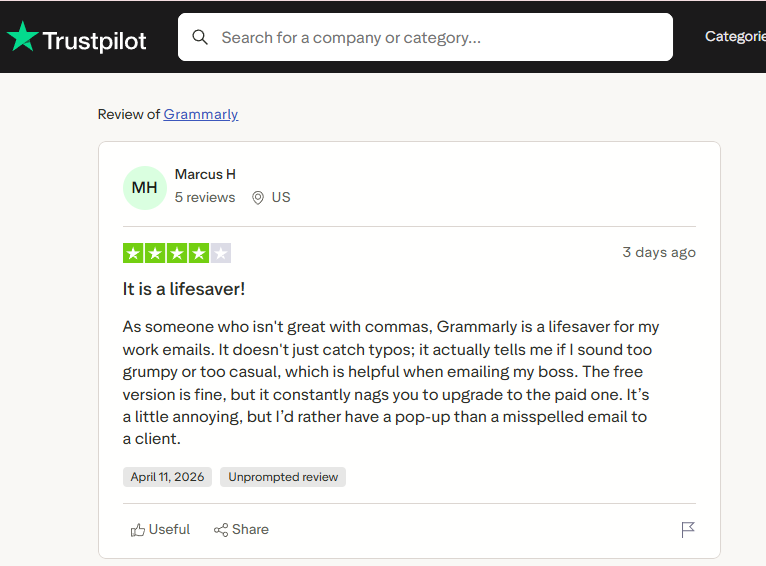
Pros: Most users rely on Grammarly as a final check before anything important goes out. It consistently catches errors missed by basic spell-checkers, and one reviewer noted, “It doesn't just catch typos; it actually tells me if I sound too grumpy or too casual.”
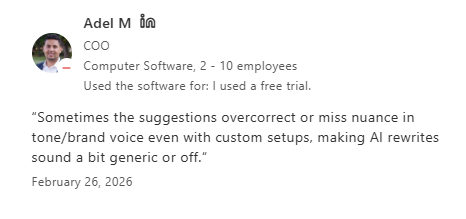
Cons: The tradeoff shows up in tone. A Capterra reviewer says suggestions “make the text feel too polished, like it's lost its voice,” while others report it can “overcorrect” tone or miss nuance even with customization.
ChatGPT
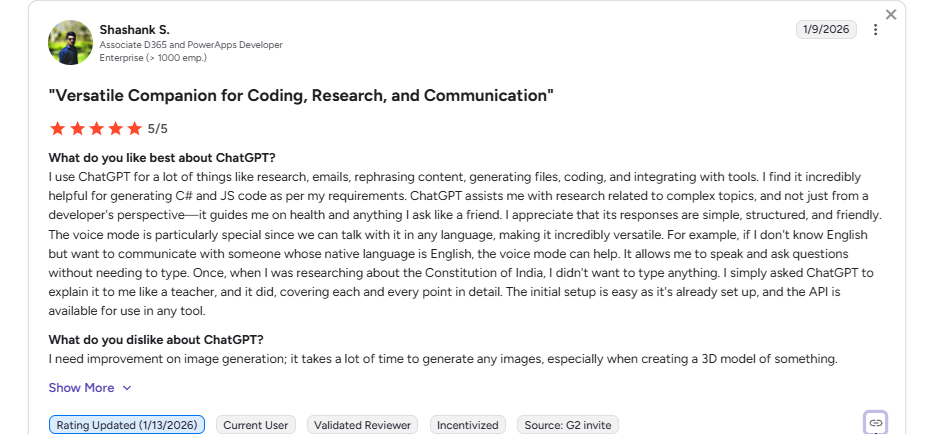
Pros: ChatGPT is the go-to for getting something on the page quickly. Reviewers on G2 often describe it as solving “the blank page problem,” and useful for “research, emails, rephrasing content, generating files, coding...” It covers a wide range of tasks in one place.
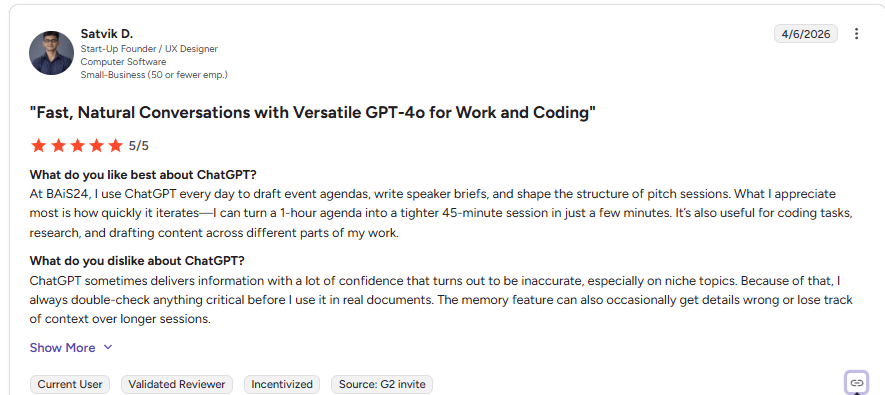
Cons: Accuracy is the most consistent concern. Reviews point out that ChatGPT can confidently provide incorrect or fabricated information, so anything important or research-based needs to be checked before using it.
HyperWrite
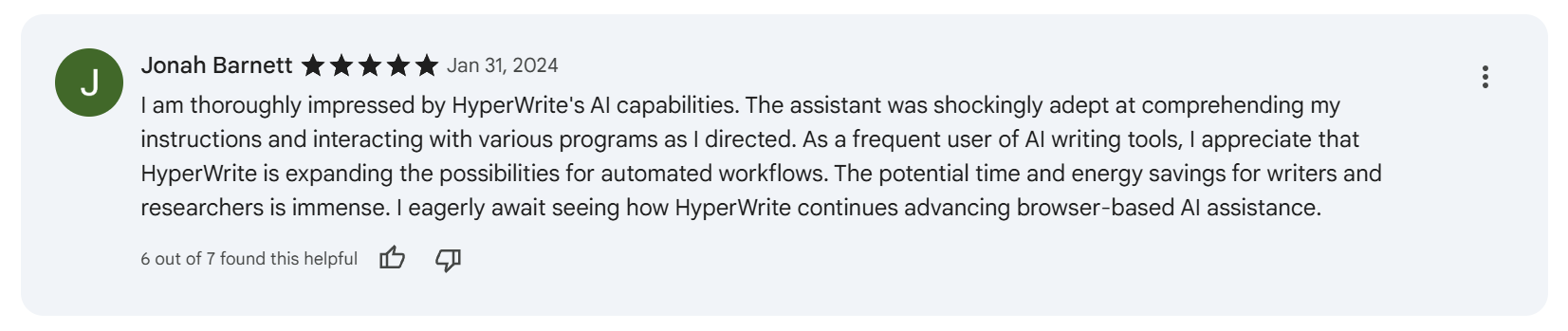
Pros: HyperWrite reduces how much you have to type in high-volume tasks like emails and quick replies. One Chrome Web Store reviewer shared that it is “precise in its responses to emails or texts.” That’s where it pays off most: short, repeat writing across the day.
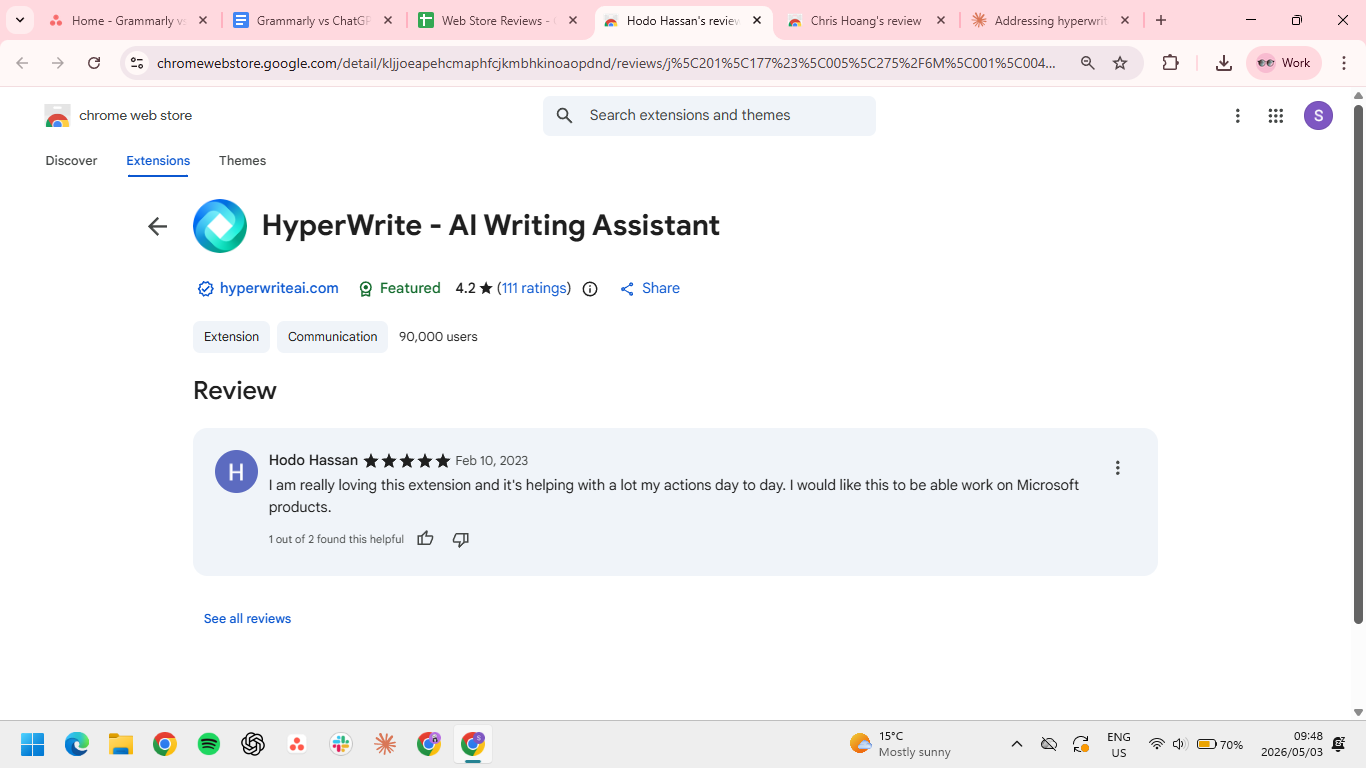
Cons: If you spend most of your day in Microsoft desktop apps like Word or Outlook, you'll hit a wall. One reviewer, Hodo Hassan, said they were "really loving this extension" but wished it worked on Microsoft products too. TypeAhead and the rest of the toolkit only show up where the extension can reach.
Which tool should you choose?
If you’re trying to pick just one, the easier way to think about it is this: where do you usually get stuck while writing?
Choose Grammarly if you:
- Already know what you want to say
- Need cleaner client-facing output with lower risk of errors
- Want a tool that works quietly in the background
Choose ChatGPT if you:
- Start from notes, fragments, or half-formed ideas
- Need help restructuring, reframing, or expanding content significantly
- Don't mind moving into a separate space when the task calls for it
Choose HyperWrite if you:
- Write in short bursts all day across multiple tabs
- Want AI help that stays near the sentence instead of requiring a separate workflow
- Care about sounding like yourself but don't want to set that up from scratch every session
The final verdict
If you’re writing emails, docs, and replies all day, you’ll feel the difference pretty quickly. Grammarly cleans things up at the end. ChatGPT helps when you’re starting from nothing. HyperWrite cuts down the time it takes to actually get sentences out while you’re working.
If most of your time goes into writing and responding, HyperWrite saves you the most time day to day.
Try HyperWrite where your work actually happens
The best way to test HyperWrite is during a normal workday. Use it while replying to emails, writing docs, or handling quick messages. That’s where TypeAhead actually saves time: not in a demo, but while you’re in the middle of real work.
Install the TypeAhead Chrome extension free and try it on the next thing you have to write.
Frequently asked questions
Can HyperWrite replace ChatGPT?
No, HyperWrite does not replace ChatGPT for every use case. ChatGPT is better for broad ideation, deep restructuring, and open-ended drafting from scratch. HyperWrite works better as an always-on writing layer inside your normal browser workflow.
Which tool is best for writing in your own voice?
HyperWrite is the best tool for writing in your voice during day-to-day work. Its Custom Personas and TypeAhead features help you write faster without turning every sentence into generic AI output.
Do you need all three tools?
No, most people don't need all three tools. Choose Grammarly if your pain is polish, ChatGPT if your pain is starting, and HyperWrite if it’s losing momentum while writing across the workday.

HyperWrite is the AI writing assistant that learns your style. It handles drafting, editing, and researching so you can focus on ideas.
- Autocompletes sentences as you type
- Works inside Google Docs & Gmail
- Adapts to your personal writing style
- 500+ AI tools for any writing task

Powerful writing in seconds
Improve your existing writing or create high-quality content in seconds. From catchy headlines to persuasive emails, our tools are tailored to your unique needs.