
Wordtune Review 2026: What Happened After 2 Weeks of Real Use


This Wordtune review is based on two weeks of rewriting cold emails, tightening LinkedIn posts, cleaning up a product brief, and testing it on technical copy. It consistently improved individual sentences in seconds, but broke down when I needed help drafting or structuring anything longer.
Is Wordtune worth it? Quick verdict
Wordtune is a solid sentence-level rewriting tool, and that's genuinely its ceiling. It's best for professionals who already have a draft and need cleaner, sharper phrasing fast.
If you need help getting words on the page, or write anything longer than a paragraph regularly, it won't get you there.
What is Wordtune?
Wordtune is an AI rewriting tool from AI21 Labs that rewrites sentences you’ve already written. You highlight a line, and it gives you multiple alternative versions with different structure or tone. The Chrome extension is what makes it most practical, bringing rewriting tools directly into the apps you already use.
Wordtune features
Here’s what Wordtune actually does in a real workflow, and where each feature helps or slows you down.
Rewrite & rephrase

The Rewrite feature is Wordtune's clearest strength. Highlight a sentence and you get several structurally different alternatives that keep your meaning while changing how the sentence is built. This helps when your writing starts sounding repetitive, especially across emails or client updates, where phrasing tends to repeat.
It works best on single sentences. If you paste in a full paragraph, the suggestions start to feel generic. In real workflows, where you're switching between tabs and building ideas in real time, you need something that can keep up and suggest what comes next as you're writing.
Tone shifting (casual and formal)

The tone adjustment feature works well for formal rewrites but overshoots on casual ones. In testing, two out of six emails came out closer to a text message than professional communication.
It removes most of the manual adjustment when writing across multiple audiences, but it's not set-and-forget. You still need a quick review before sending.
Shorten and expand
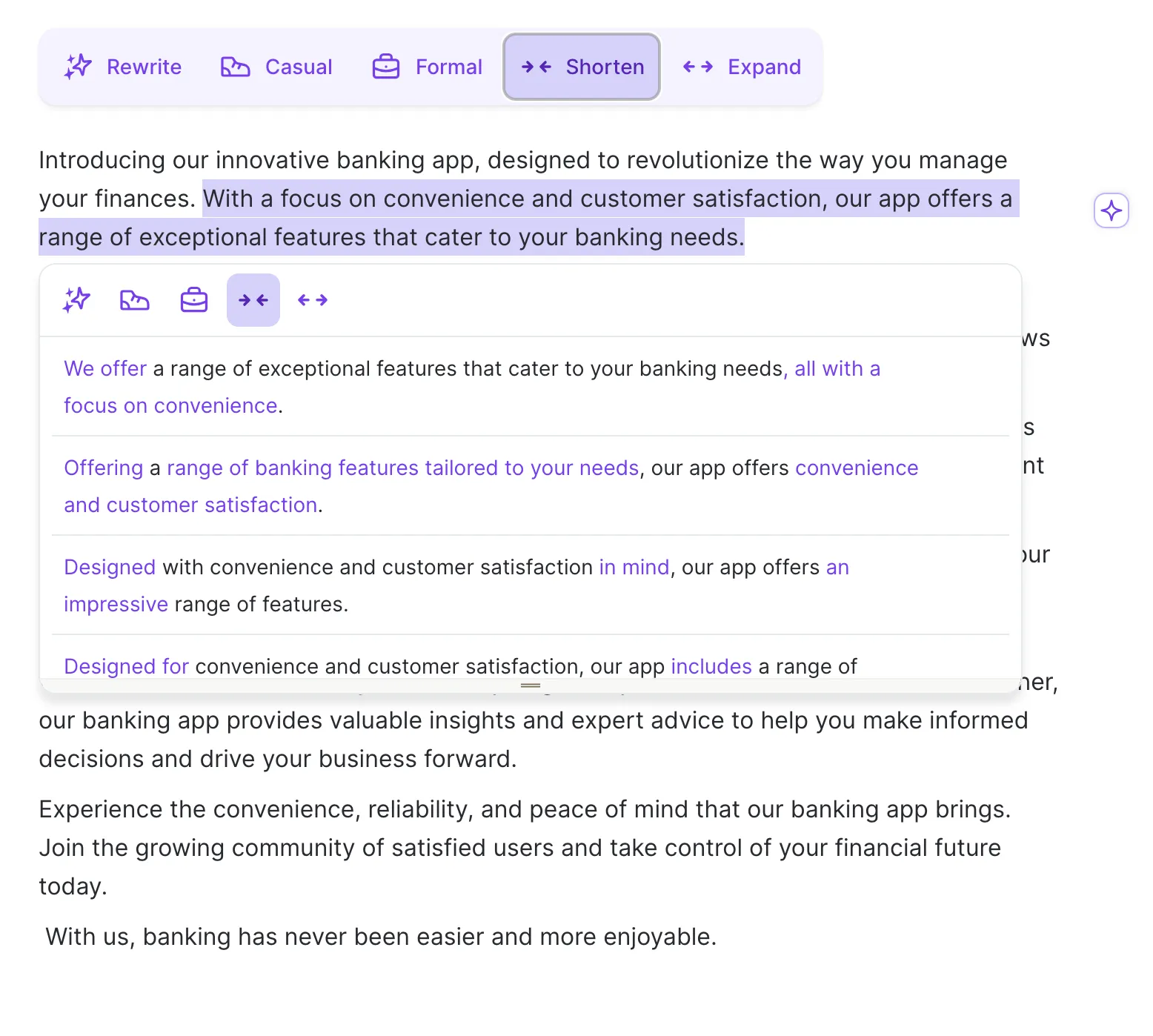
Shorten trims sentences to their core point without losing meaning. A 31-word headline became 13 in one click, which normally takes three manual passes.
Expand is less useful. If your paragraph lacks real information, it just gives you a longer version of the same idea. For genuine depth, you need a tool that reads your context and writes in your voice, not one that pads what's already there.
Spices (AI-powered enhancements)

Spices adds new content around your writing, like examples, counterarguments, analogies, or statistics. I find the “statistic” option the most useful. It returned a relevant, cited data point for an email-related paragraph in under 10 seconds. Manually, this would’ve taken me 5–8 minutes to search.
The “counterargument” option is inconsistent. Some suggestions add real tension, while others feel generic enough to fit any topic.
“Give an analogy” stands out. It generates usable comparisons quickly, which is harder to do manually when explaining complex ideas.
Summarizer
Wordtune's summarizer handles text, documents, and URLs, including YouTube videos. During research for a 2,500-word article covering five tools, it cut my source-filtering time from 40 minutes to under 15. Feed it a 35-minute expert YouTube walkthrough, and you get the key points in under a minute.
For longer technical documents, it loses detail. A 6,000-word research paper came back accurate but missing a key methodological limitation buried in section four. It can miss important nuances, so you still need to verify critical sections.
Grammar and spell check

Wordtune flags spelling errors and separates them from rewrite suggestions through color-coded underlines (red and purple, respectively). This way, you can fix mistakes without interrupting your flow.
The “Add to dictionary” feature removes repeated corrections for brand names or niche terms, which helps in ongoing client work. Grammar suggestions stay basic, though. It corrects errors but doesn’t restructure complex sentences.
Thesaurus
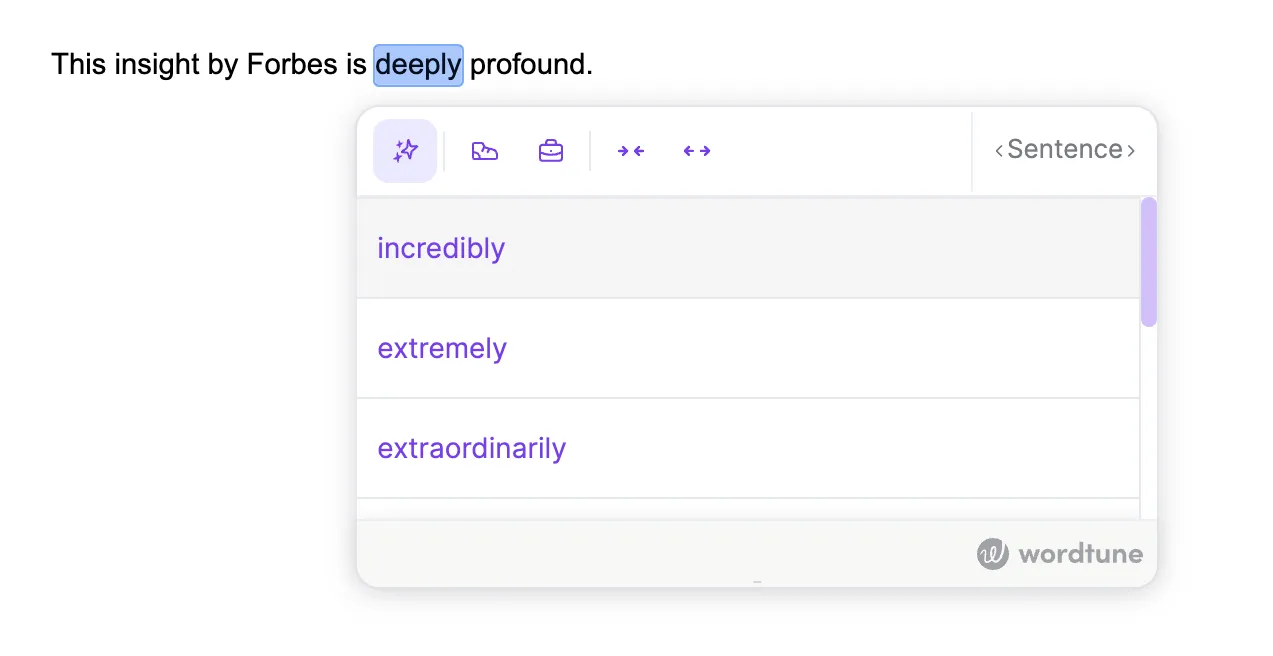
When you highlight a word or phrase, Wordtune surfaces synonym options directly in the editor. This works best on multi-word phrases. Instead of searching for synonyms, you get usable variations without breaking your writing flow.
When you've used the same word three times in two paragraphs, and your brain stops generating alternatives, this gets you unstuck in about four seconds.
Translation
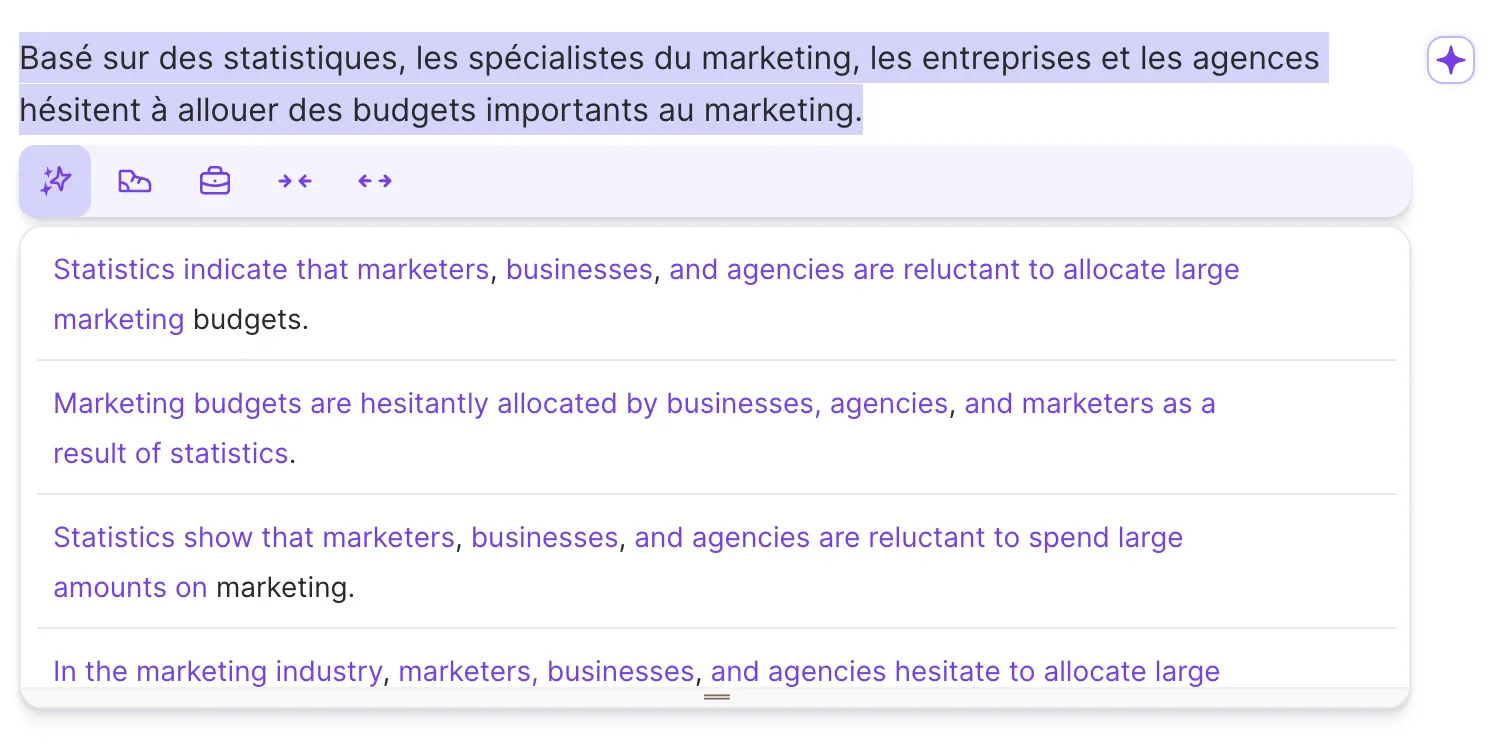
Wordtune translates from 10 languages directly into English and rewrites the output in the same step. You get phrasing alternatives alongside it.
I tested this on a French paragraph and got three English rewrite options instantly, cutting what used to be a two-step process down to one. Note: It translates into English only, not the other way around.
AI text generation and templates
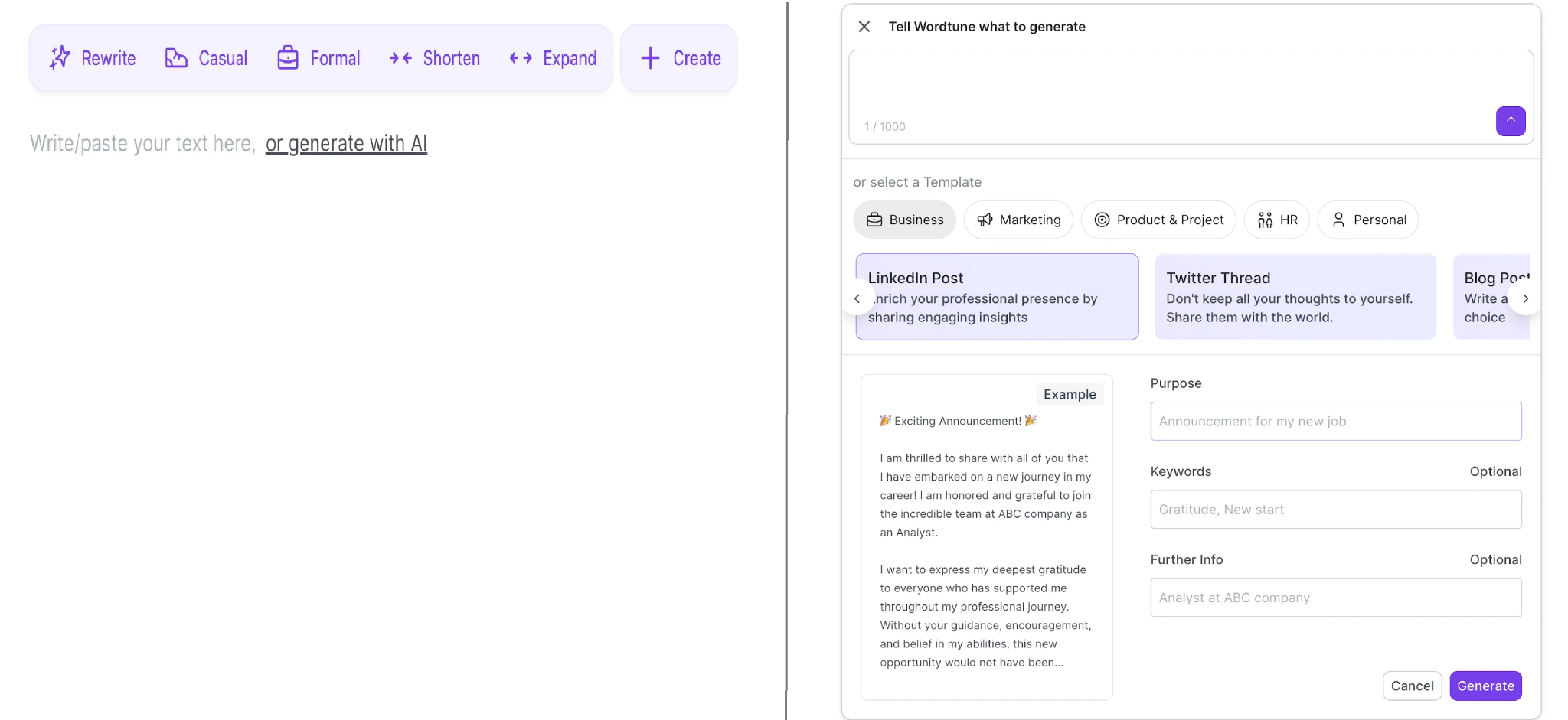
The AI Writer generates content from a blank prompt rather than rewriting existing text. I tested it with a detailed brief for a product ad and got something usable in about 12 seconds. With vague input, the output stayed generic.
Templates are more practical for repeated tasks like job descriptions or emails. They give you structure without needing to write prompts from scratch.
The main limitation is voice. Output sounds generic until you edit it heavily to match your style.
AI answers and knowledge library

Wordtune's personal library stores your documents, links, and videos in one searchable system. The semantic search is what makes it practical. You don't need to remember which document contained which fact.
I tested this with 11 uploaded sources and found a specific statistic in under 20 seconds, which would have taken me several minutes manually. The tagging system keeps things organized as the library grows. Tag by topic, project, or client, so you can reuse information instead of re-finding it.
What real users say about Wordtune
Wordtune holds a 4.6 out of 5 rating on both G2 and Capterra. Most positive reviews come from people writing short, repeatable content like emails and client messages. Complaints focus on usage limits, generic suggestions, and billing issues.
Pros

- The rewrites are structurally different from each other: One G2 reviewer noted they could “adjust tone and clarity without losing meaning,” which shows up consistently in feedback.
- Tone controls and Shorten function work reliably: A G2 reviewer calls it “very helpful for making professional emails more concise” while keeping a human tone in technical writing.
- It cuts editing time on high-volume writing tasks. One Capterra reviewer reported “more concrete writing” and editing at better speeds, balancing quality with efficiency.
- Non-native English speakers get more than error correction: Instead of just flagging issues, the tool shows how to say the sentence better.
- The Knowledge Library makes research usable. Instead of digging through saved files, you search and pull specific points from stored sources.
Cons
- The free plan runs out mid-session. Users hit the cap before finishing normal writing tasks, which makes it hard to evaluate properly.
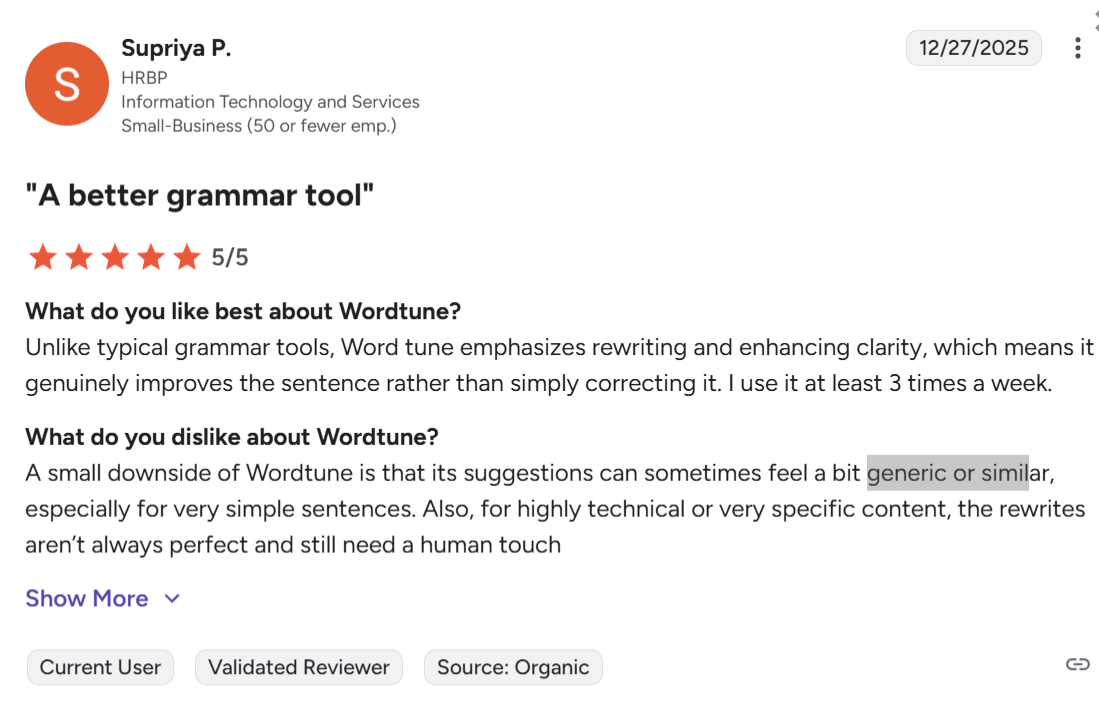
- Suggestions get generic on complex or technical content. G2 feedback notes outputs can feel “generic or similar” when nuance matters.
- It doesn’t handle context across paragraphs. The tool rewrites sentences but doesn’t maintain flow or meaning in longer pieces.
- It improves phrasing without improving substance. If the original idea is weak, the output stays weak.
- Billing complaints show up on Trustpilot. Users report unexpected renewals, double charges, and slow support responses.
Wordtune pricing
*Pricing verified April 2026. Wordtune prices may vary by region and promotional period.
The free plan's 10 daily rewrites sounds reasonable until you actually use the product. I burned through all 10 before finishing a single 200-word email. You hit the limit mid-draft and have to stop or upgrade.
The Advanced plan increases the cap, but not enough for daily use. 30 rewrites and 15 summaries per month means you start rationing usage within a few sessions.
Unlimited removes the caps. If you use Wordtune throughout the day, this is the only plan that doesn’t interrupt your workflow.
Is Wordtune right for you?
Wordtune works well if you:
- Write high-volume, short-form professional content: emails, client messages, LinkedIn posts
- Already have a draft and need sentence-level polish
- Work across multiple languages and need translation and rewriting in one step
- Are a non-native English speaker looking for better phrasing and not just error correction
Wordtune isn't the right fit if you:
- Need to write from scratch regularly (it has no meaningful drafting capability)
- Work with technical, specialized, or precision-dependent copy
- Write anything longer than a few paragraphs and need flow, structure, or argument-level editing
- Want an AI that learns your voice and writes in it
A better fit for professional writers: HyperWrite
Wordtune solves one problem well: cleaning up sentences you've already written. If you're staring at a blank email, a half-finished proposal, or a draft that needs more than polish, it doesn't have much to offer.
HyperWrite is built for what comes before the polish. Its TypeAhead Chrome extension works across every tab you have open: Gmail, Google Docs, your CRM, wherever you're already writing. It reads what's on your screen and completes sentences in real time and in your voice, so you don’t have to stop and think through every line.
Wordtune waits for you to write something, then improves it. HyperWrite writes alongside you from the start.
What makes it worth trying if Wordtune's limits are frustrating you:
- Personas train HyperWrite on your specific voice, so output doesn't have to be edited back to sound like you.
- The AI Tools Library handles drafting, rewrites, summaries, and research in one place.
- The AI Document Editor gives longer writing a proper home, with full document context rather than a sentence-by-sentence queue
Try TypeAhead free with the Chrome extension and write your next email or doc with an AI that already knows what you're working on.
Frequently asked questions
Is Wordtune worth paying for in 2026?
Yes, Wordtune is worth paying for if sentence-level rewriting is your main need. It's best suited for daily email, business writing, and quick copy cleanup. If you need drafting help, long-form support, or an AI that writes in your voice, it will feel limited fast.
Does Wordtune work for long-form content?
No, Wordtune doesn't work well for long-form content. It operates at the sentence level. There's no structural or paragraph-level editing, which means flow, pacing, and argument structure across a full document go unaddressed.
What are the biggest complaints about Wordtune?
The biggest complaints about Wordtune are the free plan's 10-rewrite daily cap, generic suggestions on nuanced or technical writing, and billing issues flagged across multiple Trustpilot reviews. These don't make the tool unusable, but you should consider them if you plan to rely on it daily.
How does Wordtune compare to HyperWrite?
The main difference between Wordtune and HyperWrite is scope. Wordtune improves sentences you've already written. HyperWrite works while you write, completing sentences in real time, drafting from scratch, and adapting to your voice across every tab you have open.

HyperWrite is the AI writing assistant that learns your style. It handles drafting, editing, and researching so you can focus on ideas.
- Autocompletes sentences as you type
- Works inside Google Docs & Gmail
- Adapts to your personal writing style
- 500+ AI tools for any writing task

Powerful writing in seconds
Improve your existing writing or create high-quality content in seconds. From catchy headlines to persuasive emails, our tools are tailored to your unique needs.