
Rytr Reviews 2026: Pricing, Features, and Real Limitations


Rytr reviews praise its speed and low price, but raise concerns about quality and repetition. That gap defines exactly where the tool works and where it falls short.
What is Rytr?
Rytr is an AI writing assistant that generates short-form content using pre-built templates and structured prompts. You choose a use case like “product description” or “email,” add a few inputs, and Rytr produces a draft in seconds using a GPT-based language model.
It’s designed for speed over depth. Instead of acting as a full writing workspace, Rytr focuses on fast generation for repeatable content tasks like social posts, ad copy, and outlines.
Rytr features that matter
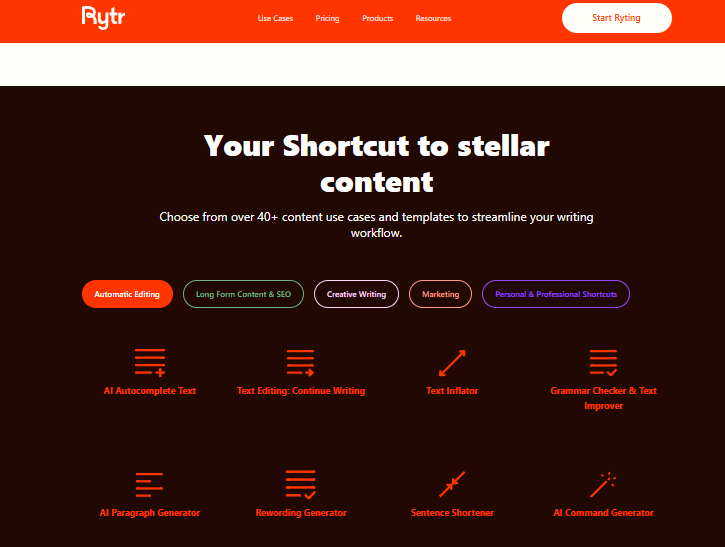
Templates and use cases
Rytr’s 40+ templates and use cases let you create content like product descriptions, emails, and LinkedIn posts by filling in a few fields. You get a usable draft in 2-5 seconds without writing a prompt from scratch.
The templates do the thinking for you, which is fast, but the output stays inside the template's pattern even when your piece needs a less generic structure.
My Voice (Brand voice training)
Rytr’s My Voice feature lets you upload writing samples so the tool can mimic your tone across outputs. This helps solopreneurs who need consistency across social posts and emails.
In practice, that consistency breaks once you leave the platform. You still have to copy content into Gmail or Google Docs, which adds friction and disconnects the tool from your actual workflow.
Chrome extension
Rytr's Chrome extension generates content on demand inside text fields, but it doesn't offer always-on, real-time sentence prediction as you type. Suggestions appear when you trigger them, not while you work. So it's a content generator inside your browser, not a co-pilot writing alongside you.
Continue Ryting
This feature extends any selected text with a single click. It’s useful when you’ve written a paragraph and need help pushing the draft forward, like expanding a blog outline into a rough section.
If you run it multiple times, the quality drops fast. The output drifts off-topic and repeats ideas, which makes it unreliable for anything beyond short expansions.
AI Command
Give Rytr a direct instruction like "rewrite this more formally" or "make it more persuasive," and it executes. It’s the most flexible tool in the suite for custom edits that don't fit a template.
Each command generates a fresh output without a strong memory of previous edits. That makes tone and phrasing inconsistent across iterations, especially when refining the same piece multiple times.
Rytr plans and pricing
*Prices are based on annual billing and accurate at the time of writing, according to Rytr’s official pricing page.
Which plan should you choose?
- Free: Start here to test Rytr on your actual writing tasks before paying. The 10,000-character monthly cap is enough to evaluate the tool over a few sessions before deciding.
- Unlimited: The right choice for single-language writers producing short-form content daily. At $7.50/month (yearly billing), it's where most Rytr users land.
- Premium: Only worth it if you write in multiple languages, manage multiple client brands, or need more than 50 plagiarism checks a month.
What real users say about Rytr
Pros:
- Price point. At $7.50/month, Rytr is cheaper than most major competitors. Mark Morphew described it on Trustpilot as “ridiculously cheap for what it does” and noted it replaced hours of searching for templates with simply generating inside the tool.
- Low learning curve. Most users generate usable content within minutes of signing up. The template-driven interface removes the need to learn prompting, which makes it accessible if you just need quick drafts without setup.
- Speed. Outputs appear in 2 to 5 seconds, which makes it useful when you need drafts under tight deadlines. Md Sazzad M. shared on G2 that you can “have the content that you are looking for” within minutes, especially for quick outlines and starting points.
- Plagiarism checker included. Built-in checks save you from paying for a separate tool, especially if you’re producing marketing copy or web content that needs quick verification before publishing.
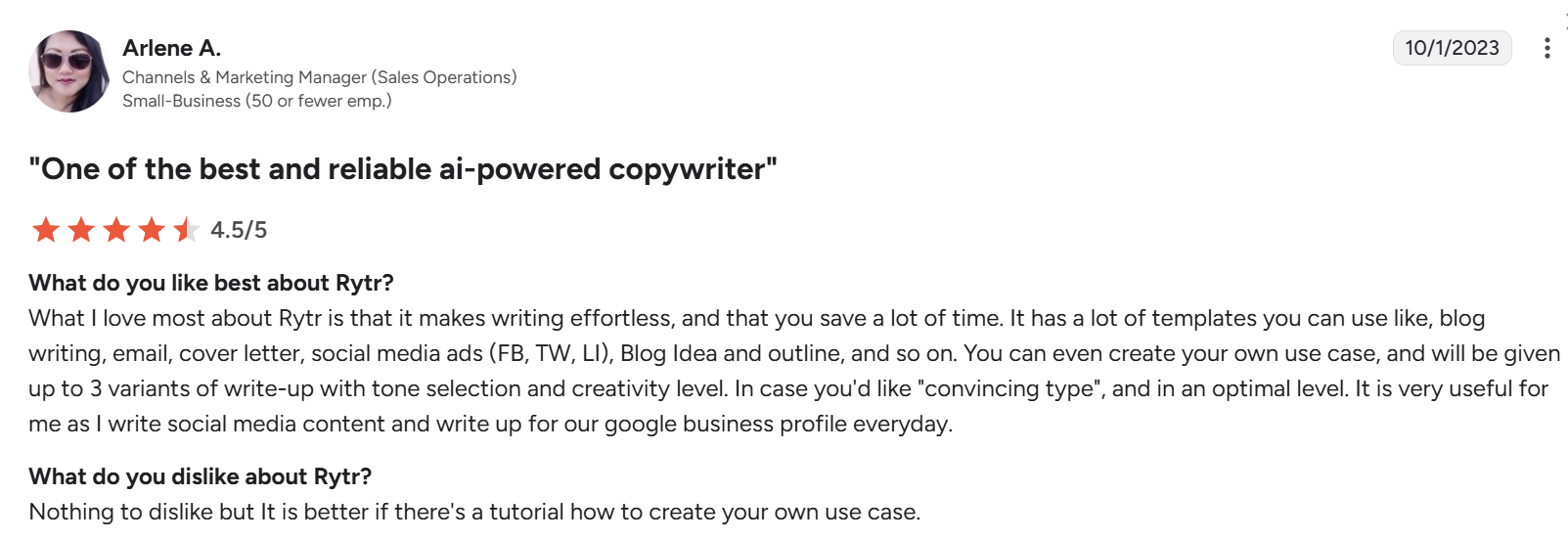
- Tone and variants. Rytr lets you generate multiple versions of the same input with different tones, which helps when writing social posts or marketing copy at volume. Arlene A., a marketing manager, mentioned you can “choose tone and get multiple variants,” which makes it useful for daily content production.
Cons:
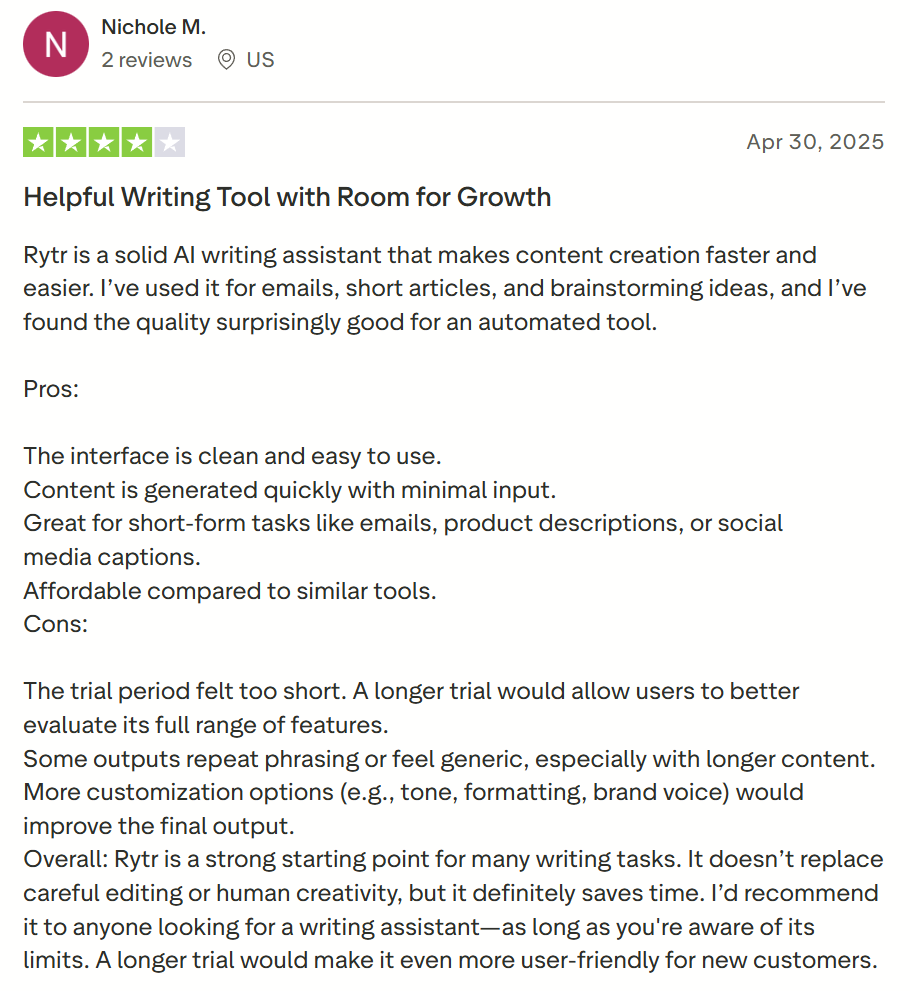
- Long-form content falls apart. Output becomes repetitive and generic after a few paragraphs, which makes it unreliable for blog posts or anything requiring depth. Nichole M. on Trustpilot noted that outputs “repeat phrasing or feel generic, especially with longer content,” which limits it to short-form use cases.
- Factual reliability is low. Like most AI writing tools, Rytr generates plausible-sounding content that can be inaccurate. Every output needs fact-checking before publishing, especially for anything beyond basic marketing copy.
- Limited originality and creativity. Rytr produces usable drafts, but ideas often feel predictable because they follow template patterns. As Solomon Akpan wrote on Trustpilot, the tool “may not be able to come up with truly original ideas,” especially when you need unique angles or differentiation.
- Weak brand voice consistency. While Rytr offers tone selection, it struggles to maintain a consistent voice across multiple outputs without repeated input. Taylor A. pointed out on G2 that having even one persistent voice would help avoid “put[ting] all of the same content in all the prompts” just to keep writing consistent.
- Split editor and chat. The AI chat and document editor live in separate views, which adds friction when switching between generating and editing content during longer sessions.
Is Rytr right for you?
Rytr works well for:
- Solopreneurs and small teams producing short-form content on a tight budget
- Marketers generating social captions, ad copy, and product descriptions at volume
- Non-native English writers who need fast, usable drafts to edit
Skip Rytr if you:
- Publish long-form content where quality and consistency matter
- Want an AI that writes in your voice, not from a template
- Rely on direct integrations with WordPress, HubSpot, or your CRM
Best Rytr alternative for writing in your voice: HyperWrite
Rytr gives you a template and waits for you to fill it in. HyperWrite works the other way around: it reads what you're already doing and writes with you in real time.
The difference starts with TypeAhead. It's a Chrome extension that sits inside every app in your browser (whether that’s Gmail, Google Docs, LinkedIn, or your CRM) and predicts your next sentence as you write. It pulls context from your open tabs automatically, so there's no switching, no copy-pasting, and no prompts.
Personas takes the voice gap further. Rytr's "My Voice" applies a tone at generation time. HyperWrite's Personas learn from your actual writing and carry that voice into every TypeAhead suggestion, so the output sounds like you wrote it.
While Rytr is a content generator, HyperWrite is a writing co-pilot. If the distinction matters, try TypeAhead free — no credit card, install in minutes.
Final verdict: Is Rytr worth it?
At $7.50/month, Rytr is the easiest yes in AI writing if you know exactly what you're using it for. Social captions, ad copy, product descriptions, email subject lines: it handles all of it fast, cheaply, and with almost no setup.
If your work depends on nuance, strong voice, or polished long-form content, you’ll spend more time fixing outputs than you save generating them.
Want a tool to keep up with how you actually write?
HyperWrite’s TypeAhead stays active as you write, completing sentences in your voice based on what’s in your browser. Install the free Chrome extension in minutes and see what writing with a real co-pilot feels like.
Frequently asked questions
Is Rytr free to use?
Yes, Rytr has a free plan that gives you 10,000 characters per month (about 1,500 words) with access to all 40+ use cases and no credit card required.
Is Rytr good for long-form content?
No, Rytr is not good for long-form content. Output becomes repetitive and generic after a few paragraphs, and reviewers on G2 and Trustpilot consistently flag this. It works best for short-form content under 500 words.
Does Rytr produce plagiarism-free content?
Rytr's outputs are typically original, but the tool doesn't guarantee plagiarism-free content, which is exactly why paid plans include a built-in plagiarism checker. Unlimited gets 50 checks per month; Premium gets 100.
Is Rytr's output detectable as AI content?
Yes, Rytr's output is frequently detectable as AI content. Its writing style is consistent and pattern-heavy enough that detection tools flag it without significant editing, a known limitation that users regularly mention.

HyperWrite is the AI writing assistant that learns your style. It handles drafting, editing, and researching so you can focus on ideas.
- Autocompletes sentences as you type
- Works inside Google Docs & Gmail
- Adapts to your personal writing style
- 500+ AI tools for any writing task

Powerful writing in seconds
Improve your existing writing or create high-quality content in seconds. From catchy headlines to persuasive emails, our tools are tailored to your unique needs.