

ChatGPT writes fine for a quick draft, but professional writers keep hitting the same walls: generic prose, telltale AI phrasing, and output that trips detectors.
The right ChatGPT alternative for writing fixes at least one of those, either sounding more like a person or fitting a specific kind of work better than a general chatbot does. Here are the five worth switching to.
Why look for a ChatGPT alternative for writing?
ChatGPT is a capable generalist, but for writing that gets published or read closely, a few limits show up fast, and they map to what a better tool should fix:
- Generic, formulaic prose. ChatGPT uses patterns like "delve into," "it's important to note," and "in today's landscape" that flatten your voice and read as machine-written.
- AI-detector risk. Its predictable phrasing is exactly what detectors flag, a problem when originality matters.
- Inconsistent output. The same prompt can return different quality on different days, and legitimate requests sometimes get over-filtered.
- No voice or brand memory. It resets each session, so it won't hold your tone or brand across pieces without re-prompting.
TL;DR: Which ChatGPT alternative should you choose?
- Choose Claude if you want the most natural, human-sounding prose for articles and long-form.
- Choose Gemini if you write inside Google Docs, Gmail, and the Workspace apps.
- Choose Perplexity if your writing needs sourced, verifiable research behind it.
- Choose Jasper if you need a consistent brand voice and SEO across a team.
- Choose HyperWrite if you want to draft in your own voice across every app you write in.
- Stick with ChatGPT if you want one generalist for casual drafting, brainstorming, and everything else.
ChatGPT writing alternatives at a glance
Pricing based on annual billing, verified from each vendor's official pricing page as of July 2026.
The 5 best ChatGPT alternatives for writing
1. Claude

Claude’s prose carries varied sentence structure, natural transitions, and none of the corporate cheerfulness that gives ChatGPT away. Its large context window lets it hold a full outline, reference notes, and past drafts in a single conversation.
Best for: Writers who want the most natural first draft and edit hard from there.
Key features
- Natural prose. Produces writing that reads less like generated text than most mainstream models.
- Large context window. Holds long documents, outlines, and references in one prompt without losing the thread.
- Projects. Groups related writing under shared instructions and files for a consistent tone across pieces.
Pros
✅ Creates highly natural text that feels human and is a clear step up from ChatGPT.
✅ Excels at editing drafts by completely reworking rough passages based on your exact instructions.
✅ Maintains a strong argument throughout long articles where other AI models usually lose focus.
Cons
❌ No live internet access on cheaper plans, so you must paste in your own current-events data.
❌ Omits built-in SEO and brand features, meaning you need external software for search ranking or specific brand voices.
❌ Imposes strict daily caps that heavy users might trigger even on paid accounts.
Pricing
- Free plan available
- Pro: $17/month billed annually ($200 up front), or $20/month billed monthly
- Max: from $100/month
- Team: $20/seat/month billed annually ($25 monthly) for standard seats; $100/seat/month ($125 monthly) for premium seats
- Enterprise: custom, seat price plus usage at API rates, scaling with model and task
2. Gemini

Gemini is the natural pick if your writing happens inside Google's apps. It works directly in Docs, Gmail, and the rest of Workspace, drafting and revising where you already write, and it pulls live information from Google Search to keep content current.
Best for: Writers already working in Google Docs and Workspace.
Key features
- Workspace integration. Drafts and edits inside Docs, Gmail, and Sheets without a separate window.
- Live Google Search. Pulls current web data into writing that needs up-to-date facts.
- Large context window. Gemini Pro handles long documents and multi-section drafts in one pass.
Pros
✅ Works inside your document to save you from copying and pasting back and forth with a chatbot.
✅ Includes live internet access, which makes it easy to reference recent news and current events.
✅ Offers one of the lowest starting prices around, with a paid plan at just $4.99 a month.
Cons
❌ Generates robotic text that sounds more like standard ChatGPT than natural human writing.
❌ Requires Google Workspace for full value, so you lose the main benefit if you use different software.
❌ Demands time to learn because the advanced features can feel overwhelming at first.
Pricing
- Free plan available
- Google AI Plus: $4.99/month
- Google AI Pro: $19.99/month
- Google AI Ultra: from $99.99/month
3. Perplexity

Perplexity is the alternative for writing that has to stand on real sources. It answers with citations, pulling current information from the web and linking every claim, so you can research a piece and verify facts without a second tab of open searches.
Best for: Writers whose work depends on sourced, verifiable facts.
Key features
- Cited answers. Links a source to every claim, so you can check it before you write it.
- Focus modes. Restricts research to academic or specific source types for reliability.
- Live web search. Pulls current information rather than working from stale training data.
Pros
✅ Provides sources for every fact to save you from the heavy fact-checking required by standard chatbots.
✅ Accesses live information automatically to ground your content in recent data instead of an old database cutoff.
✅ Includes deep research for free by letting you test out the cited Pro searches without a subscription.
Cons
❌ Focuses on gathering data over writing, which means you will still need a separate app to draft your actual paragraphs.
❌ Requires double-checking because the system can sometimes misinterpret or exaggerate a source.
❌ Prioritizes brief summaries, making it a tool built for discovery rather than generating long articles.
Pricing
- Free plan available
- Perplexity Pro: $20/month
- Perplexity Max: $200/month
- Enterprise Pro: $40/seat/month
- Enterprise Max: $325/seat/month
4. Jasper
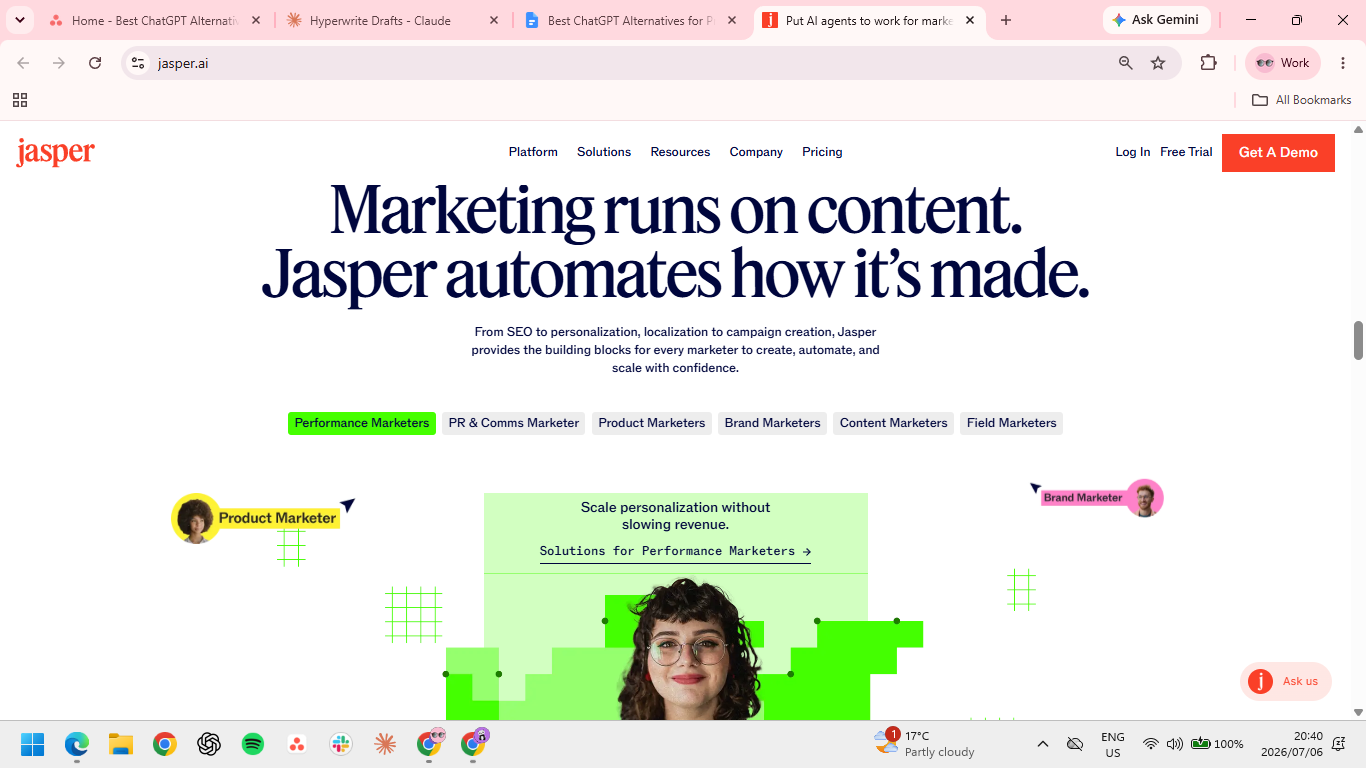
Jasper is the alternative for teams whose writing has to stay on-brand and rank. Where a general chatbot forgets your voice between sessions, Jasper trains on your guidelines and holds a consistent tone across writers and formats, with SEO features built into the workflow.
Best for: Marketing teams producing branded, search-focused content at volume.
Key features
- Brand Voice. Learns your style from samples and applies it across every draft.
- Content Pipelines. Automate the path from brief to draft for a full editorial calendar.
- SEO mode. Works keyword targets into the draft and connects to Surfer for optimization.
Pros
✅ Enforces a unified team tone, which prevents the inconsistent style shifts common with standard AI prompts.
✅ Simplifies marketing content creation by handling blogs, social media posts, and emails in a single dashboard.
✅ Integrates search engine optimization directly to bake keyword ranking straight into your writing process.
Cons
❌ Premium rates are hard to justify for individual creators because the real return on investment happens at team scale.
❌ Locks top capabilities away by restricting deep brand voice customization to the most expensive tiers.
❌ Defaults to a stiff business style which requires manual editing or alternative tools for personal and opinion pieces.
Pricing
- Pro: $69/month/seat, or $59/month/seat billed annually
- Business: Custom pricing
5. HyperWrite
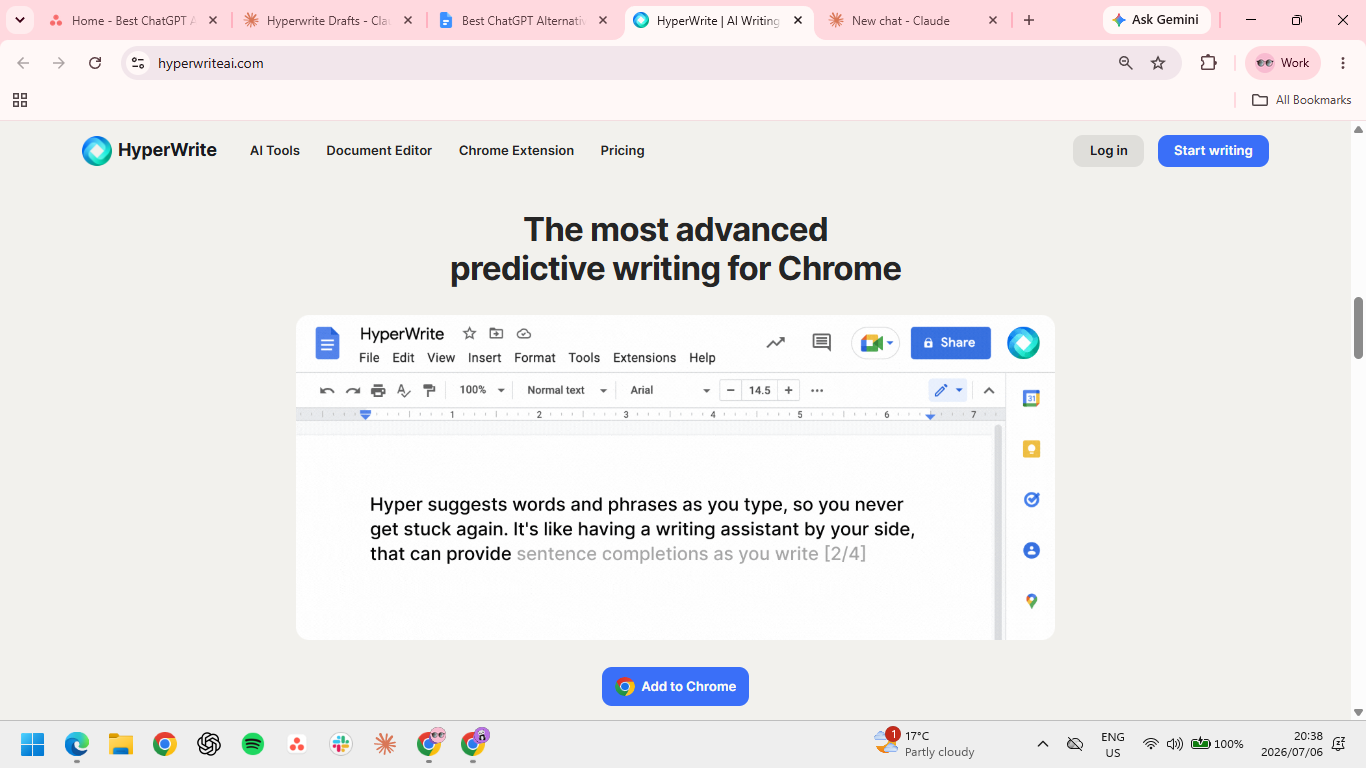
HyperWrite’s headline feature isn't a chat window. Its TypeAhead reads what you're writing and pulls context from your other open tabs, then offers the next line right in the tab you're working in.
It keeps pace with your draft, so you're editing your own momentum instead of stopping to prompt a chatbot.
Best for: Writers who want AI help in their own voice, across every app they write in.
Key features
- TypeAhead. Real-time sentence completions inside any browser tab, from Gmail to your CMS.
- Personas. Reusable voice profiles you set up, so suggestions match your voice rather than a default.
- AutoWrite. Generates full paragraphs on any topic or format from a short prompt, HyperWrite's most-used tool for a fast first draft.
- Document Editor. Full-featured workspace that lets you chat with the AI about your draft, pull in academic research citations, and apply edits directly to your page.
Pros
✅ Matches your exact writing style to avoid the generic robotic tone produced by standard chatbots.
✅ Integrates with your existing apps to prevent you from having to learn a completely new workspace.
✅ Costs nothing to start, since the browser extension is free with no credit card required.
Cons
❌ Operates only inside internet browsers, which leaves you without support when typing in separate desktop software.
❌ Personas take some upfront setup before suggestions sound like you, so it isn't fully dialed in the moment you install it.
Pricing
- Free plan available
- Premium: $19.99/month, or $16/month billed annually
- Ultra: $44.99/month, or $29/month billed annually
How to choose the right ChatGPT alternative
Match the tool to the kind of writing you do most:
- The most natural prose, Claude is the clearest upgrade over ChatGPT.
- Writing inside Google apps, Gemini keeps the help where your documents already live.
- Research-heavy writing, Perplexity grounds every claim in a source you can check.
- Branded, team content, Jasper holds a consistent voice and builds SEO into the process.
- Writing in your own voice everywhere, HyperWrite drafts inline across the apps you already use.
Many writers start with Claude for drafting quality, then reach for a second tool when research, SEO, or writing across their other apps demands it.
The tool that meets you in your own tabs
Every tool on this list is somewhere you go to write. HyperWrite is the one that shows up in the writing you're already doing. TypeAhead suggests your next line inside Gmail, Docs, or your CMS, and Personas match your voice so the suggestions read as you wrote them.
What it does best is keep your own voice intact across the everyday writing that happens outside any single app, the emails, docs, and drafts where stopping to prompt a chatbot would only break your flow.
Tired of breaking your flow to prompt a chatbot? Try TypeAhead free with the Chrome extension and keep drafting in your own voice, right where you already write.
Frequently asked questions
What is the best ChatGPT alternative for writing?
The best ChatGPT alternative for writing is Claude, which many writers consider the most natural, human-sounding option. It avoids ChatGPT's formulaic phrasing and holds tone across long pieces. The best fit still depends on your work: Perplexity for research, Gemini for Google users, Jasper for teams, and HyperWrite for writing in your own voice across every app.
Which AI writes more naturally than ChatGPT?
Claude writes more naturally than ChatGPT. Its prose uses varied sentence structure and natural transitions, and it avoids the stock phrases like "delve into" that make ChatGPT's output easy to spot.
Are there free ChatGPT alternatives for writing?
Yes, there are free ChatGPT alternatives for writing. Claude, Gemini, and Perplexity all have capable free tiers, and HyperWrite offers a free plan for drafting. Free tiers cap usage, so regular writers usually upgrade one of them.
Do ChatGPT alternatives help avoid AI detection?
Yes, some ChatGPT alternatives do help you avoid AI detection, since they produce writing that reads less like AI. Claude and HyperWrite are often cited for more natural output, since they avoid the repetitive patterns that detectors flag. No tool guarantees undetectable writing, though, and editing your own voice still matters most.
Which ChatGPT alternative is best for research writing?
Perplexity is the best ChatGPT alternative for research writing. It answers with cited sources pulled from the live web, so you can verify each claim before using it. That makes it more reliable than ChatGPT for market research, technical topics, and any writing that needs sourcing.

HyperWrite is the AI writing assistant that learns your style. It handles drafting, editing, and researching so you can focus on ideas.
- Autocompletes sentences as you type
- Works inside Google Docs & Gmail
- Adapts to your personal writing style
- 500+ AI tools for any writing task

Powerful writing in seconds
Improve your existing writing or create high-quality content in seconds. From catchy headlines to persuasive emails, our tools are tailored to your unique needs.