
Smodin Reviews 2026: What Users Say About the AI Detector, Humanizer, and Writer
Smodin reviews are all over the map, so I checked its AI detector, humanizer, writer, and pricing against 2026 user reviews to see what's worth paying for.


Smodin's Trustpilot page currently shows no score at all, and most of its top-mentioned topics are about billing. That's a strange welcome for a tool that promises to detect, humanize, and check your writing in one place.
So I set the arguments aside and checked each tool against the evidence: the latest Smodin reviews, Smodin's own tool and pricing pages, and independent research on AI detectors.
Here's what's genuinely useful, what I'd avoid, and whether Smodin is worth your money (or whether you're better off somewhere else).
Smodin reviews TL;DR
Smodin is a broad, cheap writing toolkit that spreads itself thin.
- Best at: plagiarism checking and 100-plus language support, in an interface that's easy to pick up.
- Falls short on: uneven writing tools, an inconsistent AI detector, and billing that explains the Trustpilot page.
- Best for: students and multilingual writers who want many tools in one tab on a budget.
- Skip it if: you need writing that sounds like you, AI detection you can defend, or a subscription that won't surprise you at renewal.
What is Smodin?
Smodin is an all-in-one AI writing platform that bundles an AI content detector, an AI humanizer, a plagiarism checker, an AI writer, a rewriter, a summarizer, a translator, and a chat assistant into one workspace. Its detector, humanizer, and translator work in over 100 languages, which is a big part of its pull.
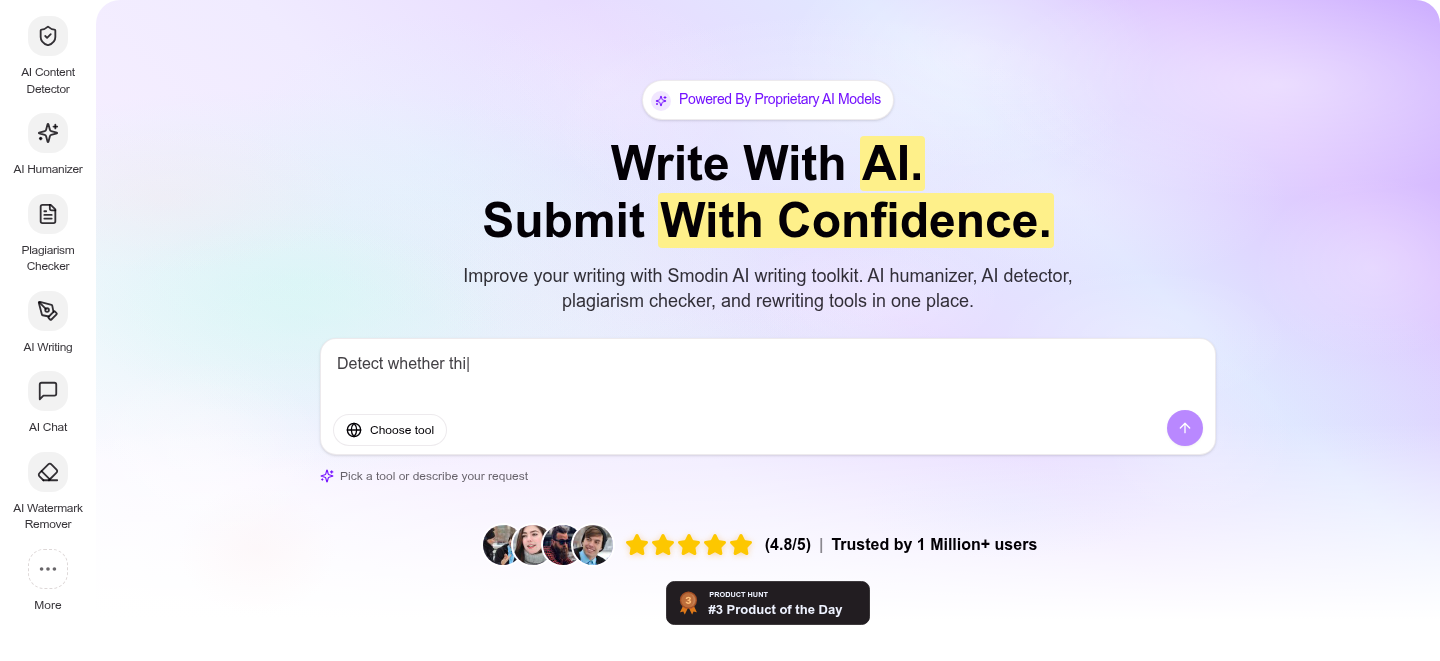
Its core audience is students, teachers, researchers, and content writers. Smodin leans academic, so if you're a working professional, a lot of the marketing won't be aimed at you.
Smodin trades depth for breadth. You get a dozen tools in one place, and most of them are fine but unremarkable.
Smodin's tools at a glance
Smodin offers a long menu of tools, and they vary a lot in quality. Here's the short version of what each one is actually for.
- AI Writer: drafts essays, emails, reports, and more from a short prompt.
- Rewriter: swaps sentence structure and synonyms to reword a passage.
- Summarizer: condenses long documents into tight overviews, a different job from paraphrasing.
- Plagiarism Checker: scans text against online sources and returns source links. A favorite in user reviews. If that's all you need, compare it with the best plagiarism checkers.
- AI Content Detector and AI Humanizer: the pair most people come to Smodin for (more on both below).
- Translator: translates one text into several languages at once.
- AI Chat: a general assistant for brainstorming and quick questions.
Smodin's pitch is many tools in one tab.
What Smodin reviews say: the pros and cons
I read through a stack of public reviews to see where users land. The pattern is consistent, the same split I found reviewing other writing tools like Grammarly: strong on utility, rough on billing.
Pros
- Easy to learn: users repeatedly call it simple to use.
- Language support: reviewers praise its multilingual tools and translator.
- Breadth of tools: having a writer, checker, summarizer, and translator in one place saves tab-hopping.
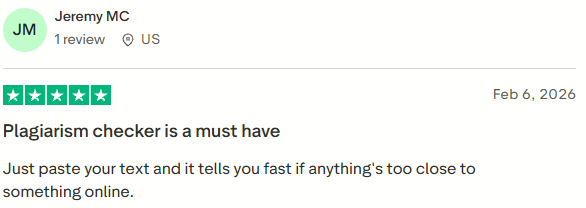
- Plagiarism checker: one of the most-praised features, with people calling out the peace of mind before submitting work. One February 2026 reviewer summed it up: "Just paste your text and it tells you fast if anything's too close to something online."
Cons
- Billing and refunds: the loudest complaint by far, covered in its own section below.
- Unpublished limits: Starter's writing output is listed only as "Limited," with no number attached.
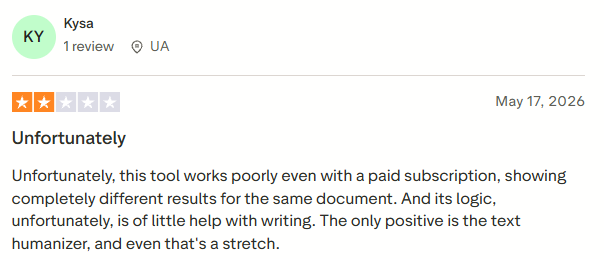
- Uneven output: the writing tools draw the most "it's fine, not great" feedback. A May 2026 reviewer said its logic "is of little help with writing."
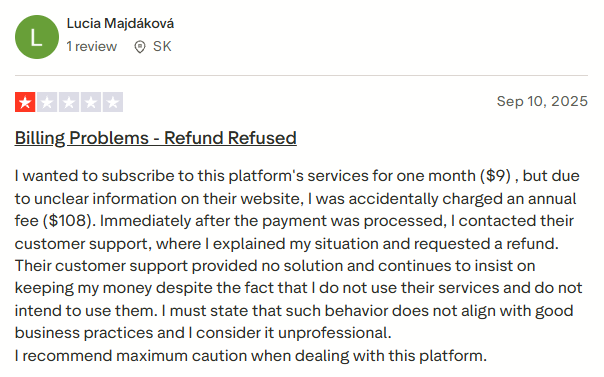
- Confusing checkout: several reviewers describe getting bumped from a monthly plan to an annual one by accident.
To be fair to Smodin, its team replies to most negative reviews, though support response times are mixed.
How Smodin's AI detector and humanizer hold up
This is the part most people actually search for, so it gets the closest look here.
The AI detector
User reports point to an inconsistent detector. The 2-star reviewer quoted above got "completely different results for the same document."
Smodin now advertises a sentence-level breakdown with probability scores, so you can at least see which lines it flagged.
No AI detector is reliable enough to bet a grade or a job on.
In its October 2026 update, Jisc's National Centre for AI, which advises UK colleges and universities, said it's "hard to predict how well an AI detection tool will work on any given day."
A growing number of universities, including Yale, Vanderbilt and Johns Hopkins, now ban or discourage using a detector as the only evidence of cheating. Treat Smodin's detector as a quick gut-check at best, and if your own writing gets flagged, read why essays get detected as AI.
The humanizer
Smodin pitches its detector and humanizer as a pair that makes your work "read as authentic, human writing." Few reviews single out the humanizer, and the ones that do are lukewarm at best.
One calls it the only positive, "and even that's a stretch," and a 2025 reviewer says their text's AI score went from 44% to 55% after running it through the tool.
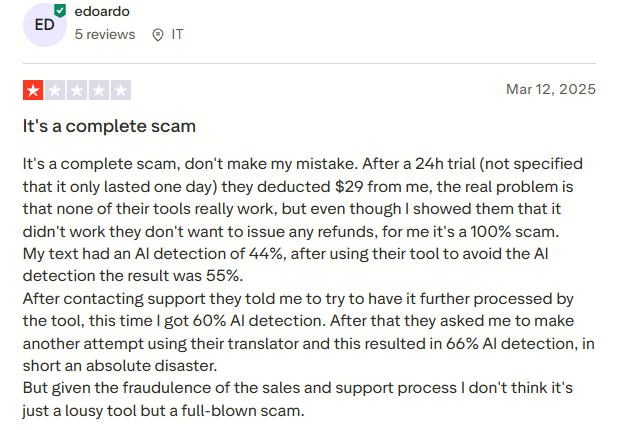
Smodin sells the detector and the humanizer side by side, so you can re-check a humanized draft in the same tab, but a pass isn't guaranteed.
How Smodin's AI writer and rewriter hold up
User reviews of the writing tools are mixed.
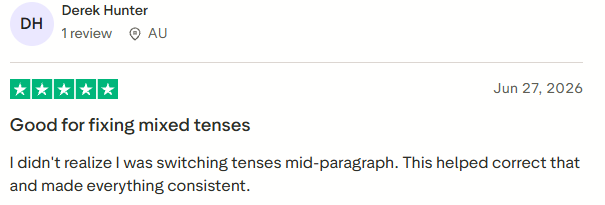
One June 2026 review credits Smodin with fixing tense switches the writer hadn't noticed, and another says it rearranged their ideas "into a more logical sequence."
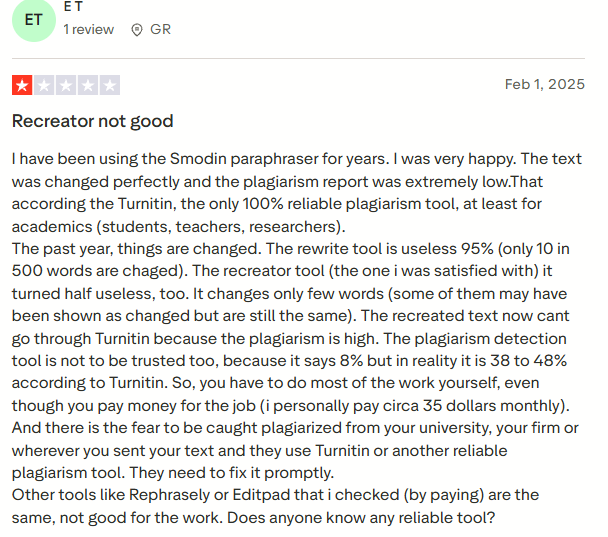
Not every review is that kind. A longtime paraphraser user wrote in 2025 that the rewrite tool had turned "useless," changing "only 10 in 500 words."
Another 2025 review puts it plainly: "Great for drafts, but you gotta edit hard."
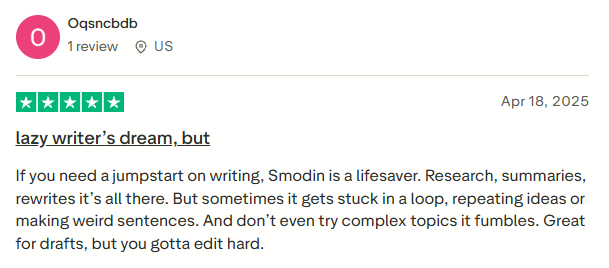
Both tools are fine for producing a rough first draft faster, as long as you plan to do the real writing yourself.
Smodin pricing
Pricing is the slippery part: nearly every Smodin review online lists different plan names and prices, because Smodin changes them. The US-dollar figures below were verified on smodin.io/pricing as of November 2026. Prices vary by currency, so re-check before you pay.
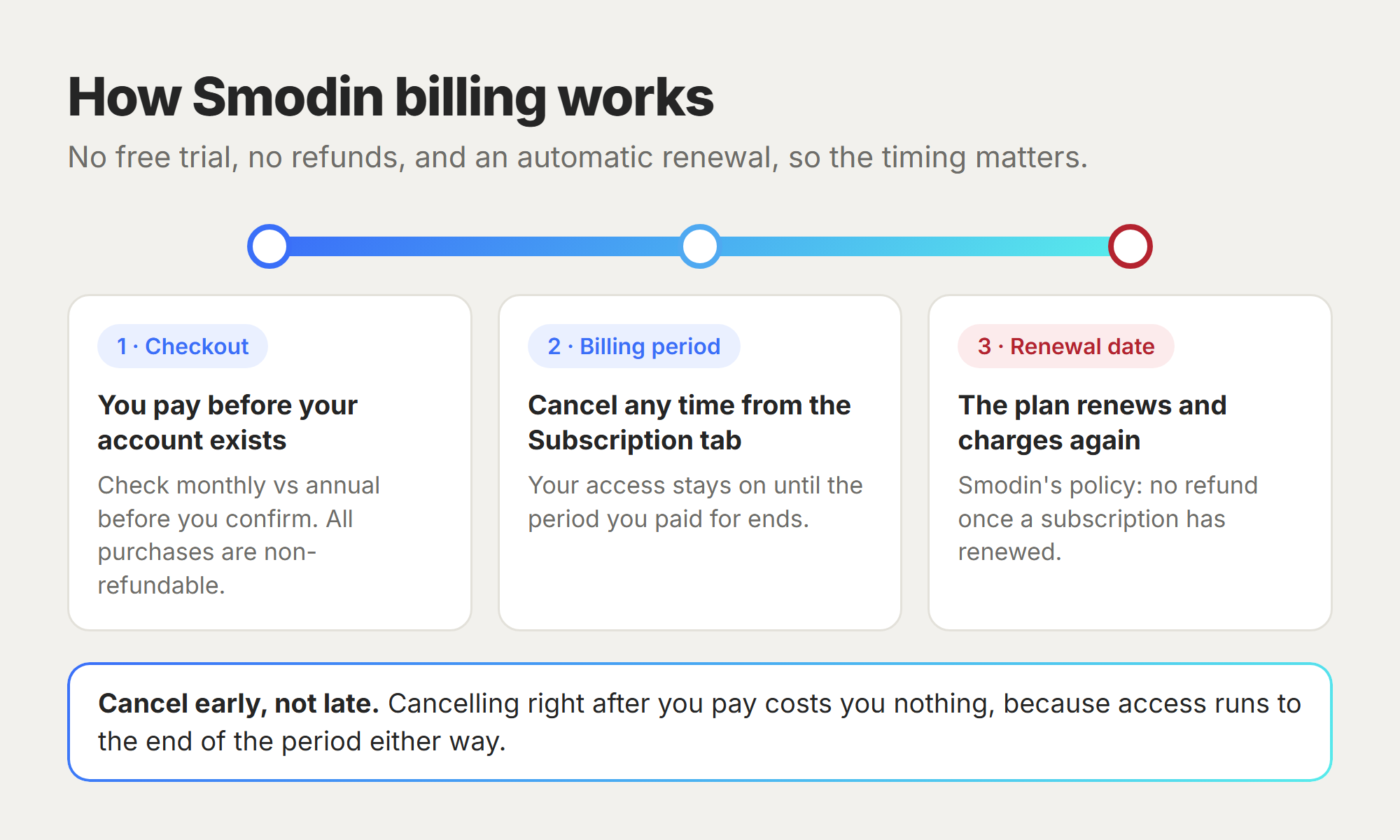
Is Smodin free? Only in small doses. The pricing page lists only two paid plans, and checkout takes payment before it creates your account. A few side tools work without signing up, most with a small daily limit, and Smodin's own search description still says "Free to try."
Billing and cancellation: what to watch for
On Trustpilot, the top four review topics are literally "Subscription," "Payment," "Refund," and "Cancellation."
The 2026 stories rhyme: an annual charge lands when the buyer expected monthly billing, and support declines the refund because the plan already renewed.
Smodin's stated policy is that all subscription purchases are non-refundable. In 2025, its replies often confirmed a downgrade and a refund of the difference. In 2026, most replies point to the policy instead.
If you do try Smodin, protect yourself:
- Cancel well before the renewal date. Smodin says you keep access until the end of the period you paid for, so there's no reason to wait.
- Don't count on a free trial. Smodin's pricing page doesn't offer one, so treat your first payment as final.
- Screenshot the plan you picked at checkout, in case monthly quietly becomes annual.
- Dispute genuine errors with your bank if support won't help. Several 2025 reviewers say they turned to their bank when support refused.
Is Smodin legit?
Yes, Smodin is a real, working product from a real company, with tools that genuinely do what they claim. Its billing practices and output quality leave a lot of users unhappy, which is a different problem from being a scam.
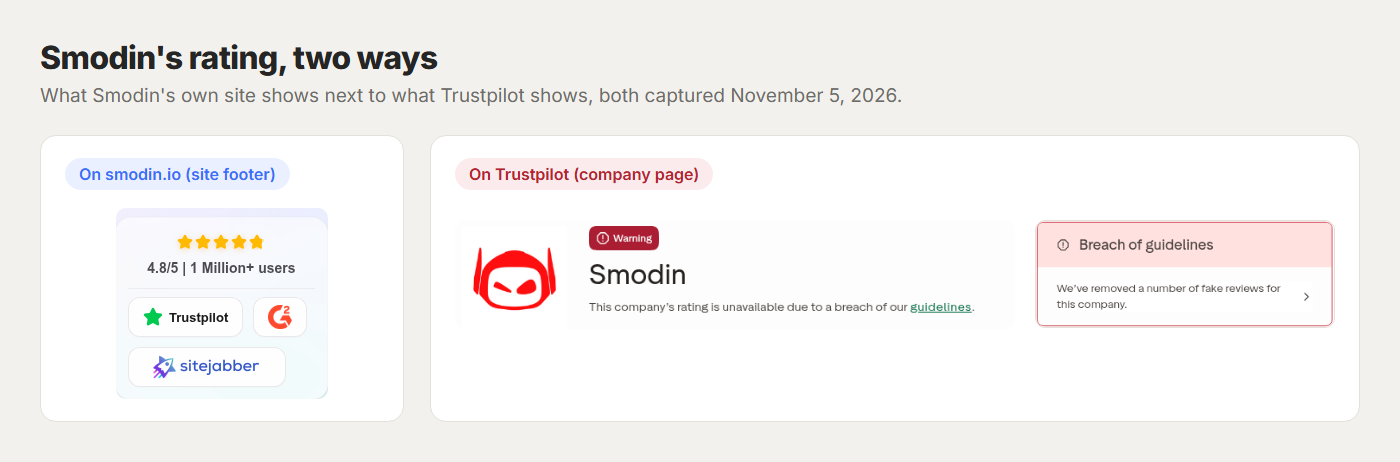
The ratings picture is where you should slow down. As of November 2026, Trustpilot shows no score for Smodin. One notice says the rating is unavailable because of a guidelines breach, and another says fake reviews were removed.
Smodin's own site shows a 4.8/5 rating beside the Trustpilot, G2, and Sitejabber logos, which the live Trustpilot page doesn't back up. When a star rating and its own source disagree that sharply, trust neither and read the actual reviews instead.
Who should use Smodin, and who should skip it
Smodin fits a specific reader well, and frustrates everyone else.
Use Smodin if you:
- write across several languages
- want plagiarism checks, summaries, and translation in one cheap place
- need a quick academic helper and will babysit the billing
Skip Smodin if you:
- need professional drafting that sounds like you
- rely on defensible AI detection
- have been burned once by a surprise renewal and don't want a repeat
The best Smodin alternatives
No single tool replaces all of Smodin's parts, so match the alternative to the job you're actually hiring for.
Quillbot, for rewriting and paraphrasing
Quillbot is the go-to for students and prosumers who mainly want strong rewriting, with a solid Chrome extension and a grammar checker attached. If paraphrasing is 80% of why you looked at Smodin, start with our Quillbot review and the best Quillbot alternatives before anything else.
HyperWrite, for writing that sounds like you
If you landed on Smodin for the AI writer and rewriter, drafting help is probably what you're after. HyperWrite is a professional writing co-pilot built for exactly that. If price is your main constraint, start with these free AI writing tools instead.
A dedicated AI detector, if detection is the job
If your real need is detecting AI writing, a purpose-built detector like Originality.ai or GPTZero is a better fit. Just hold any detector loosely, since even the best ones get edited and mixed text wrong often enough to make high-stakes calls risky.
Write faster in your own voice with HyperWrite
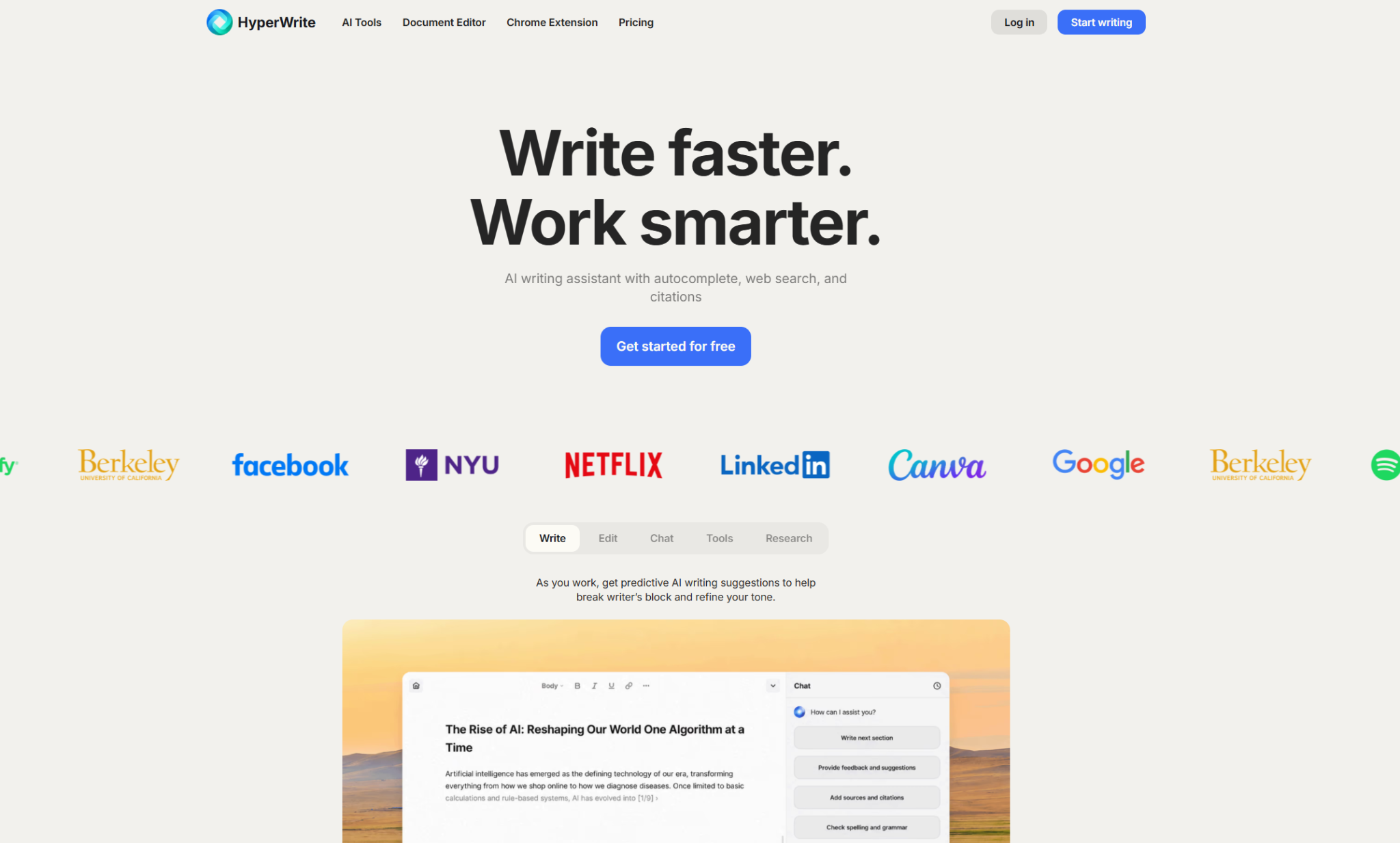
Smodin tries to be a dozen tools at once, and most Smodin reviews land on "good enough." Most writers want something narrower: to draft faster, sound like themselves, and stop switching tabs to do it.
HyperWrite goes deeper on that job than Smodin's writer does. It doesn't detect AI or check plagiarism, so think of it as the drafting half of your toolkit.
With HyperWrite, founders, HR teams, and marketers can:
- Draft in any format with AutoWrite, from an investor update to a job description to a campaign brief.
- Get context-aware autocomplete across every browser tab with TypeAhead in HyperWrite for Chrome, which completes full sentences using context from your open tabs and personalization data in real time.
- Keep output in their own voice with Personas, reusable voice profiles that carry across the whole platform.
- Get answers quickly in the AI Writing Assistant, which runs faster than ChatGPT-style thinking models, with prompts tuned from years of A/B testing.
- Research with Scholar AI across millions of peer-reviewed papers when a claim needs a real source.
Used by professionals at Google, Netflix, LinkedIn, and Spotify, HyperWrite shifts you from juggling a dashboard of tools to writing faster in your own words.
Want to feel the difference on your real work? Start your next draft free in HyperWrite's AI Document Editor, then add HyperWrite for Chrome to bring it into Gmail, Google Docs, and the other apps you already write in.
Final verdict
Smodin works if you want a cheap, broad, multilingual writing toolkit, and you'll keep an eye on the renewal date. For writing that sounds like you, HyperWrite is the better choice, and for AI detection you can defend, use a dedicated detector.
Its two real strengths are the plagiarism checker and language coverage; its two real problems are uneven writing output and billing that blindsides people. Read the live Smodin reviews, start on a monthly plan you can cancel, and decide with your eyes open.
Frequently asked questions
What is Smodin?
Smodin is an all-in-one AI writing platform that combines an AI writer, translator, summarizer, rewriter, plagiarism checker, AI detector, and humanizer in one workspace. It handles over 100 languages in its detection, humanizing, and translation tools, and it's aimed mostly at students and teachers.
Is Smodin free?
Not really. Only a handful of extras are free without an account; the main toolkit requires a paid Starter or Premium plan.
Is Smodin legit?
It's a legitimate, working product from a real company. That said, users widely report billing and refund friction and uneven writing quality, so read current reviews before you subscribe.
Can Turnitin detect Smodin?
Turnitin and similar detectors can flag AI-generated text, including text drafted with tools like Smodin. Turnitin added AI bypasser detection in 2025 to catch text run through humanizer tools, and since August 2026, its English AI report highlights bypassed text the same way as unedited AI writing. A humanizer doesn't guarantee a pass, and passing a detector doesn't make the work original.
How do I cancel my Smodin subscription?
Cancel your Smodin subscription from the Subscription tab of your account page ahead of your renewal date. Smodin's policy keeps your access running until the current billing period ends. If you were charged in error or moved to an annual plan you didn't choose, contact support and, if that fails, dispute the charge with your bank.
Powerful writing in seconds
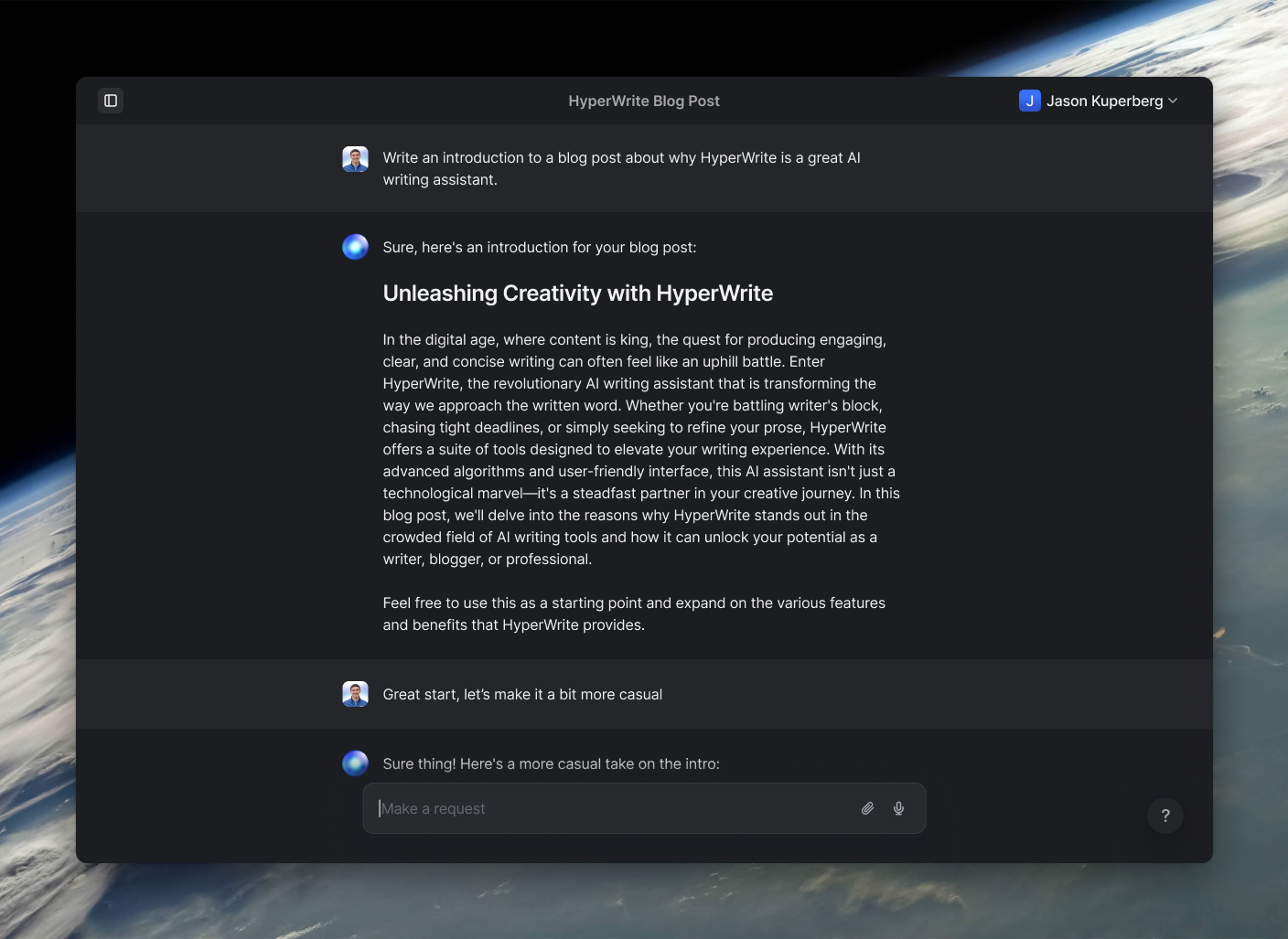
Improve your existing writing or create high-quality content in seconds. From catchy headlines to persuasive emails, our tools are tailored to your unique needs.