
5 Best Wordtune Alternatives When Rewriting Isn’t Enough (2026)


There’s a point where rewriting isn’t the problem anymore, and that’s where Wordtune kept falling short for me. I ended up trying a few Wordtune alternatives while working, and these are the ones that I've actually found useful.
Why look for Wordtune alternatives?
Have you ever run the same sentence through Wordtune a few times and still felt stuck? It’s when you just stop and think, this isn’t fixing it. It works when the sentence is there. You clean it up, maybe get a slightly better version, move on. That’s pretty much the whole thing.
You’re halfway through a reply, or staring at a blank doc, or trying to keep a thought going while jumping between tabs. Wordtune doesn’t really help there. You end up rewriting the same line when that’s not even the problem.
That’s usually when people start looking for alternative apps like Wordtune. At some point, getting the words out is harder than polishing them. And once you notice that, a rewrite tool starts to feel like the wrong tool for you.
TL;DR: Which Wordtune alternative should you choose?
Choose HyperWrite if getting started is the hard part. It helps when you’re mid-draft, jumping between tabs, and just need to keep moving. Skip it if all you want is a quick rewrite.
Choose QuillBot if you mostly reword stuff. It’s cheaper and gives you more control over how far the rewrite goes. Still needs cleanup if the writing gets nuanced.
Choose Grammarly if the draft’s already there and you just want it cleaner. Good for tone and polish. Not great when you’re still figuring out what to say.
Choose ProWritingAid if the whole draft feels off. Better for long pieces where structure and repetition are the issue. It’s more than you need for quick stuff.
Choose LanguageTool if you write in more than one language. Solid for grammar and phrasing across languages. Less useful if you’re only writing in English.
Stick with Wordtune if rewriting sentences is still your main thing. It does that part fine.
5 best Wordtune alternatives: Quick comparison
The 5 best Wordtune alternatives
1. HyperWrite
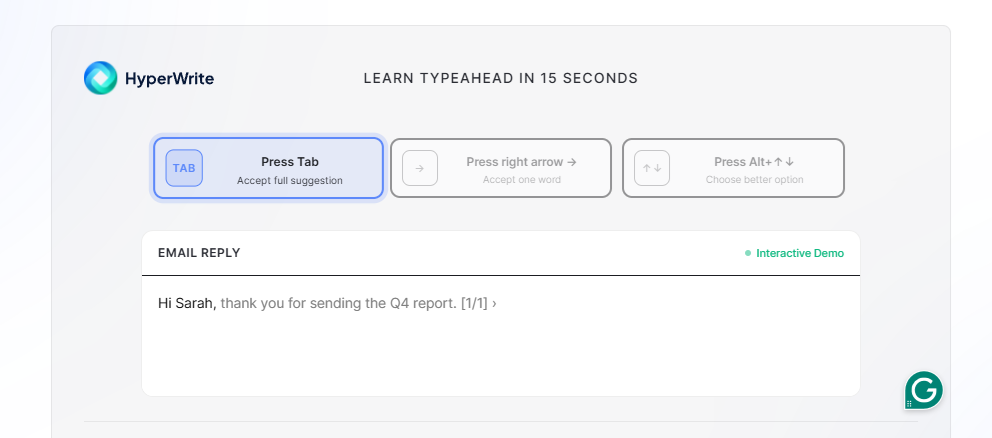
Best For: Writing across tabs without breaking your flow
If you’ve ever stalled halfway through an email or update, this is where HyperWrite actually helps. It doesn’t wait for you to finish a sentence and then clean it up. You’re typing, and it starts completing the thought in a way that usually lines up with what you were trying to say anyway.
It’s most useful in everyday writing. Replies, quick updates, anything where you know what you mean but don’t want to sit there figuring out how to phrase it. It also gets closer to your tone over time, so you’re not constantly reworking what it gives you.
If your draft is already done and just needs polish, this isn’t really the tool for that.
Key features
- TypeAhead: Suggests context-aware completions in real time while you type across Gmail, Docs, Notion, and any other tab you have open, without stopping to paste text into another window.
- Personas: Learns how you write over time, so suggestions start to sound more like you and less like generic AI.
- AI Writing Assistant: Lets you generate emails, summaries, or drafts from a prompt when you actually want to step back and ask for something more structured.
- Document Editor: Lets you draft and reshape longer pieces in one place when you’re not just replying or writing inline.
Pros
- ✅ Keeps you moving instead of stopping to fix sentences.
- ✅ Works where you already write (email, docs, etc.).
- ✅ Actually helps when the draft isn’t there yet.
Cons
- ❌ If your draft is already done, this isn’t what you need.
- ❌ Takes a bit to get used to how it suggests things.
- ❌ Can feel unnecessary if you only want quick rewrites.
Pricing
- Free plan available
- Premium $19.99/month or $16/month if billed annually
- Ultra $44.99/month or $29/month if billed annually
2. QuillBot
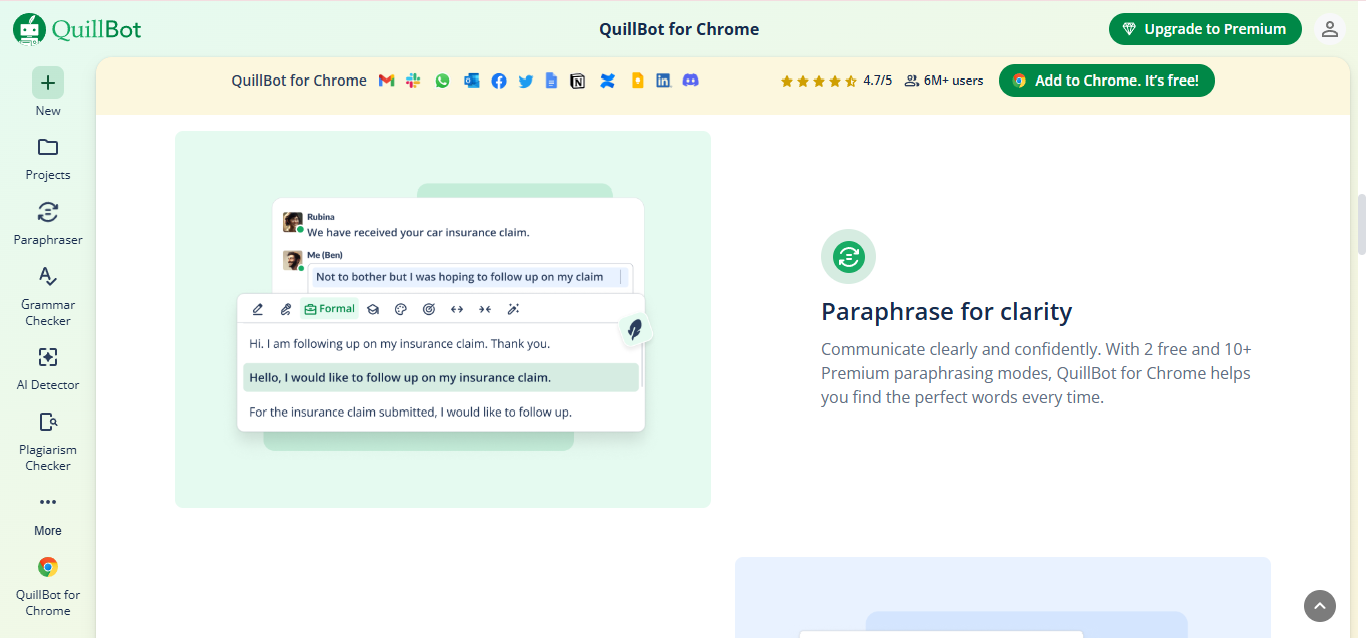
Best For: Fast paraphrasing
If your workflow is basically copy, tweak, rerun, QuillBot fits that pretty well. You paste something in, try a couple modes, maybe drag the synonym slider around, and see what comes out.
It gives you more control than Wordtune, especially if you want to push a sentence further instead of just cleaning it up slightly. Still not perfect, but you can usually get something workable after a pass or two.
Key features
- Paraphraser: Lets you rewrite text in different styles (standard, fluency, formal, creative), depending on how much you want it to change.
- Synonym Slider: Controls how aggressive the rewrite gets before you run it.
- Chrome Extension + Word integration: Lets you rewrite text without switching tools.
- Summarizer: Condenses longer text into shorter versions when you just need the main points.
Pros
- ✅ Gives you more control over rewrites than Wordtune.
- ✅ Easy to run the same sentence a few different ways quickly.
- ✅ Works fine for basic cleanup without overthinking it.
Cons
- ❌ Still needs human judgment for nuance and tone.
- ❌ Doesn’t help if you don’t have a sentence yet.
- ❌ Not much help when the writing still needs structure or a stronger idea.
Pricing
- Free plan available
- Premium at $19.95/month or $8.33/month if billed annually
- Team pricing available on request
3. Grammarly
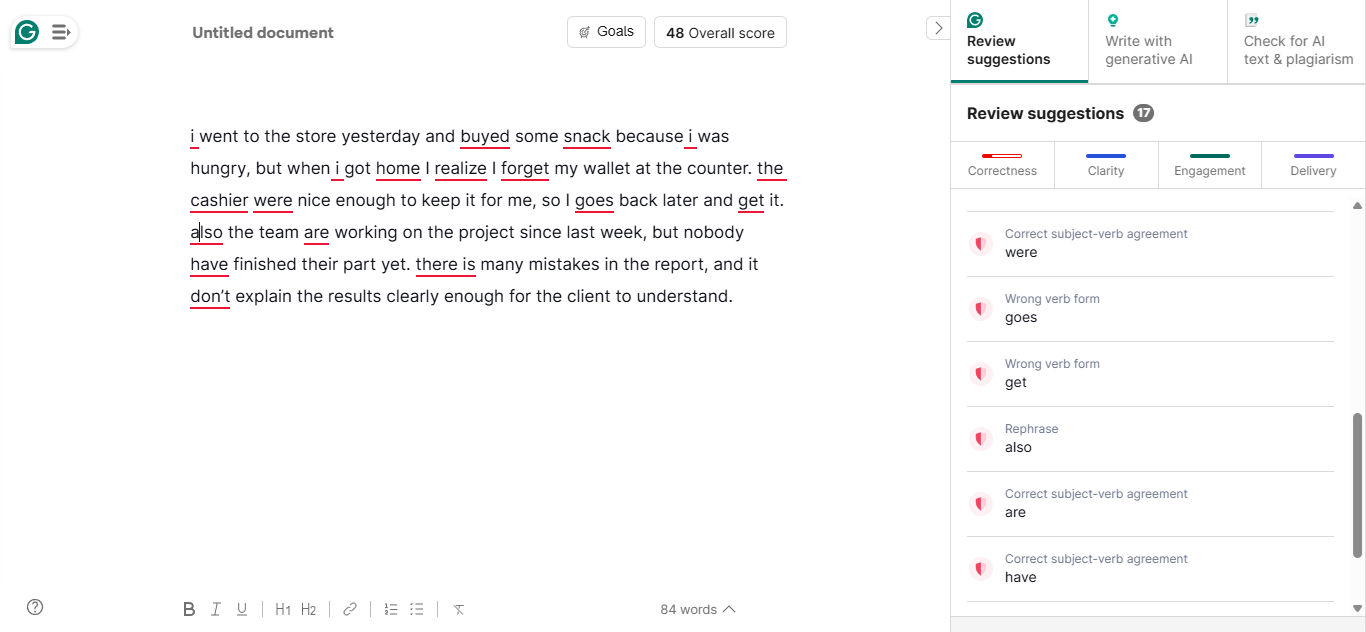
Best For: Polish and tone control
If your draft is already there and you just want to make sure it doesn’t sound off, Grammarly is good at that. You paste something in or write directly in Gmail or Docs, and it starts flagging tone, wording, and small mistakes right away.
It’s especially useful for stuff that’s going out to other people, client emails, updates, anything where you don’t want to come across the wrong way.
However, if you follow every suggestion, everything eventually starts to sound a bit flat. It fixes the sentence, but sometimes at the cost of how you actually write. It also doesn’t help much earlier in the process. If you’re still figuring out what to say, it just sits there waiting for something to clean up.
Key features
- Grammar + spell check: Catches basic mistakes as you write across email, docs, and browser.
- Tone detector: Flags when your writing sounds aggressive, dismissive, or blunt.
- Full-sentence rewrites: Reworks lines that are technically correct but still read awkwardly.
- Plagiarism + AI detection (paid): Checks for originality and flags AI-written text.
Pros
- ✅ Good at catching small issues before you send something.
- ✅Helps you avoid sounding too harsh or unclear.
- ✅ Works everywhere (Gmail, Docs, etc.) without needing to switch tools.
- ✅ Covers the final polish step well.
Cons
- ❌ Can flatten strong voice if you take every suggestion.
- ❌ Sometimes misses context and pushes awkward edits.
- ❌ Not useful when you don’t have a draft yet.
Pricing
- Free plan available
- Pro $30/month or $12/month if billed annually
- Enterprise pricing available on request
4. ProWritingAid
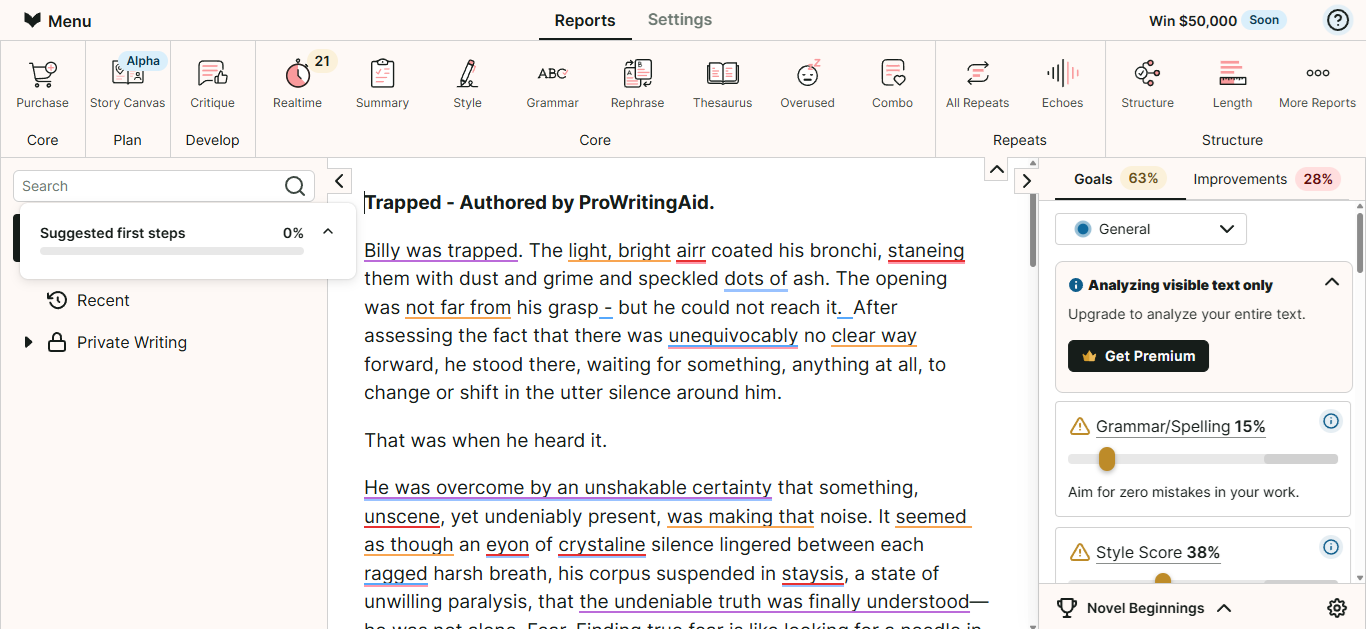
Best For: Long-form draft cleanup
If you’ve ever had a draft that technically works but still feels heavy or repetitive, this is where ProWritingAid helps. You run it, and it breaks things down across the whole piece: repetition, pacing, sentence length, all of that.
The tradeoff is it’s a lot. You don’t just get one suggestion, you get a whole stack of them, and it takes time to work through. For longer pieces, that’s useful. For quick emails or short docs, it just slows you down.
Key features
- 25+ writing reports: Analyzes things like repetition, readability, pacing, and sentence variety across a full draft.
- Unlimited rephrases: Smooth out rough sections on paid plans without rewriting them from scratch.
- Integrations (Word, Google Docs, Scrivener): Lets you run edits inside longer-form writing tools.
Pros
- ✅ Catches structural patterns that only show up at scale.
- ✅ Deep enough to replace a full editing pass on long reports, essays, and thought-leadership pieces.
- ✅ Reports break down repetition, pacing, and readability across the whole draft.
Cons
- ❌ Feels like too much for short or quick writing.
- ❌ Takes time to go through all the suggestions.
- ❌ Easy to get stuck over-editing.
Pricing
- Free plan available
- Premium at $30/month or $10/month if billed annually
- Premium Pro at $36/month or $12/month billed annually
5. LanguageTool
Best For: Multilingual writing
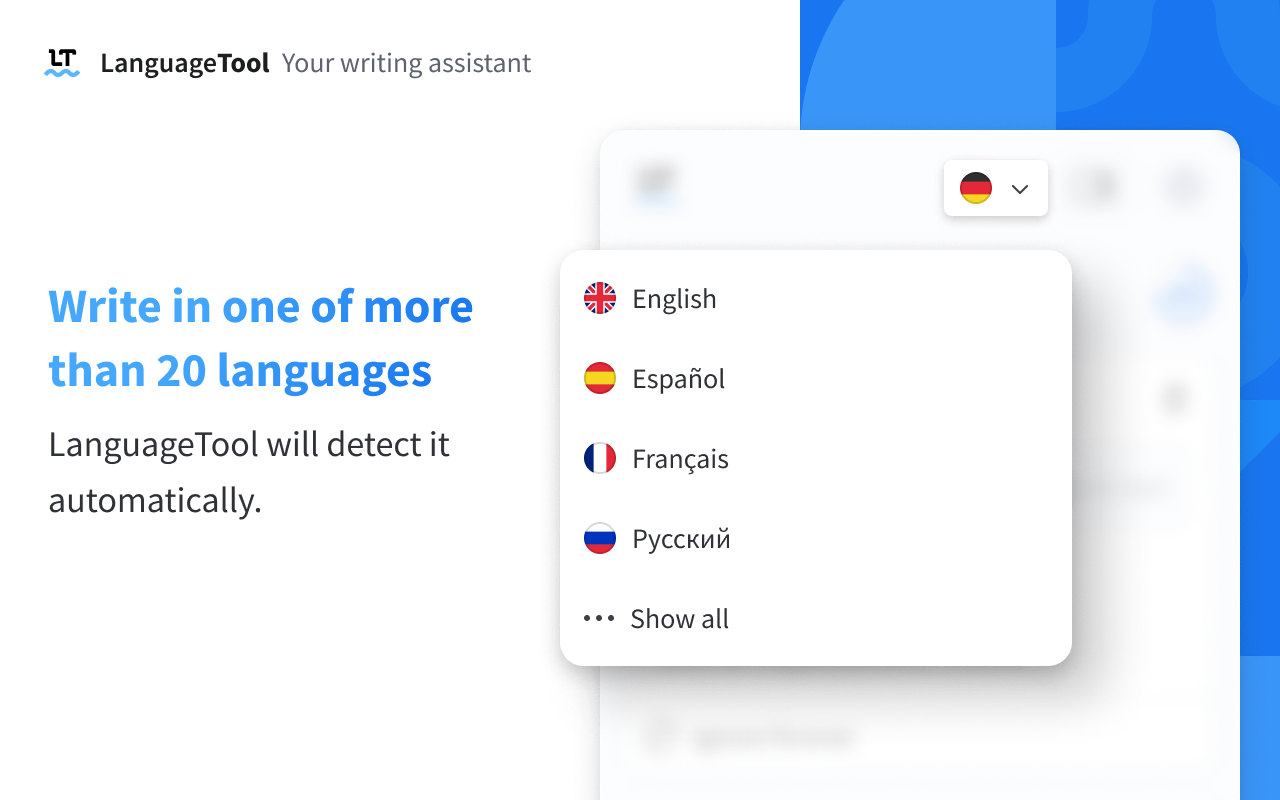
You write something in another language, or even just switch between English variants, and small things start to feel off. With LanguageTool on, you don’t really notice that happening. It catches spelling and awkward phrasing and fixes things before you have to think about them.
It works fine for English, but it doesn’t stand out as much there. You’ll still get the usual grammar and style suggestions, but sometimes it misses context or suggests something that sounds slightly off. It’s helpful, just not something you’d rely on if all your writing is in one language and you’re mostly focused on rewriting or drafting.
Key features
- Support for 30+ languages: Checks grammar, spelling, and phrasing across multiple languages.
- Regional language support: Adjusts for differences like US vs UK English.
- Style + phrasing suggestions: Flags sentences that are incorrect or sound unnatural.
Pros
- ✅ Works across multiple languages without switching tools.
- ✅ Easy to keep running in the background.
- ✅ Good fallback when writing outside your main language.
Cons
- ❌ Suggestions can miss context or sound slightly off.
- ❌ Doesn’t stand out for English-only writing.
- ❌ Not useful for drafting or rewriting.
Pricing
- Free plan available
- Premium at $24.90/month or $5.83/month if billed annually
- Team plan available from $11.07/month for 2 users, billed annually
What should you really look for in Wordtune alternatives?
- Does it help before the sentence exists? Wordtune only kicks in once you’ve written something. If you’re stuck mid-reply or staring at a blank doc, you want something that helps you keep typing.
- Can you use it without stopping? Wordtune makes you run a sentence, pick a version, then go back. Some tools stay in the flow while you’re typing.
- Do the outputs actually change anything? A lot of Wordtune suggestions feel like the same sentence shuffled around. Better tools either push the idea further or help you say something new.
- Does it hold up across real work? Emails, docs, switching tabs, half-finished thoughts. Some tools only work in a clean input box. Look for something that works where you already write.
- How much fixing do you still have to do after? If you’re constantly tweaking the output, it’s not saving you much time. You want something that gets close enough that you can use it as-is, or with minimal edits.
Stop buying rewrite tools for drafting problems
You can keep using Wordtune if all you’re doing is cleaning up sentences. But if you’re still sitting there halfway through something, trying to get a sentence going, it’s not really going to help with that.
That’s where HyperWrite feels different. You’re already writing, and it just keeps things moving instead of making you stop and fix wording. If most of your writing happens in emails or docs, it’s worth trying HyperWrite there and seeing how it actually saves you time.
Try TypeAhead free with the Chrome extension.
Frequently asked questions
Which app is most similar to Wordtune?
QuillBot is the most similar app to Wordtune because it focuses heavily on paraphrasing, rewrite modes, and browser-based sentence rewording.
Is Wordtune still worth it?
Yes, Wordtune is still worth it if sentence and paragraph rewrites are your main reasons for using it. It is less compelling if you need better drafting support, deeper long-form editing, or multilingual help.
What is better than Wordtune for long-form writing?
ProWritingAid is better than Wordtune for long-form writing because it gives you report-based feedback on repetition, readability, and structure across a full draft.
What is better than Wordtune for writing across browser tabs?
HyperWrite is better than Wordtune for writing across browser tabs. TypeAhead is built to suggest text in real time while you write in Gmail, Docs, Notion, and other web apps.

HyperWrite is the AI writing assistant that learns your style. It handles drafting, editing, and researching so you can focus on ideas.
- Autocompletes sentences as you type
- Works inside Google Docs & Gmail
- Adapts to your personal writing style
- 500+ AI tools for any writing task

Powerful writing in seconds
Improve your existing writing or create high-quality content in seconds. From catchy headlines to persuasive emails, our tools are tailored to your unique needs.