
ProWritingAid vs QuillBot: Writing Tools Compared


ProWritingAid vs QuillBot looks like a fair fight until you realize the two tools are built for different writers. One is a deep editing tool for authors and long-form work. The other is a fast paraphraser for students and quick rewrites.
This comparison covers where each tool wins on grammar, style, paraphrasing, and price, and which one fits the kind of writing you actually do.
ProWritingAid vs QuillBot: What's the difference?
ProWritingAid is a style and editing tool that analyzes your writing across dozens of reports and explains what to fix. QuillBot is a paraphrasing tool that rewords and cleans up text quickly. That split shapes who each one suits.
Choose ProWritingAid if you write long-form or fiction and want detailed feedback on style, readability, and structure.
Choose QuillBot if you mainly paraphrase, summarize, or check text, and want speed plus academic tools like plagiarism and citations.
Meet ProWritingAid: Features and highlights
ProWritingAid is a deep-editing tool for authors. Its 25+ reports go deep on style, readability, and structure, right inside Word, Docs, and Scrivener. The trade-off is a dense dashboard that rewards writers who take the time to learn it.
Meet QuillBot: Features and highlights
QuillBot rewrites. Feed it a clunky sentence, and it returns the same idea in Formal, Fluency, or Academic phrasing, tuned by a synonym slider. A grammar checker, summarizer, plagiarism scan, and citation generator ride along, which makes it an academic default.
ProWritingAid vs QuillBot: At a glance
Pricing correct as of August 2026.
ProWritingAid vs QuillBot: Feature-by-feature comparison
Grammar and style analysis
ProWritingAid: Goes past basic grammar to flag readability, sentence variety, pacing, and overused words, and explains why each change helps.
QuillBot: Has a solid grammar checker for quick cleanup, but it's lighter on style and doesn't teach the way ProWritingAid and other alternatives do.
Winner: ProWritingAid. For depth and learning, its analysis goes well beyond what QuillBot offers.
Paraphrasing and rewording
ProWritingAid: Offers rephrasing, but rewriting isn't its focus, so the controls are limited.
QuillBot: Nine modes and a synonym slider let you rework a sentence for a formal report or a plain-English email.
Winner: QuillBot. For paraphrasing, it's faster and far more flexible.
In-depth writing reports
ProWritingAid: Ships 25+ reports on style, readability, pacing, dialogue tags, and structure that no paraphraser matches.
QuillBot: Has no comparable report suite. It fixes text instead of analyzing your habits.
Winner: ProWritingAid. For manuscript-level editing, the reports are the whole point.
Academic and originality tools
ProWritingAid: Offers plagiarism checks, but they're sold separately as credits rather than bundled.
QuillBot: Bundles a plagiarism checker (25,000 words a month), citation generator, summarizer, and AI detector into Premium.
Winner: QuillBot. For students and researchers, the academic toolkit is more complete.
Pricing and plans
ProWritingAid: Premium is $10/month billed annually ($120/year), $30 monthly, or a one-time $399 lifetime license, which QuillBot doesn't offer.
QuillBot: Premium is $10/month billed annually ($119.95/year), $13.31/month billed quarterly, or $19.95 monthly, with no lifetime option.
Winner: Tie. Annual pricing is level at $10/month, QuillBot is cheaper month to month ($19.95 vs $30), and ProWritingAid's lifetime license wins over the long run.
What real users say
ProWritingAid
Pros
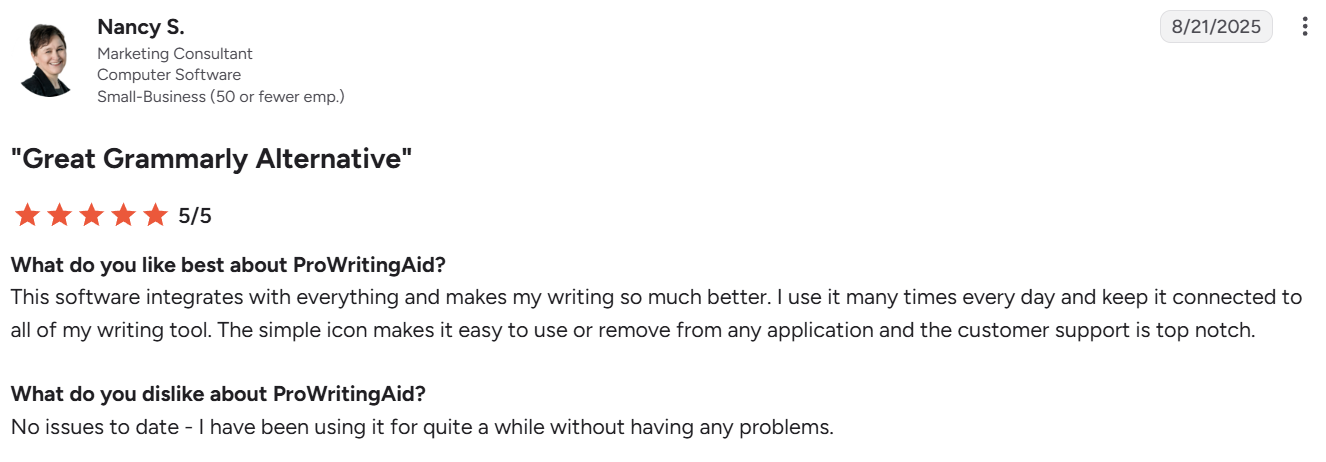
✅ Integrates with everything. It works inside Word, Google Docs, Scrivener, and the browser, so suggestions appear where the writing already happens. “This software integrates with everything and makes my writing so much better” – Nancy S., marketing consultant, G2
✅ In-depth feedback. ProWritingAid runs a draft through more than 25 reports, so you see grammar issues alongside pacing, readability, and the words you overuse. “I like how much feedback options [ProWritingAid] has.” – Laura, Trustpilot
Cons
❌ No mobile keyboard. There's no dedicated mobile keyboard, so editing on a phone means opening the browser instead of fixing text inside any app. “There’s no [ProWritingAid] keyboard…which means you have to use it in the browser” – Kelly W., marketing specialist, G2
❌ Most features need Premium. The free plan caps checks at 500 words and locks most reports, so the depth people sign up for sits behind a paid plan. “Most of the features cannot be used unless you have a premium membership” – Veronika Sudomova, Trustpilot
QuillBot
Pros
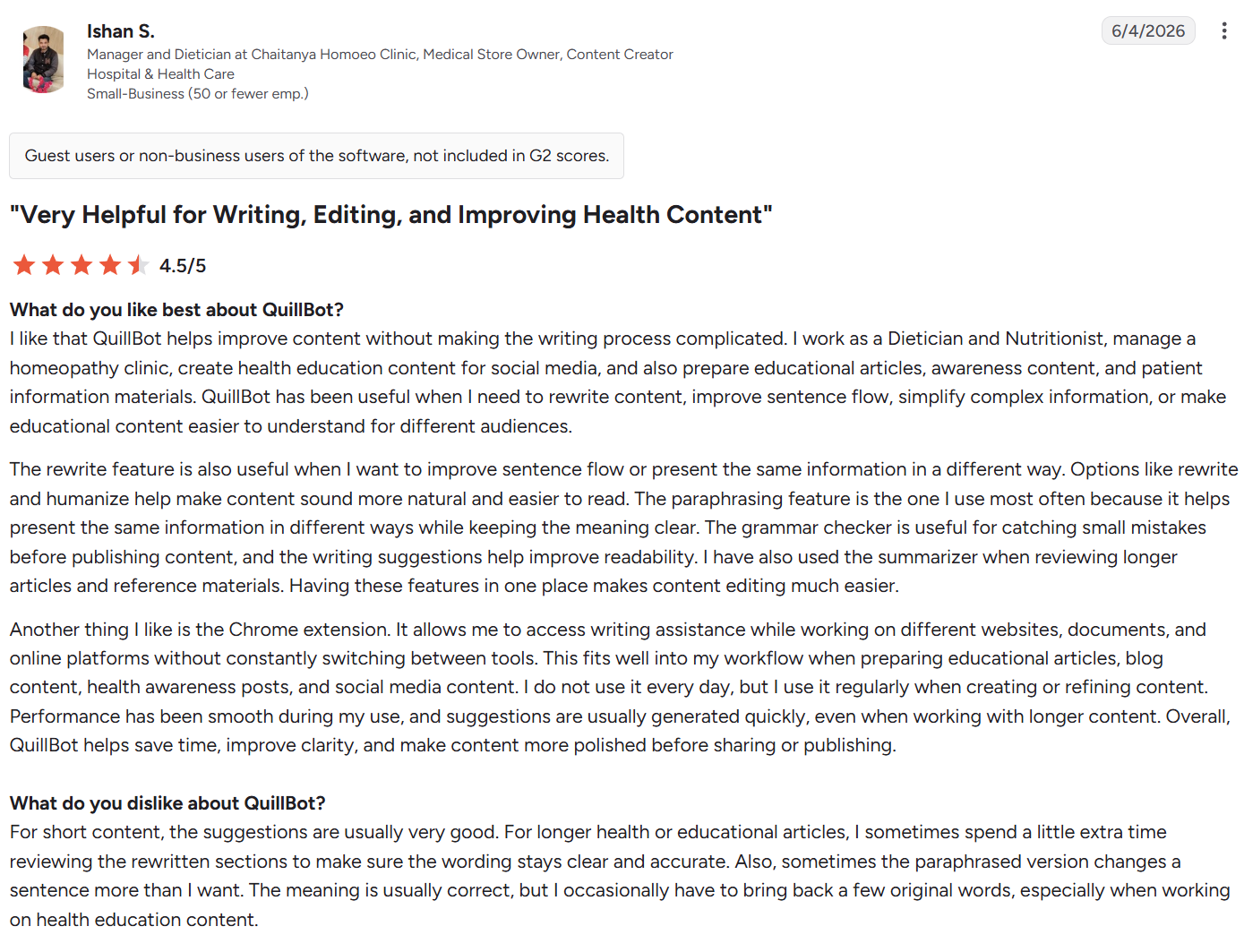
✅ Simple to use. The layout is stripped back, so paraphrasing or checking a passage takes seconds with almost nothing to learn. “QuillBot helps improve content without making the writing process complicated.” – Ishan S., manager and dietician, G2
✅ Built for productivity. For working professionals, QuillBot turns a rough draft into a polished one with far less manual rewriting. "QuillBot reduces the time spent editing and rewriting content" – Verified user in oil & energy, G2
Cons
❌ Thin free grammar help. The free grammar checker is lighter than the paraphraser, so anyone wanting deeper guidance is nudged toward Premium. “I wish [that] they provided more free guidance in grammar.” – Shanto Saidul, Trustpilot
❌ Weaker Android app. The mobile app trails the desktop and web versions on polish and features, which frustrates users who write on their phones. “I wish that the Android version was as good as the desktop or online version” – Konjengbam M., business development representative, G2
ProWritingAid vs QuillBot: Which should you choose?
Both are strong tools. The right pick depends on your main job: deep editing or quick rewording.
Choose ProWritingAid if you:
- Write fiction, books, or long-form content and want detailed style feedback.
- Want to build better writing habits, not patch one sentence and move on.
- Prefer a one-time lifetime license over a subscription.
Choose QuillBot if you:
- Paraphrase, summarize, or rewrite text as a core task.
- Do academic or research work and want plagiarism checks and citations together.
- Want a lower month-to-month price and a faster, simpler tool.
The verdict
Picture your actual Tuesday. If it's working through a 90,000-word manuscript to spot which chapters drag, which words you lean on too often, and where the dialogue tags stack up, ProWritingAid's reports earn their price.
If it's rephrasing a stiff paragraph or clearing a plagiarism check before a deadline, QuillBot gets you there in seconds for less money.
Either way, both tools assume the words already exist. Neither one helps with the part most writers actually dread: getting that first draft down.
Getting past the blank page
HyperWrite fills that gap.
Its TypeAhead feature completes your sentences across your open browser tabs, using the context already in front of you, so first drafts of emails, reports, and chapters come together faster.
Set up a Persona and those completions stay in your own voice, with a reusable voice profile you can apply to everything you write. And its library of prebuilt AI Tools covers the specific jobs in between, from rewriting a paragraph to shifting the tone of a full draft.
None of this competes with ProWritingAid or QuillBot; it comes earlier in the process. Draft with HyperWrite, then run the result through ProWritingAid for style or QuillBot for rewording.
Still staring at a blank page before either tool can even help? Try TypeAhead free with the HyperWrite Chrome extension and watch your first draft come together faster.
Frequently asked questions
Is ProWritingAid better than QuillBot?
It depends on use. ProWritingAid is better for deep editing, style reports, and long-form work, while QuillBot is better for fast paraphrasing, summarizing, and academic tools.
Can you use ProWritingAid and QuillBot together?
Yes, you can use ProWritingAid and QuillBot together. Many writers paraphrase or summarize with QuillBot, then run the result through ProWritingAid for a full style and readability edit.
Is ProWritingAid or QuillBot cheaper?
It depends on how you pay. On an annual plan, both cost $10/month; QuillBot is cheaper month to month at $19.95 versus ProWritingAid's $30. But ProWritingAid offers a one-time $399 lifetime Premium license, which works out cheaper over several years.
Which is better for fiction and authors?
ProWritingAid is better for fiction and authors. Its 25+ reports cover pacing, dialogue tags, sentence variety, and overused words, and it integrates with Scrivener. QuillBot is aimed more at paraphrasing and academic writing than manuscript editing.
Which is better for students?
QuillBot is usually better for students. It combines fast paraphrasing with a plagiarism checker, citation generator, and summarizer, and its annual plan is cheaper. ProWritingAid suits students who write long dissertations or theses and want deeper style feedback.

HyperWrite is the AI writing assistant that learns your style. It handles drafting, editing, and researching so you can focus on ideas.
- Autocompletes sentences as you type
- Works inside Google Docs & Gmail
- Adapts to your personal writing style
- 500+ AI tools for any writing task

Powerful writing in seconds
Improve your existing writing or create high-quality content in seconds. From catchy headlines to persuasive emails, our tools are tailored to your unique needs.