
7 Best Notion Alternatives for Faster Work in 2026


I’ve run notes, projects, and docs through Notion long enough to see where it breaks down. Once setup starts piling up, these are the best Notion alternatives that are built for faster workflows.
Why look for Notion alternatives?
Notion works well when everything is still simple. It's flexible, clean, and easy to navigate for notes, docs, wikis, and lightweight systems. But that flexibility that feels helpful in week one can start feeling like maintenance work a few months later.
Setup starts replacing actual work. The tool that was supposed to help you move faster starts slowing you down. That's usually when people start looking.
TL;DR: Which Notion alternative should you choose?
Choose HyperWrite if your bottleneck is writing, since it helps you draft, rewrite, and respond faster across every tab.
Choose Coda if you want docs that run workflows with formulas, buttons, and automations built in.
Choose ClickUp if your work is scattered across tools and you need tasks, docs, and execution in one place.
Choose Obsidian if you want local notes that build into a long-term personal knowledge system
Choose Anytype if you want a Notion-style workspace without giving up privacy or data ownership.
Choose AppFlowy if you want full control through open-source and self-hosted infrastructure.
Choose Airtable if your workflows depend on structured data, pipelines, and linked records.
Stick with Notion if flexibility still matters more than speed or simplicity.
Top 7 Notion alternatives: Quick comparison
Pricing correct as of April 2026. Verify with vendor.
7 best Notion alternatives
These are the Notion alternatives I’d actually switch to when setup starts getting in the way, and I need to move faster.
1. HyperWrite: Best for writing-heavy work
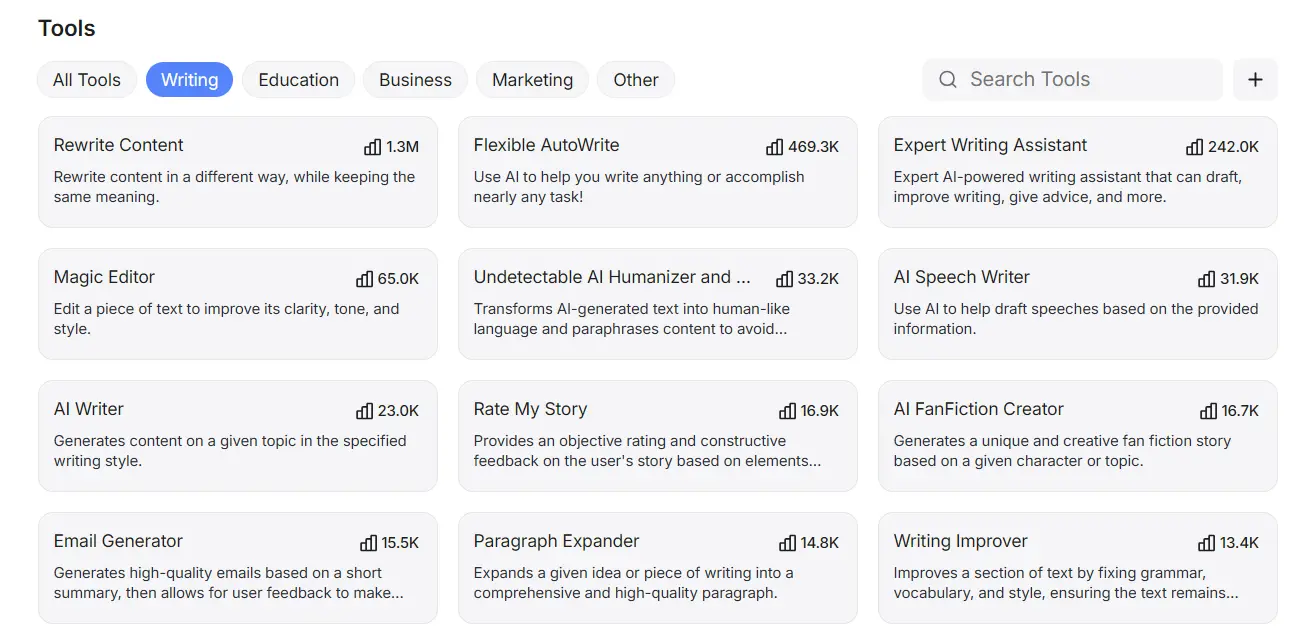
Notion gives you a place to store drafts. HyperWrite helps you write them. The difference is TypeAhead, a context-aware writing assistant that works across every tab in your browser, pulls from what you have open, and completes sentences in your voice instead of generic AI filler.
Behind the extension is a full writing stack of AI tools that handles the repetitive jobs that break focus (rewrites, summaries, email replies, and SOPs). If Notion feels too passive for writing-heavy work, HyperWrite is the clearest switch on this list.
Key features
- Real-time writing across tabs: TypeAhead completes sentences as you write across tools like Gmail, Google Docs, and CRMs using context from what you already have open.
- Research support: The Research Assistant helps you quickly understand and summarize complex inputs like articles, reports, or notes.
- Voice consistency: The Persona Emulator lets you create custom profiles, like a "Professional Support Agent" or a "Casual Marketer," so every draft matches your exact voice and style.
Pros
- Covers the full writing workflow (completions, drafting, rewriting, and research) without leaving the browser
- Handles the repetitive writing jobs, such as email replies, rewrites, and SOPs, that usually break focus mid-task
- Cuts editing time because suggestions already match your context and tone
Cons
- Not a full replacement for databases, tasks, or shared workspace systems.
- Value drops if writing isn’t a core part of your workflow
Best for
- Teams that spend more time writing SOPs, client updates, and internal docs than managing projects
Pricing
- Free plan available
- Premium at $19.99/month ($16/month if billed annually)
- Ultra $44.99/month ($29/month if billed annually)
2. Coda: Best for structured team docs
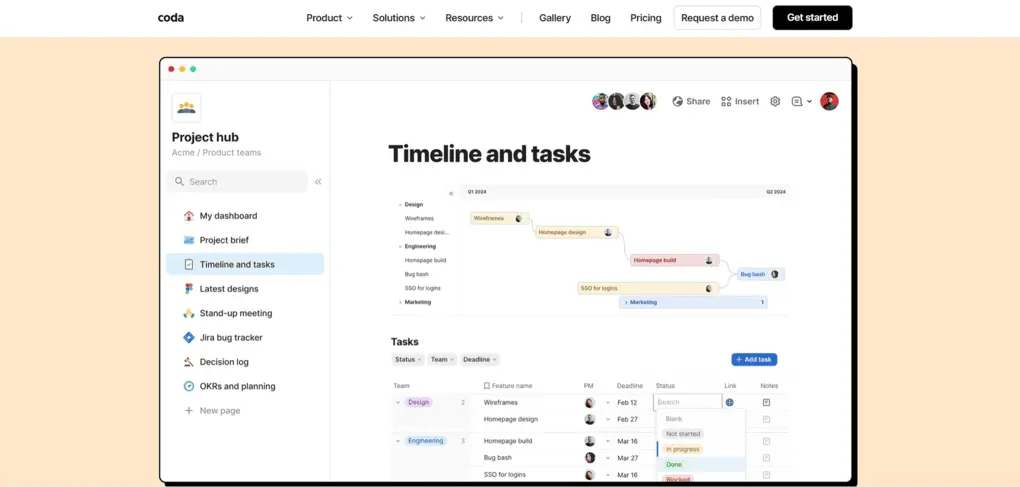
Coda looks like Notion but behaves more like an internal tool. Docs can hold formulas, buttons, automations, and Packs. This means the page can trigger actions, connect to your stack, and handle logic that Notion can't.
If your team keeps rebuilding the same trackers, approval flows, and meeting hubs inside Notion, Coda is the more serious answer.
Key features
- Docs plus tables: Combine text and structured data in one place so teams can manage projects, trackers, and docs without switching tools.
- Formulas, buttons, and automations: Turn docs into working systems that can trigger actions, run workflows, and replace manual processes.
- Packs and integrations: Connect your docs to tools like Slack, Google Calendar, and CRMs so updates, notifications, and data stay in sync.
Pros
- Lets you run workflows directly inside docs, so you don’t need separate tools for tracking or execution
- Handles approvals, trackers, and meeting hubs in one place instead of splitting them across multiple tools
- Keeps complex workflows manageable by handling logic and automation without breaking your system
Cons
- More rigid than Notion when customizing page structure and workflows
- Pricing scales quickly for teams that need multiple doc creators
Best for
- Teams that need docs to handle workflows, approvals, and structured processes
Pricing
- Free plan available
- Pro at $12/month ($10/month if billed annually)
- Team at $36/month ($30/month if billed annually)
3. ClickUp: Best for project-heavy teams
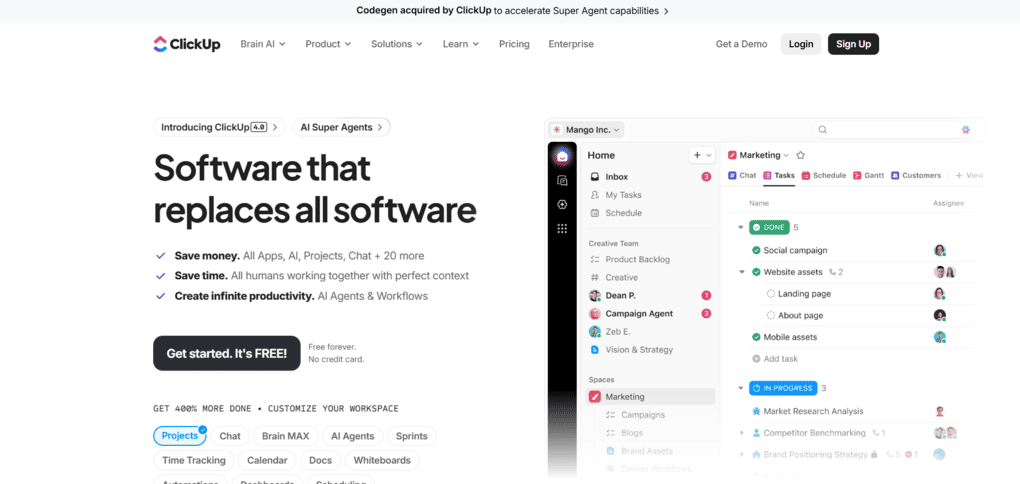
ClickUp closes the gap when your plans live in Notion but the actual work still feels scattered. Tasks, docs, dashboards, automations, and chat all connect in one system so execution happens in the same place as planning.
It's built around task execution and project delivery instead of document logic.
Key features
- Tasks and docs in one system: Plan, assign, and execute work without switching between tools.
- Dashboards and reporting: See project status, workloads, and deadlines in real time.
- Automations and flexible views: Remove manual steps and manage projects across list, board, and timeline views.
Pros
- Keeps planning and execution in one place by connecting tasks, docs, dashboards, and automations
- Gives teams clear ownership and deadlines without managing separate tools for tracking and documentation
- Surfaces project status in real time without requiring manual updates across pages
Cons
- UI gets overwhelming fast if you only need simple notes
- Setup still takes work if your team wants a clean system from day one
Best for
- Teams that need to manage tasks and execution in the same place as their planning
Pricing
- Free plan available
- Unlimited at $10/month ($7/month if billed annually)
- Business at $19/month ($12/month if billed annually)
4. Obsidian: Best for personal knowledge systems
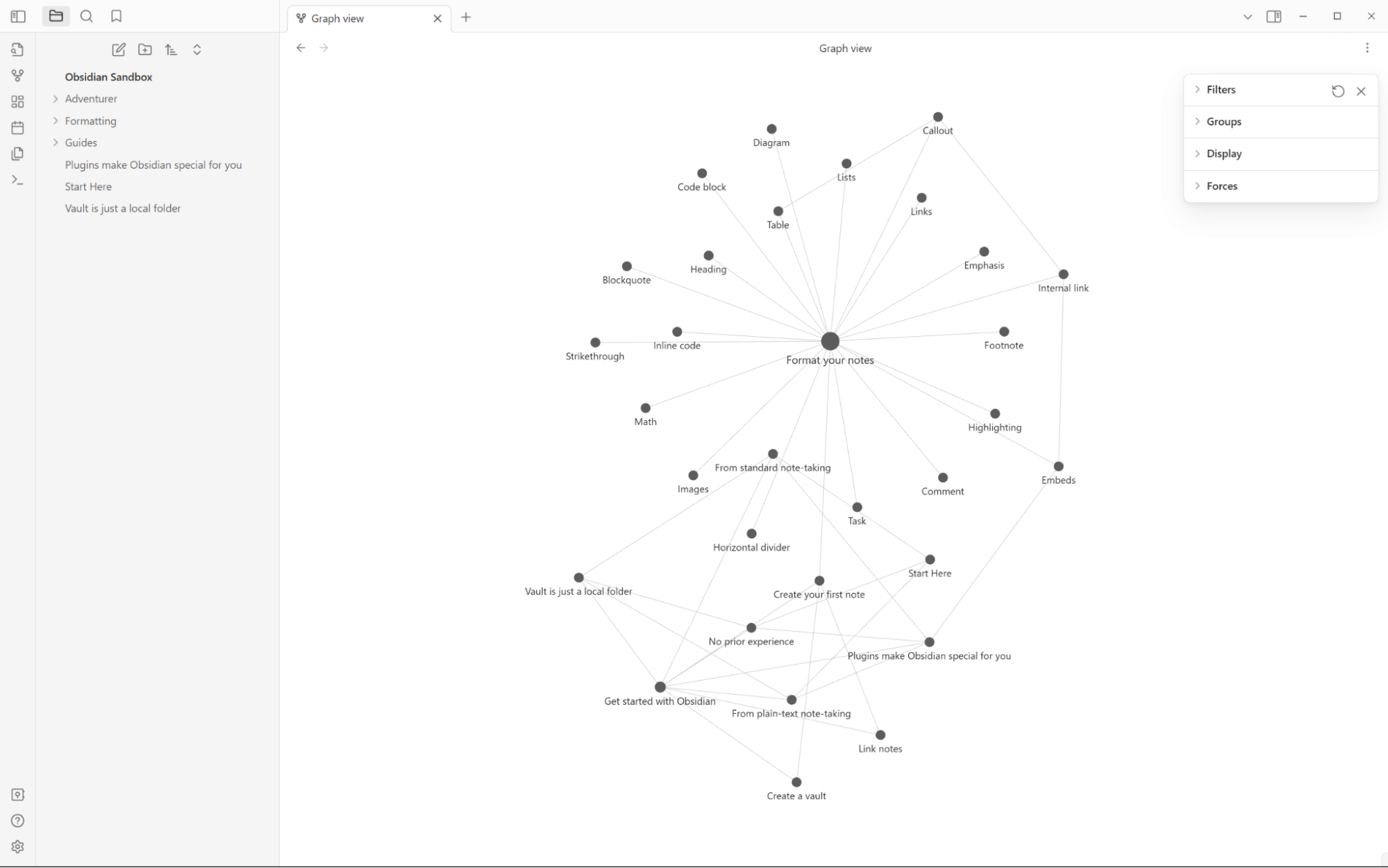
Obsidian stores your notes as local Markdown files on your own device and is built for creating a personal knowledge system that grows over time. Instead of organizing information into separate pages, it connects your notes through links, making it easier to build, explore, and revisit ideas as they develop.
Key features
- Local Markdown files: Your notes stay on your device as plain text files, so you keep full ownership and access without relying on a subscription.
- Linked note structure: Connect ideas across notes using backlinks, making it easier to build a knowledge system that grows and evolves over time.
- Plugin ecosystem: Customize your setup with plugins for tasks, graphs, calendars, and more, so the tool adapts to how you think and work.
Pros
- You fully own your notes regardless of subscription status
- Your ideas build on each other through linked notes instead of staying in isolated pages
- Plugin ecosystem lets you reshape the tool around how you think rather than accepting a fixed workspace model
Cons
- Not built for real-time collaboration, so teams need extra setup or separate tools
- Requires manual setup for sync, backups, and plugins to match cloud tools
Best for
- Researchers and writers who have outgrown cloud-based notes and want their knowledge to build on itself over time
Pricing
- Free for personal use
- Obsidian Sync at $5/month ($4/month if billed annually)
- Obsidian Publish at $10/month ($8/month if billed annually)
5. Anytype: Best for privacy-first workspaces
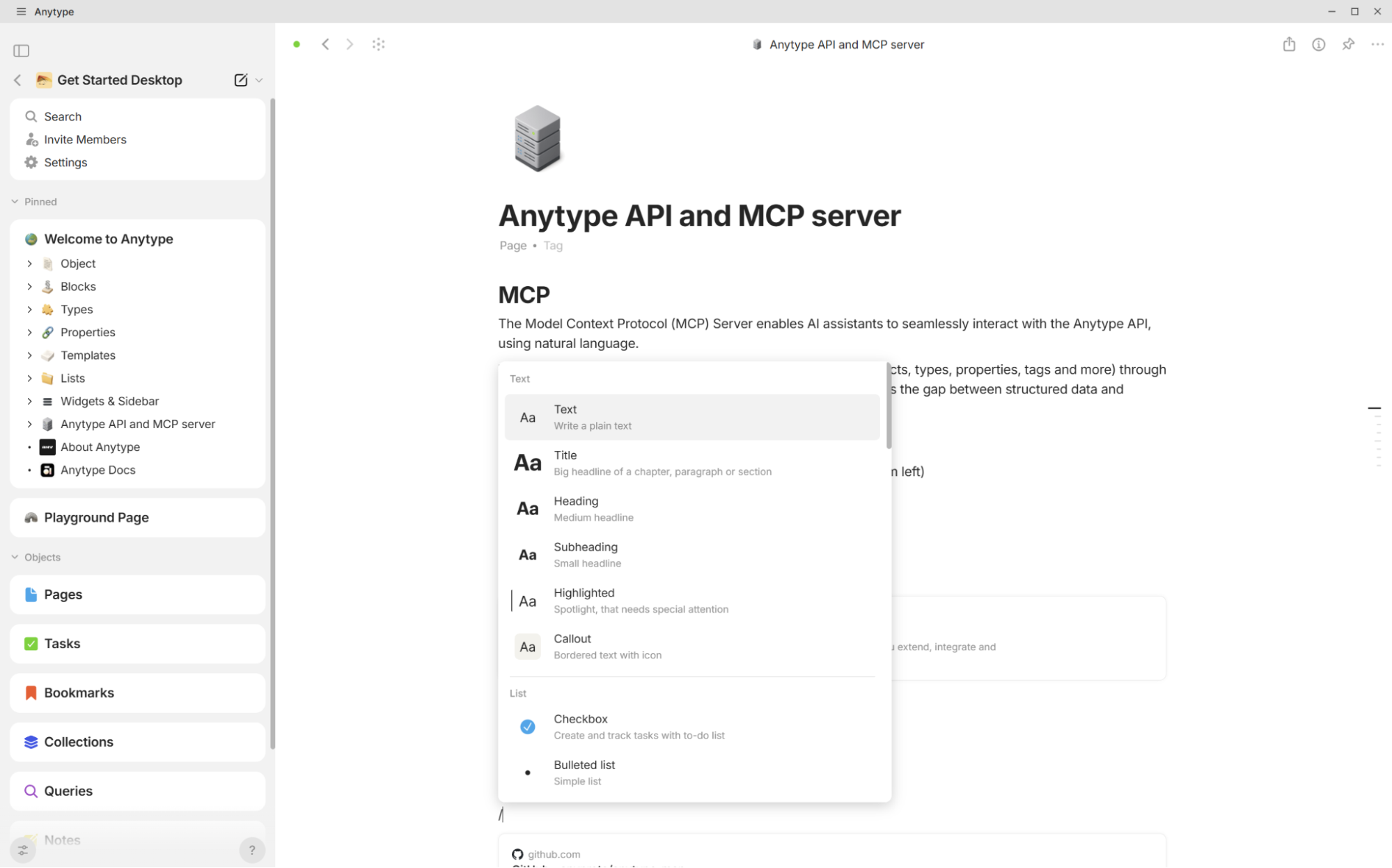
Anytype is local-first and end-to-end encrypted by default. Your data starts on your device instead of a cloud server. It gives you the flexible, visual workspace feel of Notion, with an object-based system that handles notes, tasks, and databases in one model, without giving up ownership.
Key features
- Local-first storage and encryption: Your data starts on your device and stays encrypted, so you maintain full ownership without relying on cloud servers.
- Object-based structure: Manage notes, tasks, and databases in one system where everything is connected and reusable instead of split across separate tools.
- Private collaboration: Share spaces and collaborate with others without giving up control of your data or relying on centralized infrastructure.
Pros
- Keeps data local and encrypted by default, so sensitive work never sits on a third-party server
- Combines notes, tasks, and databases in one system without needing separate tools
- Supports private collaboration with spaces and chat without sacrificing ownership or data privacy
Cons
- Smaller ecosystem than Notion, with fewer integrations and plugins
- Setup and structure take time to understand at first
Best for
- Freelancers and small teams handling sensitive client work who want Notion's flexible structure without their data sitting on someone else's server
Pricing
- Free plan available
- Plus at $5/month ($4/month if billed annually)
- Pro at $10/month ($8/month if billed annually)
- Ultra at $20/month ($16/month if billed annually)
6. AppFlowy: Best open-source Notion alternative
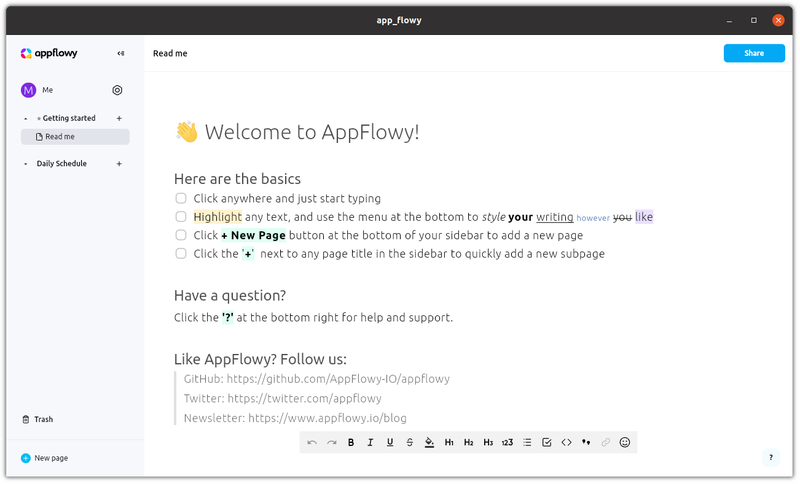
AppFlowy is an open-source alternative to Notion designed for teams that want full control over their data and setup. Its self-hosting options are the main reason people choose it. You still get docs, tasks, and databases, so you’re not giving up functionality to gain ownership.
Key features
- Open-source and self-hosted: Run AppFlowy on your own infrastructure so your data stays fully under your control without vendor lock-in.
- Docs, tasks, and databases in one workspace: Manage projects, notes, and structured data in a single system instead of splitting work across tools.
- Offline-first support: Continue working without an internet connection, with your data syncing when you're back online.
Pros
- Full control over data and infrastructure without relying on a third-party provider
- Full visibility for technical teams into how the tool handles their data
Cons
- More technical than mainstream tools
- Less polished than more established options
Best for
- Developers and technical teams that want a Notion-style workspace they can self-host, audit, and control without depending on a vendor's infrastructure.
Pricing
- Free plan available
- Pro at $12.50/user/month ($10/user/month if billed annually)
7. Airtable: Best for structured ops work
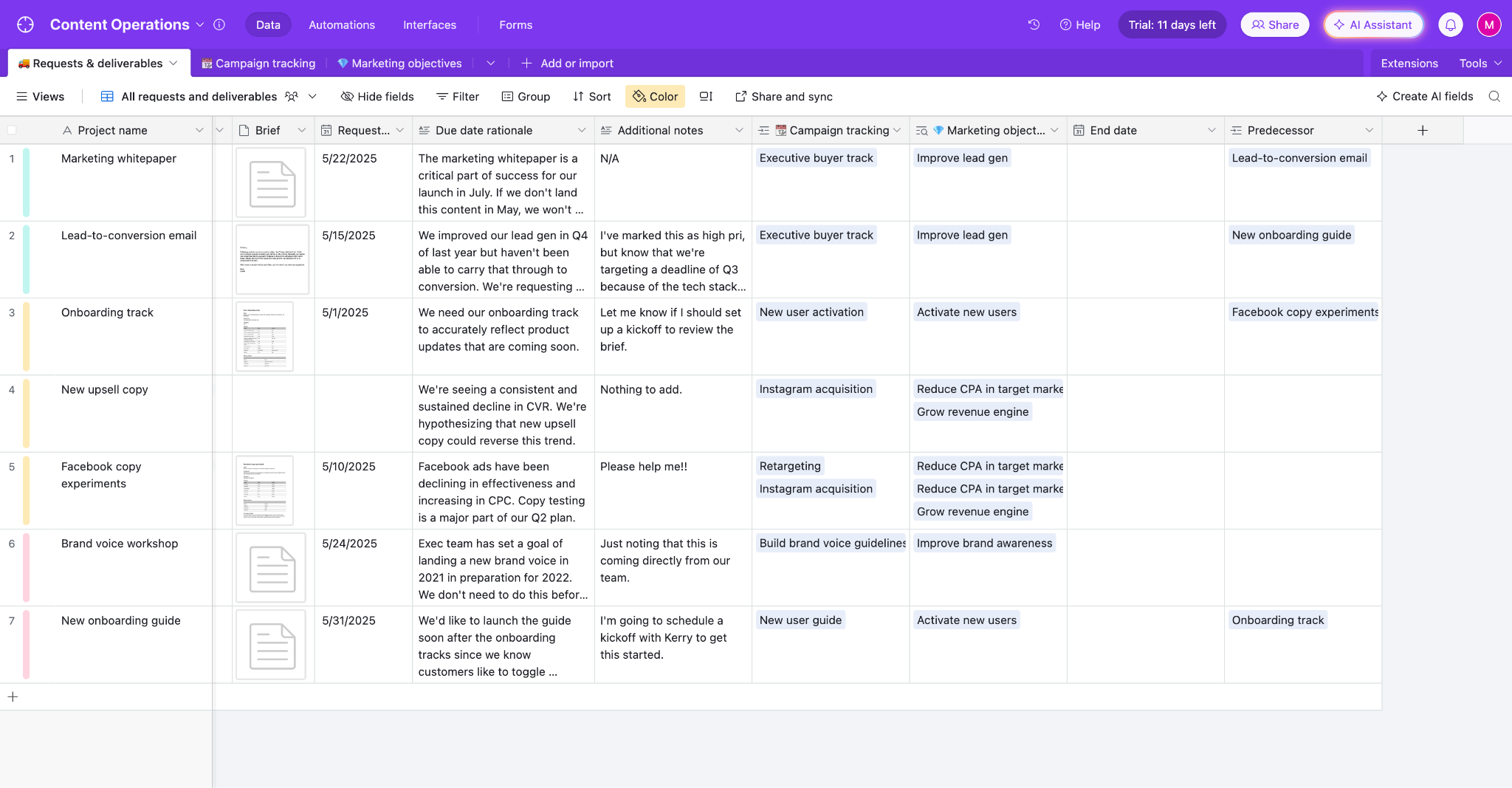
Airtable is the one to reach for when a Notion workspace starts turning into a complex database. It's built around linked records, interfaces, and automations, not flexible pages. If your work runs on pipelines, request systems, and structured workflows, this alternative is designed for that job.
Key features
- Structured records and views: Organize work as tables with multiple views (grid, kanban, calendar) so teams can manage pipelines, requests, and workflows more clearly than in flexible pages.
- Automations: Trigger actions like notifications, status updates, and assignments to reduce manual steps across repeatable workflows.
- Interfaces and workflows: Build custom interfaces on top of your data so teams can interact with systems without working directly in raw tables.
Pros
- Keeps structured workflows organized as data scales instead of breaking across pages
- Reduces manual work with automations for updates, notifications, and processes
- Makes complex systems easier to use through customizable interfaces
Cons
- Less suited for long-form writing and documentation
- Can get expensive as teams and usage scale
Best for
- Ops and marketing teams whose workflows depend on structured data, like pipelines, request systems, and operations
Pricing
- Free plan available
- Team at $24/seat/month ($20/seat/month if billed annually)
- Business at $54/seat/month ($45/seat/month if billed annually)
The right Notion alternative should fit your workflow
Notion stops working well when your needs get specific. Pick a tool that matches the actual bottleneck. Operations and pipelines belong in Airtable. Project execution belongs in ClickUp. Private, local notes belong in Obsidian.
If the bottleneck is writing, other tools won’t help much. HyperWrite is built for that. It works across every tab you already have open, completes sentences in your voice, and gets polished drafts out faster than any other workspace tool.
Does writing still feel like the slowest part of your workflow? Try TypeAhead free with the Chrome extension and see how it handles the writing Notion leaves on you.
Frequently asked questions
What is the best Notion alternative for writing-heavy work?
The best Notion alternative for writing-heavy work is HyperWrite if your main job is drafting, rewriting, researching, and polishing text. It's not a full workspace replacement, but it's a stronger fit than Notion when the real pain is writing speed and clarity.
What is the best free Notion alternative?
The best free Notion alternative depends on what you need most. Obsidian is strong for personal notes, AppFlowy is strong for open-source control, Anytype is strong for privacy, and ClickUp is strong for project-heavy teams.
Is there a simpler alternative to Notion?
Yes, there are simpler alternatives to Notion. If setup starts feeling like work, a more focused tool like HyperWrite, Obsidian, or Airtable can feel easier because each one solves a narrower problem.
Is Obsidian better than Notion?
Obsidian is better than Notion if you want local markdown files, deep customization, and long-term note ownership. Notion is still better for teams that want a shared cloud workspace with easier collaboration.
Why do people look for Notion alternatives?
People look for Notion alternatives because setup starts feeling heavy, performance or complexity gets in the way, or one tool is trying to do too many jobs at once. That’s why more focused tools often feel better in daily use.

HyperWrite is the AI writing assistant that learns your style. It handles drafting, editing, and researching so you can focus on ideas.
- Autocompletes sentences as you type
- Works inside Google Docs & Gmail
- Adapts to your personal writing style
- 500+ AI tools for any writing task

Powerful writing in seconds
Improve your existing writing or create high-quality content in seconds. From catchy headlines to persuasive emails, our tools are tailored to your unique needs.