
Paperpal Review 2026: Is It Right for Researchers?


Your manuscript comes back from peer review with a familiar note at the top: "The language needs polishing before we can proceed." Your methods were fine. A dozen clumsy sentences stalled the whole thing.
Anyone who writes papers in English as a second language knows that sting (and plenty of native speakers get the same note). Paperpal promises to catch those sentences before a reviewer does, with academic editing built into Word and Google Docs.
I went through Paperpal's feature set, its live user ratings, and its 40 newest top- and bottom-rated Trustpilot reviews, so this Paperpal review can answer one question straight: is it right for researchers, and which ones?
Paperpal Review Verdict: Is It Worth It for Researchers?
If you're actively writing manuscripts and want language polish, drafting help, and pre-submission checks in one place, Paperpal earns its keep. If your bottleneck is study design, or you publish once every couple of years, it's a harder sell.
It's strongest for non-native English speakers and researchers who draft in Word all day. It can tighten an argument and back it with sources, but its peer-review-style feedback is no substitute for a real reviewer checking your methods.
What Paperpal Is and How It Works
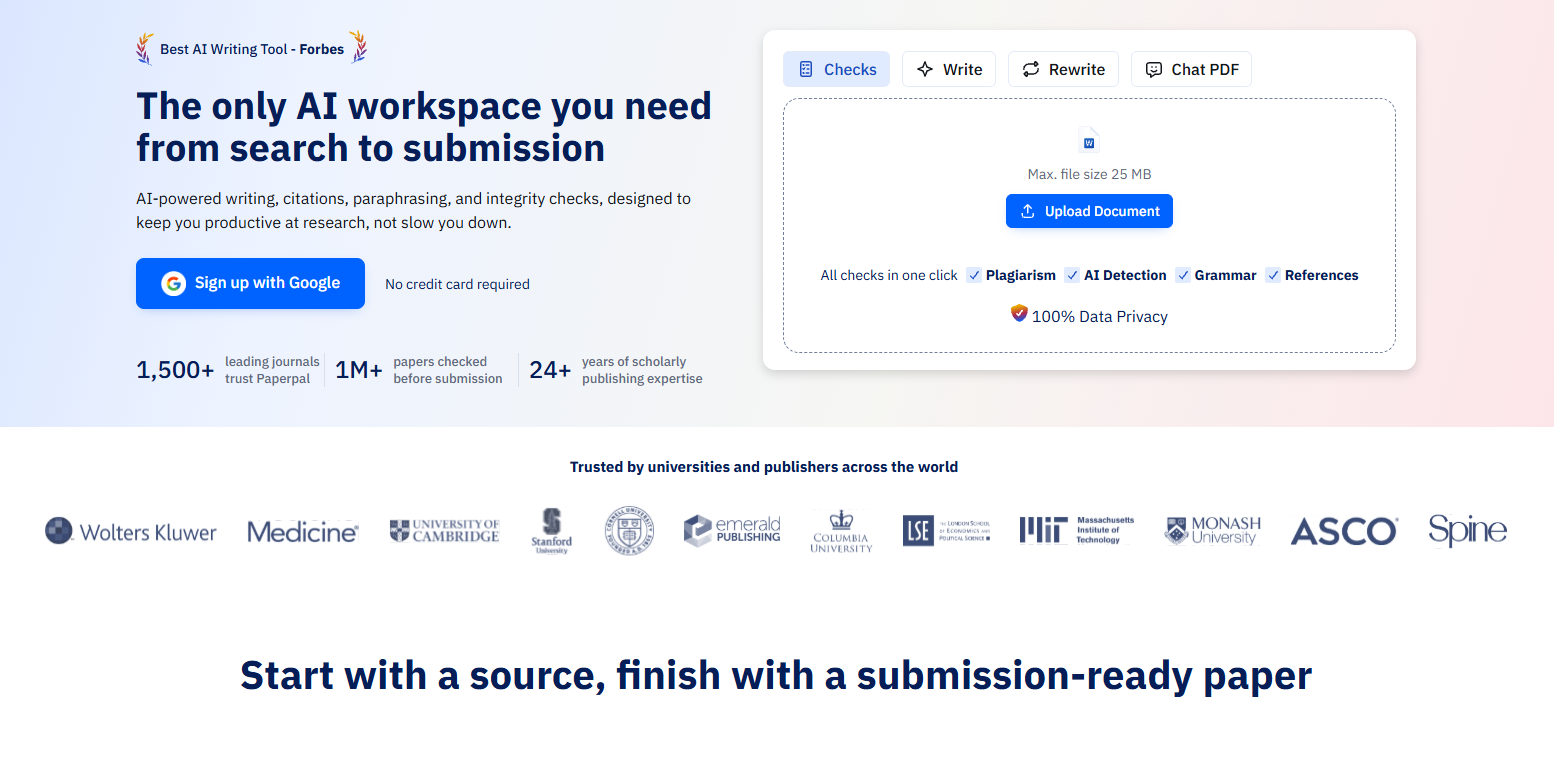
Paperpal is an AI writing assistant trained on academic and published research text, built to take a paper from search to submission. That means one workspace for chatting with your sources, drafting with an AI agent, and running the checks a journal will run.
It runs where researchers already work: a Word add-in, a Google Docs add-on, Chrome and Edge extensions, Overleaf for the LaTeX crowd, and a standalone web app.
Because it's scoped to academic writing conventions, the suggestions lean formal and citation-aware, close to how reviewers expect a paper to sound. Paperpal lists Cambridge, Stanford, and MIT among the universities and publishers that trust it.
Paperpal's Features, Tested
Paperpal bundles seven core features. Here's what each one does well, and where it taps out.
Research Library and Agents
The Research Library and Agents are Paperpal's newest additions and cover the start of a paper. Upload PDFs and chat with them to pull out findings, quotes, and key points, or ask the Library a question and get cited answers drawn from 300M+ verified research articles.
The Agent drafts from your notes or a blank outline, rewrites, trims to a journal's word limit, and finds extra references for a specific argument across your sources, your library, and the live web. On the free plan, research questions are capped at 5 a day.
Academic Language Suggestions
Academic language suggestions are Paperpal's core trick. Highlight a clunky sentence, and it rewrites it in formal academic English, fixing tense, article use ("a" versus "the," the bane of many ESL writers), and word choice.
In practice, it's good at the sentence level: tightening passive sprawl, swapping casual verbs for precise ones. For bigger rewrites, the Agent can rework whole sections, though you'll still need to judge the logic.
Submission Readiness Checks
Submission readiness checks run your draft against 30-plus pre-submission checks covering structure, word counts, figures, references, and disclosure statements before you submit.
This is the feature that backs up Paperpal's search-to-submission pitch. It catches the boring stuff that triggers desk rejects, like a missing ethics statement or sloppy reference formatting, so a human doesn't have to.
Its Reference Check also catches retracted papers, broken citations, and sources that don't back the sentence they're attached to, and the newer Document Health Check runs grammar, plagiarism, AI detection, and reference checks in a single pass.
The full Journal Fit report, which benchmarks a manuscript against a target journal's requirements, is Pro-only; Free and Prime get a lite version.
AI Review: A Virtual Research Coach
AI Review works like a research coach, giving section-level feedback on clarity, structure, flow, and logical gaps. It can flag an introduction that buries its research question or a discussion section that wanders.
It judges how the paper reads, so a flawed statistical method will still slip past it. Check the science yourself.
Plagiarism and Similarity Checking
Plagiarism and similarity checking compares your text against 99 billion web pages, including 200 million open-access research articles, and flags overlapping passages. The similarity report lets you fix them before an editor runs their own check. Paperpal pairs it with a separate AI detector.
The catch: scans count against a monthly allowance, so heavy checking eats into your plan. It's handy for a pre-submission gut check, though it's a lighter tool than the integrity system institutions use on submitted work (usually Turnitin).
Citation Generation
Citation generation formats in-text citations and reference lists in APA, MLA, and 10,000+ other styles, with an automated bibliography on paid plans (the free plan gives plain-text citations only). It's a real time-saver for quick formatting fixes.
If you already keep hundreds of sources in a reference manager like Zotero, you can import that list into Paperpal's Library and cite from it as you write.
Translation and Paraphrasing
Translation and paraphrasing turn text from 50+ languages into academic English and rephrase awkward passages. For researchers drafting in a second language, this is often the feature that sells them.
If paraphrasing is your main need and the submission tooling doesn't move you, a dedicated tool may be cheaper. Here's a roundup of QuillBot alternatives worth weighing.
Paperpal Pricing: Which Plan Fits a Researcher
Paperpal's free plan comes with limited language suggestions and a taste of the checks, enough to see whether its edits click for your writing.
Per Paperpal's pricing page, Prime runs $12 per month and Pro $29 per month, billed annually, or $25 and $59 on monthly billing (checked October 2026). Third-party sites quote different numbers, so confirm the current rate before you buy.
Prime raises the caps to 20k grammar edits and 10k words of plagiarism checks a month. Pro removes the edit cap, includes unlimited AI detection and research questions, and keeps a 30k-word monthly plagiarism limit.
Trial is free, then pay monthly only while you're actively drafting, and downgrade or pause when the paper ships. Prime fits if your monthly plagiarism checks stay within its cap; pick Pro if they won't.
Where to Use Paperpal: Word, Google Docs, Overleaf, or the Web
Which version to install depends on where you draft. Start with the add-in if you write in Word, pick a browser-based option for Google Docs or Overleaf, and use the web app for the research and submission tools.
The Word add-in puts Paperpal in a sidebar next to your manuscript. Install it from the add-ins store, sign in, and you're set up in a few minutes. It's the natural pick if you and your co-authors trade .docx files.
For Google Docs, either the Docs add-on or a browser extension works; Overleaf needs the extension, which puts suggestions right inside the editor. That makes it the one to install in LaTeX-heavy fields like math, physics, and CS. The extension also has a web importer for saving sources to your Library.
The web app is where the Library, Agents, and submission checks open, and it's the simplest option if you'd rather paste a draft in than install anything.
What Real Users Say About Paperpal
On Trustpilot, Paperpal sits at 4.7 out of 5 from 483 reviews (checked October 2026). Praise clusters around the same things: it's easy to use, the academic suggestions help, and the plagiarism check saves a scramble before submission.
“Great experience. Easy to manage, handy…” – Sneha Bhagat, Trustpilot
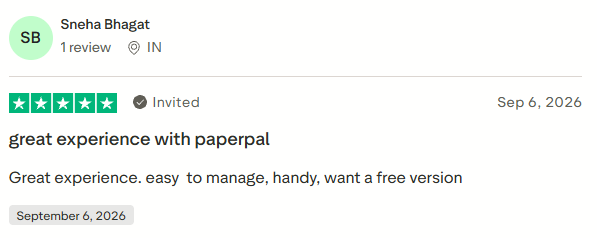
Most of those reviews are invited, which can nudge the average up. All 20 of the newest five-star reviews came through Paperpal's invitations, while 15 of the 20 newest one- and two-star reviews were posted unprompted.
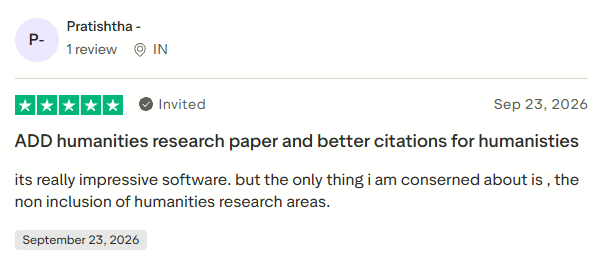
Complaints center on a laggy interface, AI detection that over-flags, frustrating billing, and thinner support for humanities writers than for the STEM crowd.
“[It’s] really impressive software, but the only thing I am [concerned] about is the non-inclusion of humanities research areas.” – Pratishtha, Trustpilot
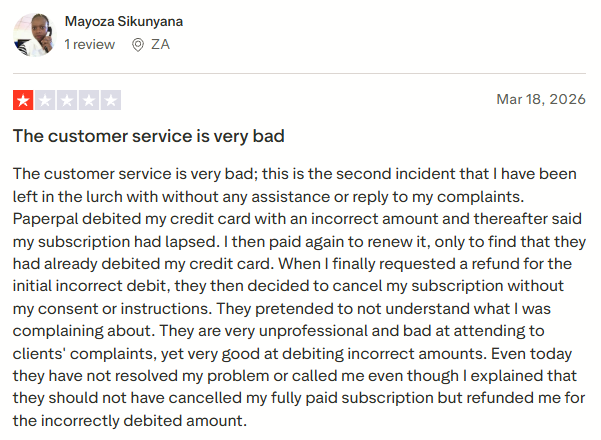
“Paperpal debited my credit card with an incorrect amount and thereafter said my subscription had lapsed. I then paid again to renew it, only to find that they had already debited my credit card. When I finally requested a refund for the initial incorrect debit, they then decided to cancel my subscription without my consent or instructions.” – Mayoza Sikunyana, Trustpilot
Paperpal replied two days later that its team had followed up and confirmed the reviewer was satisfied with the resolution.
Where Paperpal Falls Short
It's Hard to Justify If You Publish Rarely
Prime costs $144 a year on annual billing, so it only pays off if you're writing most months. Billed monthly, Prime is $25, and Pro is $59, so a two-month drafting burst on Prime costs less than a year you'll barely use. The free plan won't carry a whole manuscript either, since grammar suggestions stop at 200 a month.
If you write in bursts, the pause option helps. It kicks in when your current term ends and pushes your renewal date back for as long as the pause lasts, though it isn't available to users in India or South Korea.
Refunds Have a Short Window
Refunds go to first-time subscribers only, within 30 days on yearly plans or 7 days on monthly ones, even though Paperpal advertises cancel-anytime. After that, canceling just stops the next renewal, and you keep access until the term you've paid for ends. Cancellation confuses enough people that a Reddit thread in r/research asks how the refund window works.
Paid plans renew automatically, so set a reminder before your renewal date. If you'd rather not track renewals at all, Prime's two-year ($229) and three-year ($289) plans are paid once and don't auto-renew.
It Won't Judge Your Science
Paperpal checks how your paper is written and put together, not whether the research holds up. Its Reference Check flags retracted, AI-invented, and off-target citations, and AI Review can point out logic gaps, but neither is built to vet your study design or statistics. A sample size that's too small is still yours to catch.
Use it for the writing and the submission paperwork, and run the methods by a colleague.
Monthly Limits Run Out
Even the paid plans meter the checks you'll lean on most before submission. Prime includes 10,000 words a month each for plagiarism and reference checks, and Pro raises both to 30,000. A long manuscript, checked once and then again after revisions, can use up Prime's allowance in a single month.
The writing tools are capped too. Prime allows 500 uses a month across paraphrasing, trimming, translation, and AI Review, plus 500 research questions. Pro's unlimited Agent use is labeled a promotional period, so it may not last.
Humanities Coverage Lags
Paperpal leans toward the sciences, and humanities writers notice. The company describes itself as “built on 2 decades of science, technical, and medical publishing experience.” In a reply to a Trustpilot reviewer, Paperpal said its humanities support “is not as extensive as the other sciences.”
If you write long, argument-driven prose, some suggestions will feel built for someone else's discipline, so trial it on one chapter before you commit.
Paperpal vs Grammarly, ChatGPT, Jenni AI, and Turnitin
Paperpal leads on submission readiness, and each of the other four wins somewhere else, from everyday grammar to institutional plagiarism checks.
Paperpal vs Grammarly
Grammarly is the generalist, strong at everyday grammar and tone across your whole digital life. Paperpal is narrower and more academic, with submission checks Grammarly doesn't try to offer.
If your writing is mostly manuscripts, Paperpal fits; for everything else, our Grammarly review digs into where Grammarly shines.
Paperpal vs ChatGPT
ChatGPT is flexible and will happily draft anything, but it can still invent citations, and it won't check your draft against a specific journal's submission rules.
Paperpal stays in its academic lane, grounds its citation lookup in published research, and flags AI-hallucinated references with its Reference Check. We broke down the general-chatbot tradeoffs in our Grammarly vs ChatGPT comparison.
Paperpal vs Jenni AI
Both now draft from your own sources. Jenni does it inline, with an autocomplete that suggests the next sentence and cites it as you type, while Paperpal's Agent writes from your outline in a chat window.
Paperpal bundles integrity and submission checks on top, and Jenni's plans list no plagiarism checker. The entry price is a wash on annual billing, with Jenni's Plus plan at $12 a month (or $30 billed monthly).
Pick Jenni for inline suggestions while you draft, and Paperpal if you want those checks in the same tool. Jenni's Trustpilot score is rougher (3.7 from 156 reviews as of October 2026), with several recent reviewers reporting charges after they canceled.
Paperpal vs Turnitin
This one trips people up. Turnitin is the integrity checker your university runs on coursework, and journals use its iThenticate engine to screen manuscripts, so you're usually on the receiving end. Paperpal's similarity check is the scan you run on yourself, a heads-up before you submit.
Who Should Use Paperpal (and Who Shouldn't)
Already paying for a tool that does the job? Stick with it. Paperpal is worth switching to only if academic polish or journal checks are what's slowing your submissions down.
HyperWrite for Grants, Emails, and Everything Around the Paper
A manuscript is a small slice of what a researcher actually writes. There's the grant summary, the email to a collaborator three time zones away, the conference abstract, the talk you're dreading, the literature search at 11 pm.
Paperpal is purpose-built for the paper, and it's good at it. For the rest, HyperWrite works as an always-on writing co-pilot.
Here's what each part covers:
- TypeAhead works across every browser tab, reading what's open and drafting full sentences that fit what you're working on in Gmail, Google Docs, and anywhere else you type (a different thing from phone-keyboard autocomplete).
- Personas work from samples of your past writing, so a grant email still sounds like you.
- AutoWrite, HyperWrite's most versatile tool, drafts proposals, summaries, and replies in whatever format you need, and the AI Grant Writer is built for grant applications.
- The AI Document Editor lets you ask for feedback on a conference abstract, rewrite a section, or find citations, with real-time collaboration for co-authors.
- Scholar AI searches millions of peer-reviewed articles and pulls out the key findings for that late-night literature search.
The bottom line of this Paperpal review: use it to get the manuscript submission-ready, and let Hyperwrite TypeAhead handle the hundred other things you write each week.
Next time you're answering a reviewer, nudging a co-author, or writing the grant summary nobody else wants to write, let TypeAhead draft the first line.
Try TypeAhead free with the Chrome extension, and one busy afternoon will tell you whether it earns a spot in your day.
Frequently Asked Questions
How much does a Paperpal subscription cost?
Paid plans start at $12 a month for Prime and $29 a month for Pro on annual billing, or $25 and $59 if you pay monthly (prices checked October 2026). The free plan, with limited language suggestions and checks, is enough to test the tool, but a full manuscript workflow needs a paid plan. Confirm current pricing on Paperpal's site before buying, since third-party quotes vary.
Is Paperpal safe and legit?
Yes, Paperpal is a legitimate academic writing tool used by authors publishing in major journals, with a stated policy that your files stay private and your work is never used to train AI.
Can Paperpal detect AI writing?
Paperpal includes an AI-detection check that flags text likely to read as AI-generated, though how much you can scan depends on your plan. Some recent reviewers say it over-flags human writing, so treat its score as one signal among several.
Is Paperpal better than Grammarly for academic writing?
For manuscripts and submission readiness, Paperpal's academic tuning usually fits better than Grammarly. Grammarly is the stronger pick for general grammar and tone across everyday writing.
How do I cancel a Paperpal subscription?
You can cancel a Paperpal subscription from the Membership & Billing page in your account. Refunds apply to your first purchase only, within a week for monthly plans or 30 days for annual ones; after that, your plan runs until it expires. Keep the confirmation email.

HyperWrite is the AI writing assistant that learns your style. It handles drafting, editing, and researching so you can focus on ideas.
- Autocompletes sentences as you type
- Works inside Google Docs & Gmail
- Adapts to your personal writing style
- 500+ AI tools for any writing task

Powerful writing in seconds
Improve your existing writing or create high-quality content in seconds. From catchy headlines to persuasive emails, our tools are tailored to your unique needs.