
Finish My Sentence: 7 Best AI Tools by Use Case (2026)


You're halfway through an email to your boss. You type "Despite missing the deadline, the team…" and the cursor just sits there, blinking. You could open ChatGPT, explain the whole situation, and paste the answer back, or you could hand the line to a finish-my-sentence tool and get the rest in seconds.
I tried seven of them, from mostly free paste-box tools to one that writes inside the tab you're already in. Some match your tone, a few bury a decent tool under upsells, and Grammarly's checker only fixes what's on the page.
Here's which one to reach for and when, so you're never stuck mid-thought with three tabs open.
7 Best Finish My Sentence Tools: TL;DR
- HyperWrite (TypeAhead): best for finishing sentences in your own voice, inside any browser tab.
- Easy-Peasy.ai Sentence Finisher: best for endings that pick up the register you started in.
- Writecream Finish the Sentence: best for a quick completion with no login or signup.
- east.im: best for steering purpose, tone, and length in a single run.
- Agency Handy Sentence Finisher: best for setting roughly how many words to add.
- Loopple Finish the Sentence: best for a fast, formal one-shot on a paid plan.
- Grammarly: best for proofreading a sentence you've already finished.
How I Compared These Tools
Search "finish my sentence" or "finish this sentence AI," and the same tools come up: Loopple, Easy-Peasy, Agency Handy, and Writecream.
A good test is the kind of line you'd actually get stuck on, like "Despite missing the deadline, the team…" It's short, a little emotional, and open enough that a tool has to read the setup before it answers.
With a line like that in mind, I judged each tool on three things:
- Is it free, and where's the catch?
- Does it need a login or signup before you can use it?
- Can you control tone and length, or do you take whatever it gives?
The tools also split into two camps. Six are boxes: you paste in the half-finished line, then copy the result back into your email or doc. TypeAhead suggests the ending in place, the way desktop writing assistants do, so the round trip disappears.
What to Expect From Each Tool
Here's how each one behaves when you hand it an unfinished sentence:
- HyperWrite's TypeAhead is the only one you never have to switch to. It finishes the line inline as you type, pulling tone from your earlier sentences, so the suggestion sounds like your own writing. It works right inside Google Docs and Gmail.
- Easy-Peasy continues in whatever tone you start with, which is its whole pitch, though it can say more than you need.
- Writecream gives you a grammatically correct ending fast, ready to paste.
- east.im runs free with no signup and wants to know what the ending should do before it writes anything.
- Agency Handy asks for an approximate word count first, so you can request a five-word tag or a full clause.
- Loopple needs a PRO plan. Once you're on one, it hands back one formal ending by default, and a dropdown lets you ask for up to 10.
- Grammarly is the odd one out. Drop in an unfinished sentence, and it flags the fragment and suggests grammar fixes. Completing the thought is still on you.
Finish My Sentence Tools Compared at a Glance
Free-tier and login details verified on each tool's page in October 2026. Vendors change plans often, so double-check before you rely on one.
1. HyperWrite: Best for Finishing Sentences in Your Own Voice
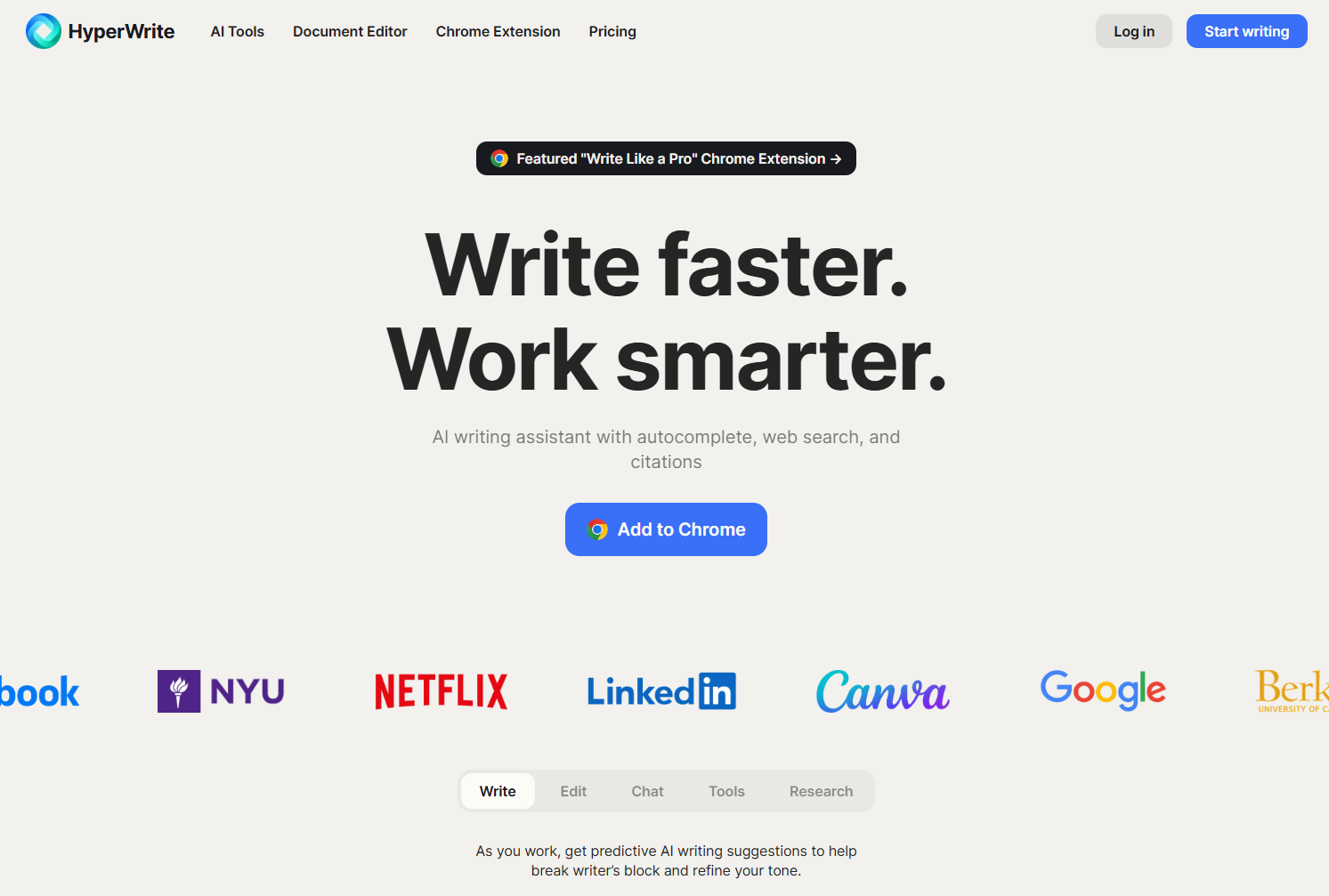
What it does: TypeAhead, part of HyperWrite's Chrome extension, finishes your sentence as you type in any browser text field.
Best for: leaders, recruiters, and marketers who write all day in the browser and need every message to sound like them.
Start a reply in Gmail with "Thanks for the quick turnaround, I'll" and TypeAhead offers the rest of the line before you've decided how it ends. Accept it and keep moving, and Personas keep those suggestions in your own voice.
TypeAhead is the part you'll notice first, but it sits on top of a full writing stack. You also get an AI Writing Assistant you can chat with to brainstorm, draft, and edit on any page, plus hundreds of AI writing tools and research with web search and citations. Professionals at Google, Netflix, LinkedIn, and Spotify use it to stay productive.
Key Features
- Ghost-text suggestions: the suggestion appears in gray right after your cursor, so your eyes never leave the line.
- Three ways to accept: Tab takes the whole suggestion, the right arrow key takes it word by word, and Alt plus the up or down arrow shows other options.
- Cross-tab awareness: it can pick up details from your other open tabs, so a reply fits the conversation around it.
Pros and Cons
Pros:
- ✅ Works in Gmail, Google Docs, LinkedIn, Notion, and other sites, so there's nothing to copy back
- ✅ The AI Writing Assistant rides along in the same extension for bigger edits
- ✅ Unlimited TypeAheads on both paid plans
Cons:
- ❌ It's a Chrome install with an account, which is more setup than one stray sentence needs
- ❌ Reviewers note that very fast typists can outrun the suggestions
What Users Say
"I tried probably 5 other similar extensions, and even tried using locally hosted Ollama and built my own extension to autocomplete text in Chrome. But nothing is as magical as HyperWrite." (Scott Mallonee on the Chrome Web Store)

"lots of wrong spellings ,the fact that it recalls previous information is impressive but is not executed properly" (Shardul Patekar on the Chrome Web Store)

Pricing
The free plan includes limited monthly credits on HyperWrite's basic AI. Premium costs $19.99/month, or $16/month billed annually, and adds 250 AI messages a month, 3 custom Personas, and unlimited TypeAheads. Ultra costs $44.99/month, or $29/month billed annually, for unlimited messages and 10 Personas.
Bottom Line
If you get stuck mid-sentence several times a day, TypeAhead is the one tool here that fixes it without a detour. If you only need help now and then, start with a free tool like Easy-Peasy or Writecream.
2. Easy-Peasy.ai Sentence Finisher: Best for Matching the Register You Started In
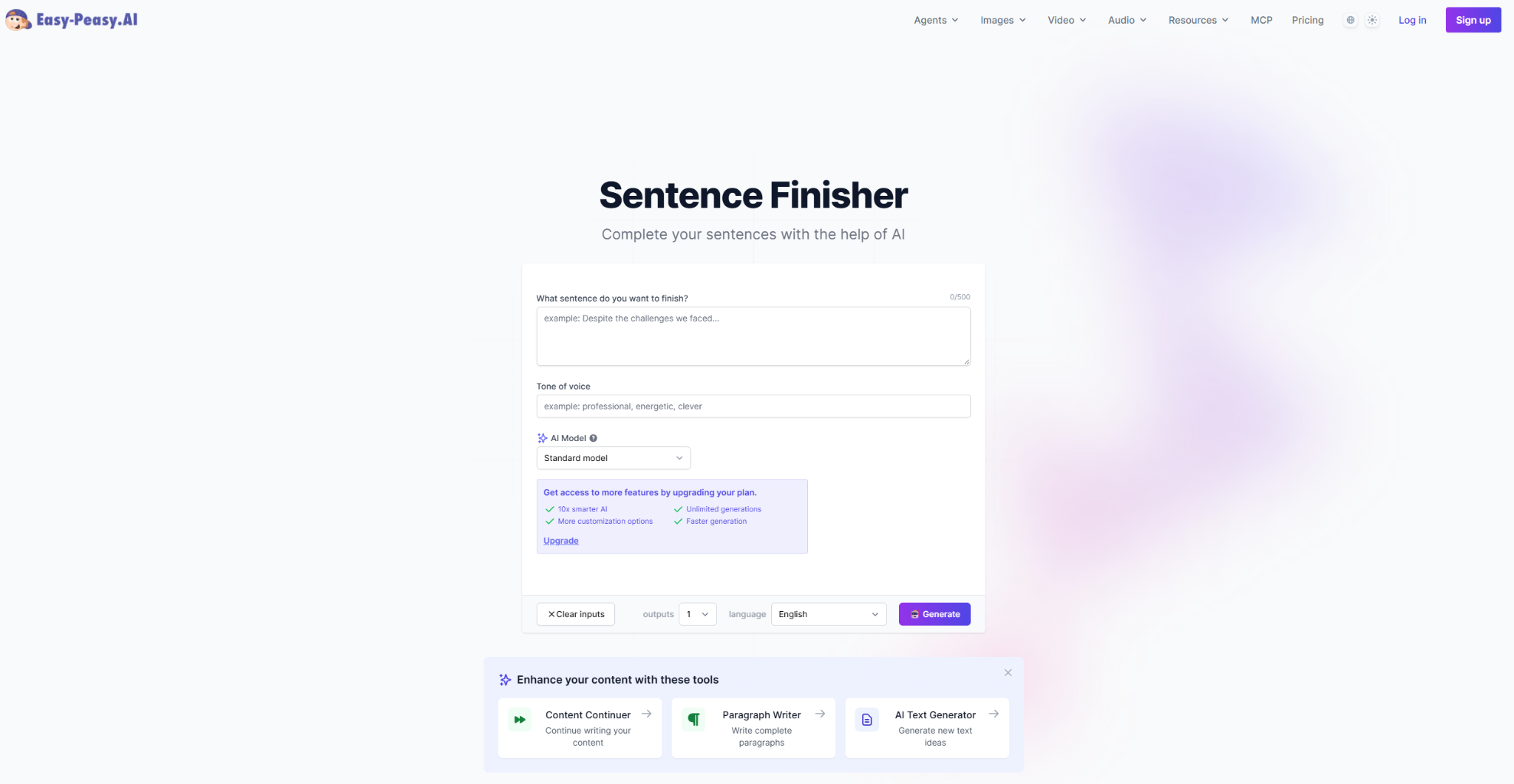
What it does: Easy-Peasy's Sentence Finisher takes an unfinished line of up to 500 characters and returns up to five completions that match your tone, or a different tone you spell out.
Best for: writers who want the ending to keep the register they started in.
Easy-Peasy says the tool "infers where the thought was going," and its endings run from a few words to a full paragraph. Its own FAQ names the moments it's built for: an email you can't land, the last line of a paragraph, or the thing you mean but can't quite say.
Key Features
- Up to five endings per run: set the output count from 1 to 5 and compare them before you paste one in.
- Tone of voice field: type a tone, like professional or energetic, when you want the ending to shift register.
- 40-plus languages: pick the output language from a dropdown, from Arabic to Vietnamese.
Pros and Cons
Pros:
- ✅ Free on the template page, with no credit card
- ✅ A formal starter gets a formal finish, and a casual one stays casual
- ✅ The free plan unlocks 170-plus other writing templates
Cons:
- ❌ The smarter models, unlimited generations, and faster output sit behind a paid plan
- ❌ The 500-character box leaves little room for a long setup
What Users Say
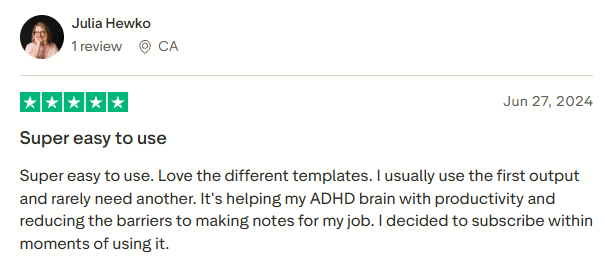
"Super easy to use. Love the different templates. I usually use the first output and rarely need another." (Julia Hewko on Trustpilot)
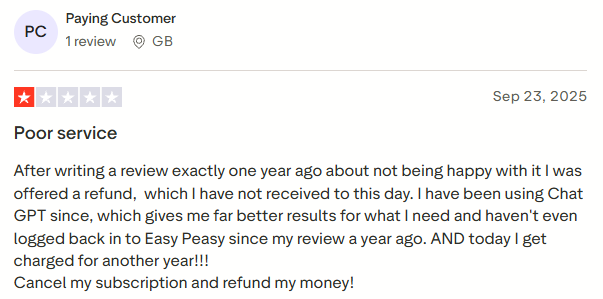
"I have been using Chat GPT since, which gives me far better results for what I need and haven't even logged back in to Easy Peasy since my review a year ago." (Paying Customer on Trustpilot)
Pricing
Free gets you 1,000 words. Starter costs $16/month, or $8/month billed yearly. Unlimited 50 costs $24/month, or $12/month billed yearly, and Unlimited costs $32/month, or $16.50/month billed yearly.
Bottom Line
Use it when you'd rather choose from five decent endings than coax one perfect ending out of a chatbot. Expect to trim the suggestions, since they can run long.
3. Writecream Finish the Sentence: Best for Quick, No-Login Completions
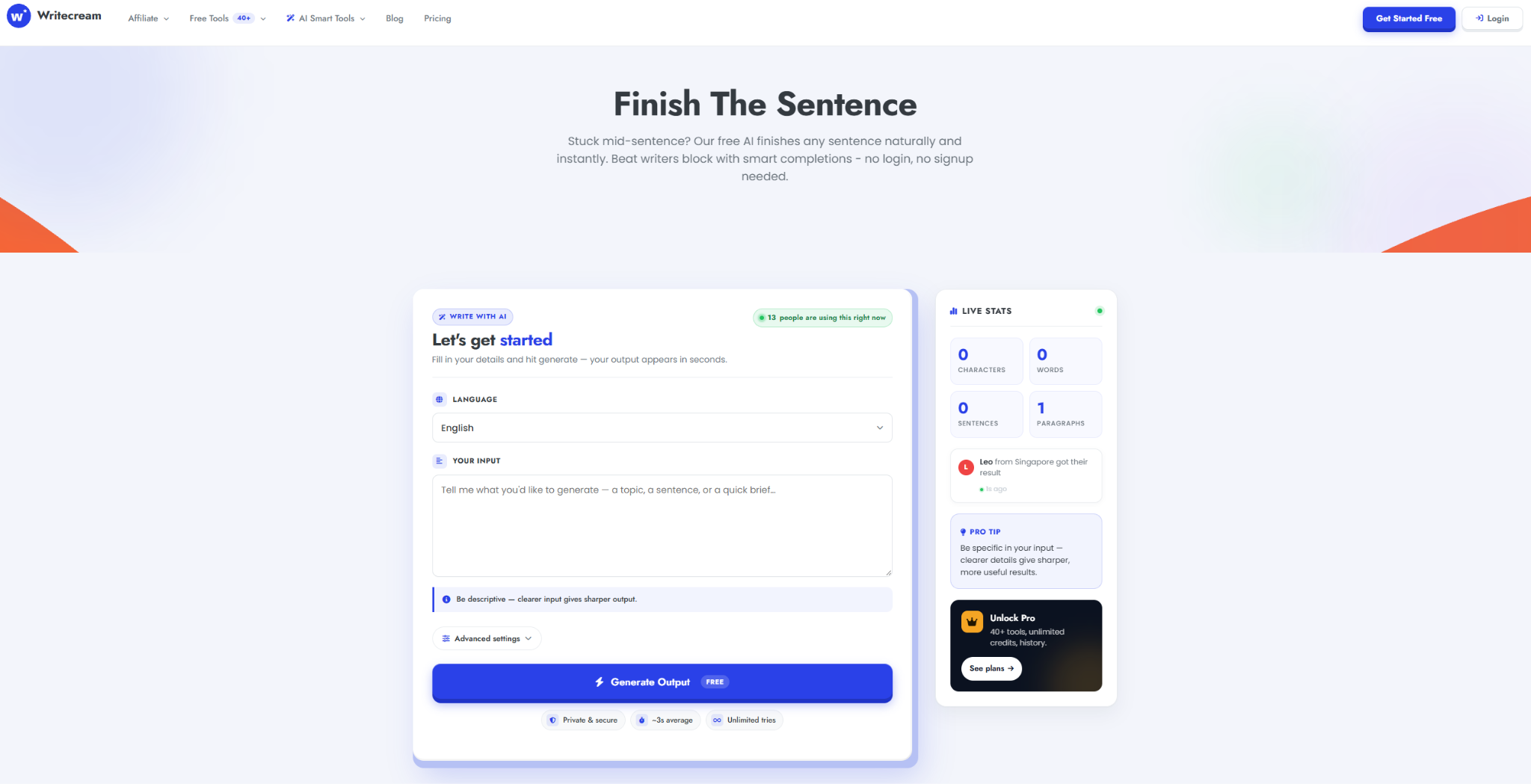
What it does: Writecream's free Finish the Sentence page completes any sentence starter you type.
Best for: a fast completion when you don't want to sign in to anything.
Writecream is a full AI writing app, and this page is its free front door: type the start of a sentence and it "predicts a natural, grammatically correct way to finish it." The FAQ pitches it for stories, essays, emails, and captions, and sister tools like Finish A Sentence and Finish the Phrase sit right below it. If you just want to write faster and move on, keep it in a pinned tab.
Key Features
- 13 tones: from Formal and Diplomatic to Bold and Persuasive.
- Word-count control: keep the ending short enough for a subject line or long enough for a full clause.
- About 70 languages: finish a sentence in Welsh, Tagalog, or Urdu as easily as in English.
Pros and Cons
Pros:
- ✅ Nothing to sign up for, and unlimited tries on the sentence tool
- ✅ Fast: Writecream cites a roughly 3-second average per result
- ✅ A "Load more outputs" button shows extra endings from the same starter
Cons:
- ❌ An upsell banner and a "Wait! Before you go..." pop-up keep steering you toward a Writecream account
- ❌ Saving the endings you generate means signing up for the full app
What Users Say
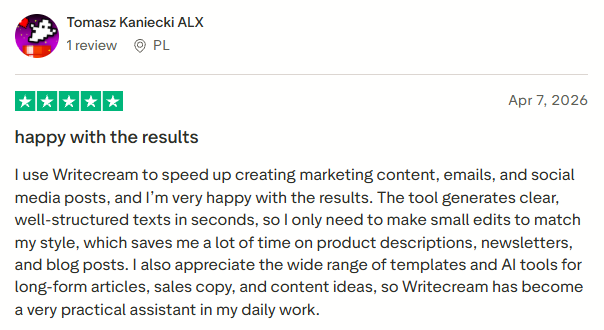
"The tool generates clear, well-structured texts in seconds, so I only need to make small edits to match my style, which saves me a lot of time on product descriptions, newsletters, and blog posts." (Tomasz Kaniecki ALX on Trustpilot)
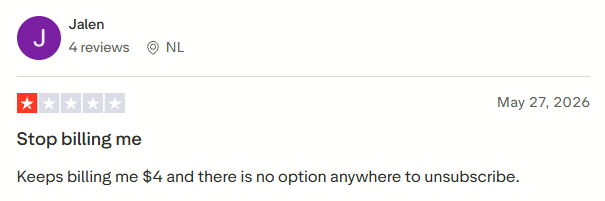
"Keeps billing me $4 and there is no option anywhere to unsubscribe." (Jalen on Trustpilot)
Pricing
Finish the Sentence costs nothing. The full Writecream app has a Free Forever plan with 20 credits (about 40,000 characters), Unlimited at $29/month, and Pro Max at $49/month with 5 team seats.
Bottom Line
It's built for the moments when you want an ending right now and don't need to save it. Anything you'll publish still deserves a light touch-up.
4. east.im: Best for Steering Purpose, Tone, and Length
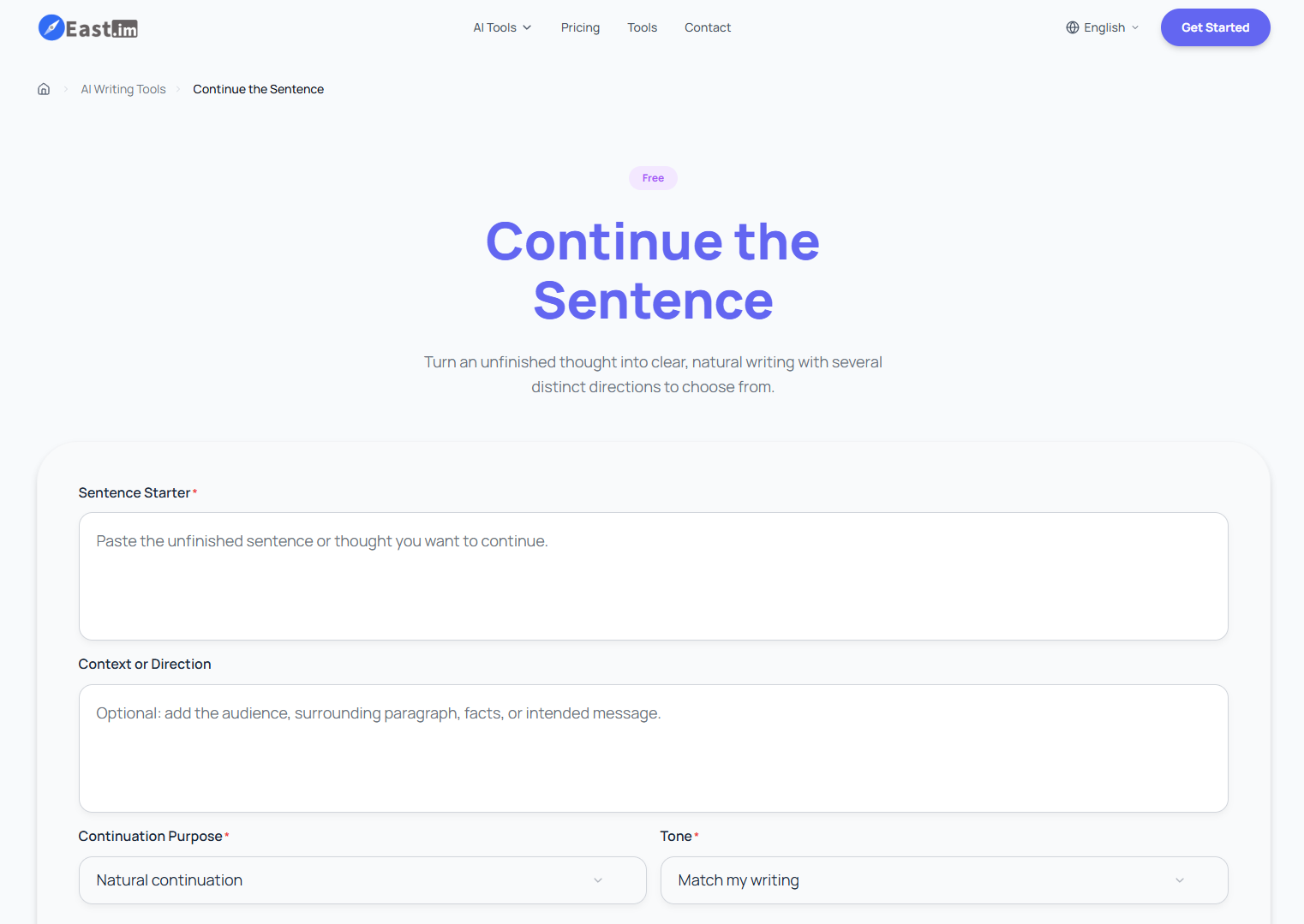
What it does: east.im's Continue the Sentence tool extends an unfinished line in the direction you choose and returns three, five, or eight endings.
Best for: a free completion you can steer by purpose, tone, and length.
east.im hosts free AI tools for writing and more, and Continue the Sentence is one of its most configurable. Whatever settings you pick, the tool aims to keep your exact opening words at the start of every result.
Key Features
- Seven purposes and seven tones: pair a purpose like Academic explanation with a tone like Match my writing.
- Four lengths: a clause, one sentence, two sentences, or a compact paragraph.
- Context box: add the audience or the fact the next sentence has to mention, so the ending stays on track.
Pros and Cons
Pros:
- ✅ Guests can run it with no account
- ✅ Its built-in instructions tell it not to invent citations, quotations, statistics, or personal claims
- ✅ Works in more than 15 languages
Cons:
- ❌ Guests get 10 credits a day and a guest run costs 8, so it's one run a day without an account
- ❌ The Extra model needs a subscription or a credit pack
What Users Say
east.im doesn't have user reviews yet: I couldn't find any on Trustpilot, G2, or Product Hunt. Treat it as promising but unproven, and try it on a low-stakes line first.
Pricing
It's free as a guest or with a free account, which gives you 100 credits a month at 5 credits per run. Pro costs $8.33/month billed annually ($99.99/year) for 1,000 credits a month, and Max costs $24.99/month billed annually ($299.99/year) for 5,000.
Bottom Line
It's the best free pick if you like to steer the ending yourself. Make the free account if you need it several times on the same day. That gets you about 20 runs a month.
5. Agency Handy Sentence Finisher: Best for Controlling How Many Words to Add
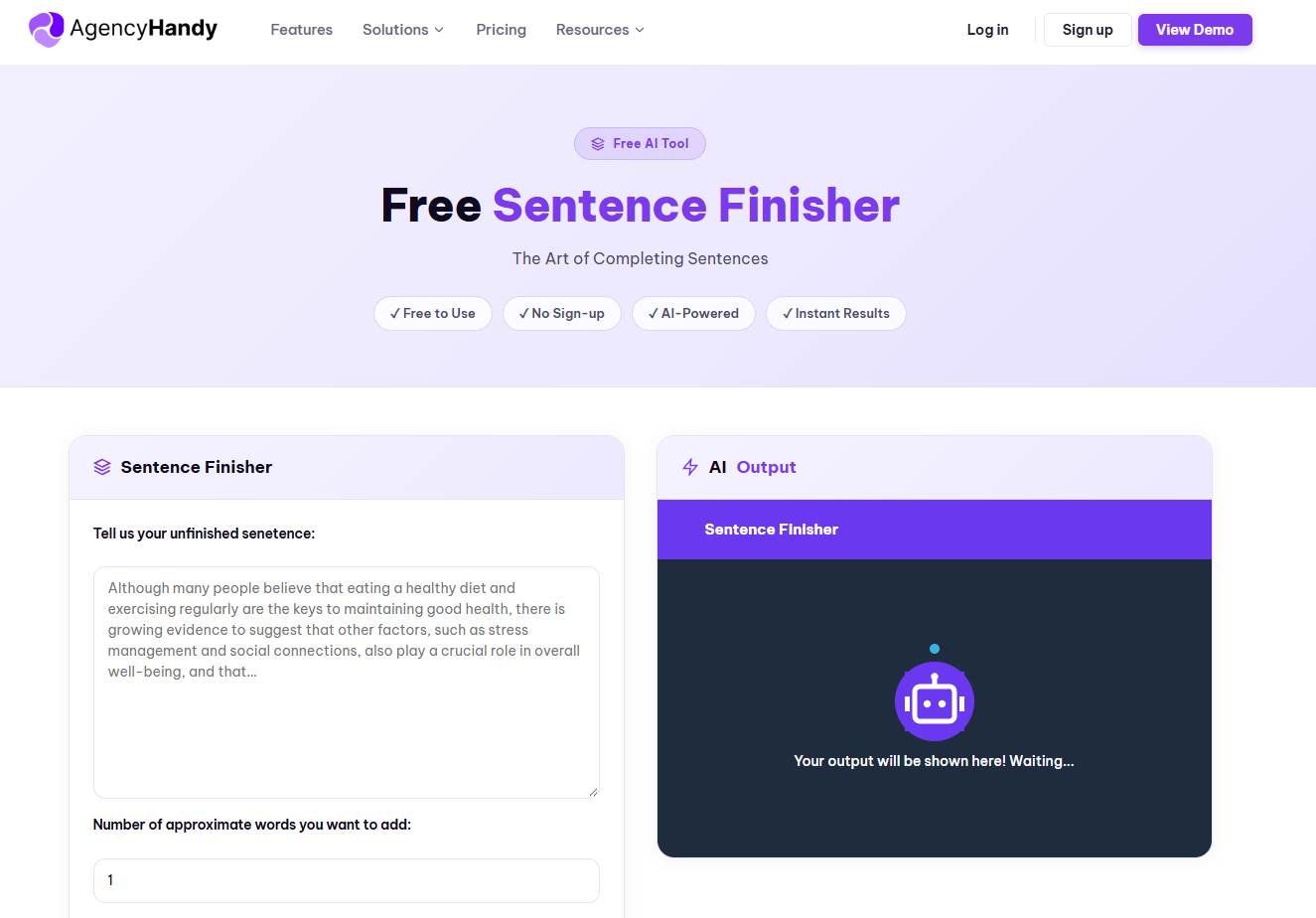
What it does: Agency Handy's free tool finishes your sentence with roughly the number of words you ask for.
Best for: moments when you care more about the length of the addition than its tone.
It's free with no signup and puts length first: it asks how many words you want to add before it generates. That makes it easy to request a three-word tag or a longer clause. The page also has a short, genuinely useful section on why we stall mid-sentence (chasing perfection, an unclear path, a tired mind).
Key Features
- Word-count input: a single number field does most of the steering.
- Four languages: English, Spanish, French, and German.
- Streaming output with one-click copy: the ending appears as it's written, and one click copies it.
Pros and Cons
Pros:
- ✅ "No account, no credit card, no limits," in the page's own words
- ✅ Keep clicking Generate for a different ending until one fits
- ✅ Handy when the ending has to fit a tight space, like a headline or a text message
Cons:
- ❌ No tone selector, so you trade style control for length control
- ❌ It's a lead magnet for an agency-management platform, so expect signup prompts for the main product
What Users Say
There are no reviews of the free sentence tool itself. Reviews of Agency Handy's main client-portal platform give a sense of the company behind it:
"The interface is clean, intuitive and easy to navigate." (Project Business on Trustpilot)

"The customization options are lacking. I wish there was a more custom client portal, and overall, more customization." (Caden C. on G2)
Pricing
Free, with no account and no usage limits.
Bottom Line
Reach for it when you know exactly how long the ending should be. If tone is the priority, one of the tools above will serve you better.
6. Loopple Finish the Sentence: Best for a Fast, Formal One-Shot
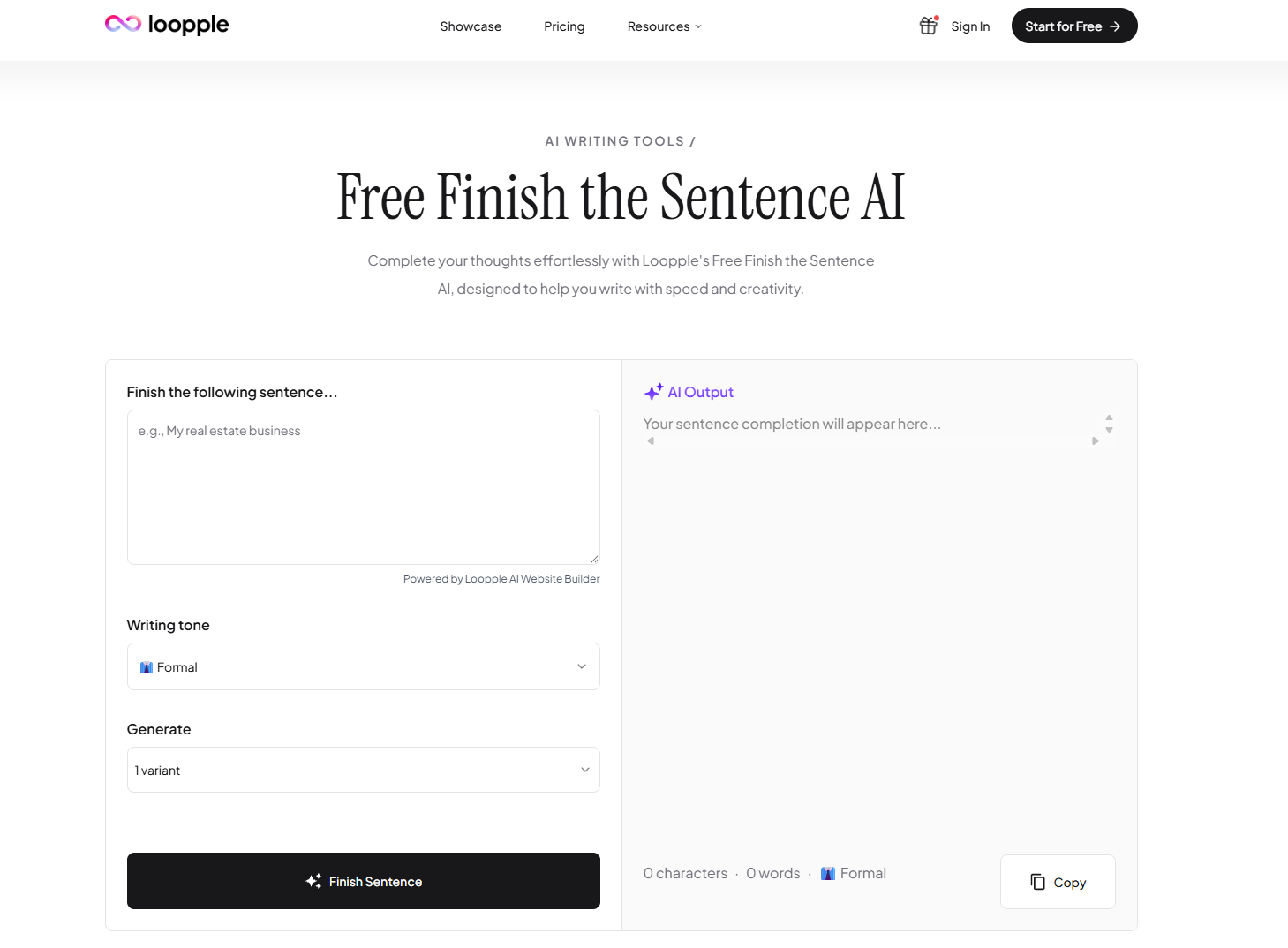
What it does: Loopple's Finish the Sentence AI completes your line in the tone you pick and can return several versions at once.
Best for: a quick formal ending when you already know the tone you want.
Loopple's sentence tool is a side project of its AI website builder, which is why the page keeps nudging you toward building a site.
Key Features
- 16 tones: including reading levels like Middle school and High school, plus Luxury and Vivid.
- Up to 10 variants: ask for 1, 3, 5, or 10 endings per run.
- Counts and Copy: the output shows its character and word count, with a Copy button underneath.
Pros and Cons
Pros:
- ✅ Formal is the default tone, so a work email needs no tone setup
- ✅ The plainest interface of the seven
- ✅ Links to the site's AI Sentence Rewriter for endings that need reworking
Cons:
- ❌ Despite the "Free" label, logged-out runs return a message that the tool needs a PRO plan
- ❌ No length setting or context field, so it only sees the words you type in
What Users Say
There are no user reviews of the sentence tool yet. Loopple's few Trustpilot reviews are all 5-star and cover its website builder, so there's no critical take to weigh.
Pricing
Paid plans start at $12/month, or $8/month billed yearly, and Loopple doesn't say which of them counts as PRO.
Bottom Line
If you're paying for it, set it to 3 or 5 variants when you'd like a few endings to choose from, and leave it at 1 when you just need the line done.
7. Grammarly: Best for Checking a Sentence You Already Finished
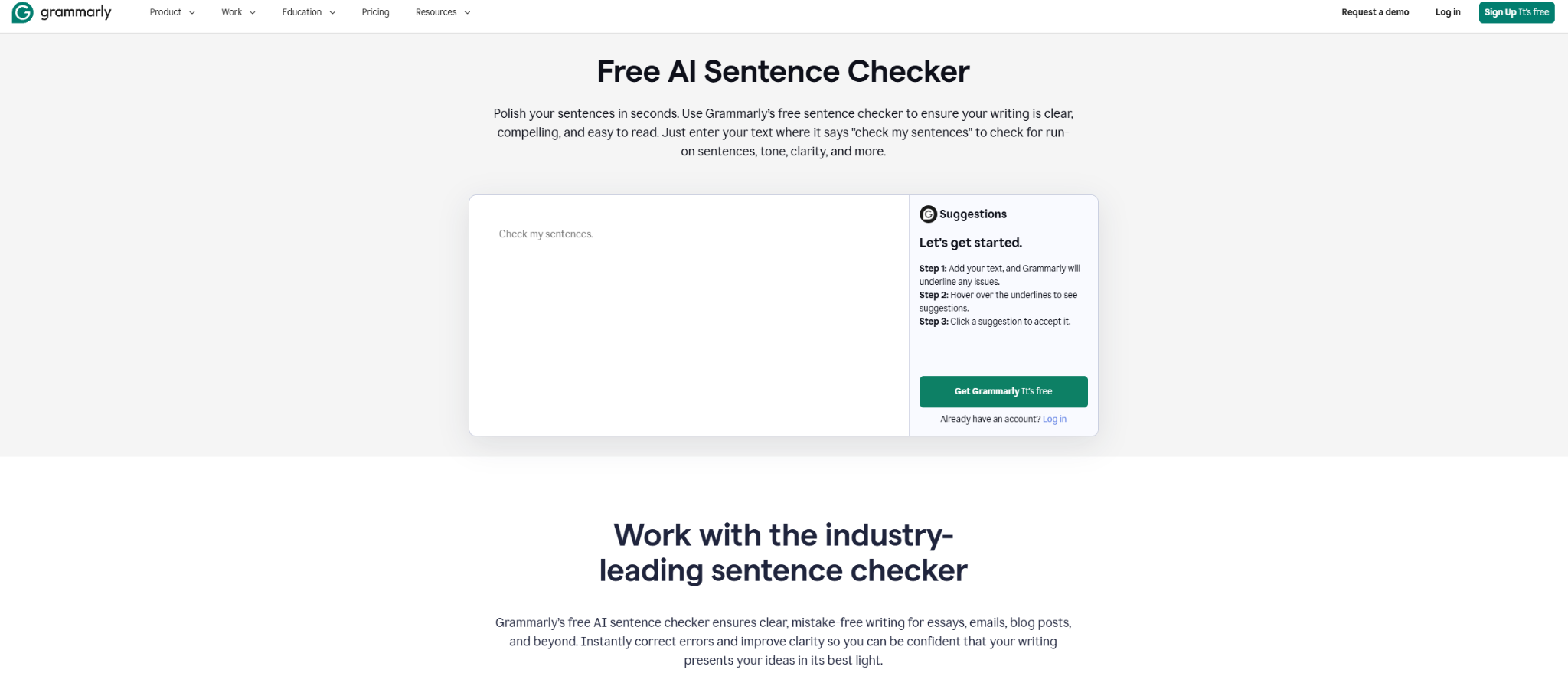
What it does: Grammarly's free sentence checker underlines grammar, punctuation, and spelling issues in text you drop into the box.
Best for: polishing and proofing a sentence you've already written.
Grammarly ranks for this search, but it answers a different question. If you can't get past the middle of the sentence, it'll tell you the line is incomplete and leave the ending to you. Grammarly says over 40 million people use it every day, and it works in more than a million apps and websites.
Key Features
- Underline, hover, click: issues are underlined, you hover to see the fix, and one click accepts it.
- Run-on and fragment checks: it spots sentences that run together or stop short.
- Privacy promise: your text is never publicly searchable or stored where others can access it, per Grammarly.
Pros and Cons
Pros:
- ✅ The first check runs right on the page, before you sign up
- ✅ A free account adds 100 AI prompts a month on top of the checker
- ✅ Works as a second pass after any of the six tools above
Cons:
- ❌ The sentence checker won't write the ending for you, which is the whole job here
- ❌ Tone and clarity insights need an account, and rewriting whole sentences takes Pro
What Users Say
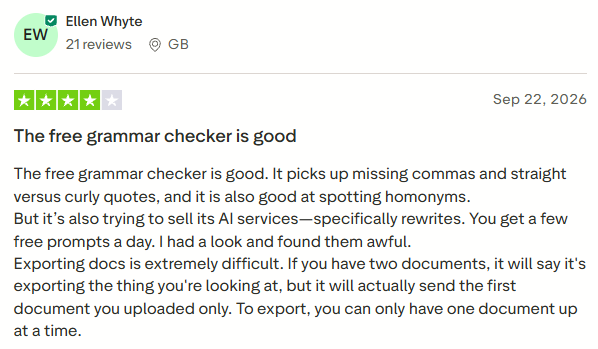
"The free grammar checker is good. It picks up missing commas and straight versus curly quotes, and it is also good at spotting homonyms." (Ellen Whyte on Trustpilot)
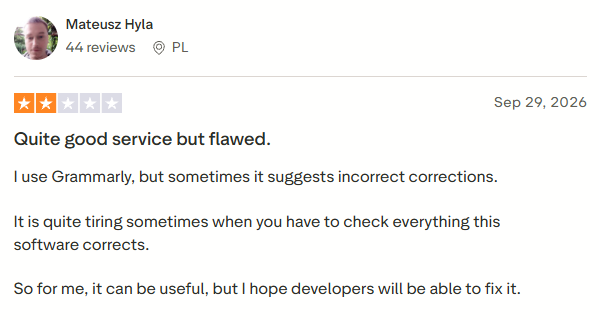
"I use Grammarly, but sometimes it suggests incorrect corrections." (Mateusz Hyla on Trustpilot)
Pricing
The Free plan is $0. Pro costs $30 per member/month, or $12 per member/month billed annually ($144/year), and adds full-sentence rewrites, tone adjustments, plagiarism and AI-text detection, and 2,000 prompts a month. Enterprise pricing goes through sales.
Bottom Line
If you finished the sentence but aren't sure it's right, Grammarly's your tool. If you can't finish it at all, pick one of the six above.
Which Finish My Sentence Tool Should You Choose?
The right pick depends on what's actually stopping you.
- Choose HyperWrite if you finish sentences all day across Gmail, Docs, and LinkedIn and want them to sound like you.
- Choose Easy-Peasy if you want an ending that matches the register you started in.
- Choose Writecream if you want a completion right now with no account.
- Choose east.im if you want to steer purpose, tone, and length yourself.
- Choose Agency Handy if you need the ending to land at a certain length.
- Choose Loopple if you're already a paying customer and want a quick, formal one-liner.
- Choose Grammarly if the sentence is already written and you just want it checked.
Skip a sentence finisher entirely if:
- You're drafting something long from scratch, where a full AI content writing tool fits better.
- The ending depends on facts only you know, like a deadline, a number, or a decision you haven't made yet.
Final Verdict
If "finish my sentence" is a once-in-a-while problem, a free tool covers it: Easy-Peasy for an ending that sounds like the rest of your message, Agency Handy for a set length, and Writecream when you need an ending in three seconds. If stalled sentences are a daily part of your job, HyperWrite's TypeAhead is the one to install: it finishes them where you're already typing, in your own voice.
Get Unstuck Mid-Sentence in Every Tab With HyperWrite
The sentences that stall you at work tend to be the high-stakes ones: the hard line in an investor update, the offer email to a candidate you really want, the LinkedIn post your whole team will read.
HyperWrite is built for that kind of writing:
- TypeAhead finishes the line in your inbox, your docs, or a LinkedIn draft, using context from your open tabs, so a stalled offer email finally goes out.
- Personas keep board updates and team notes sounding like you.
- The Email Responder drafts quick, effective replies, which helps when recruiting means answering candidates all day.
- AutoWrite and the AI Document Editor take over when one sentence turns into a whole proposal or job description.
Try TypeAhead free with the Chrome extension and use it on the next email you've been putting off. You'll know by lunch whether it fits.
Frequently Asked Questions
What is the best finish my sentence tool?
The best finish my sentence tool for anyone who writes at work every day is HyperWrite's TypeAhead, which completes the line inline in whatever browser tab you're typing in. For a one-off line, Writecream is free and needs no login.
How do I finish my sentence when I'm stuck?
To finish a stuck sentence, read back what you've already written, name the single point you're trying to make, then let a finish my sentence tool suggest a continuation you can accept or tweak.
How do I let my keyboard finish my sentence?
To let your keyboard finish your sentence, turn on its predictions. On iPhone, switch on Predictive Text and Show Predictions Inline in Keyboard Settings, then tap Space to accept. On Android, turn on Smart Compose (US only, English only) in Gboard's Text correction settings. In Chrome, HyperWrite's TypeAhead works differently: it reads your open tabs and suggests the rest of the sentence in your voice.
Is there a free tool to finish my sentence?
Yes, several finish my sentence tools are free. Writecream and Agency Handy work with no login or signup, east.im gives guests one run a day, Easy-Peasy.ai has a free tier with no credit card, and HyperWrite offers a free plan with limited uses.
What does it mean when someone finishes your sentences?
When someone finishes your sentences, it usually means they're closely attuned to how you think and can predict where you're headed, a sign of familiarity. Sometimes it signals impatience instead, depending on tone and context.

HyperWrite is the AI writing assistant that learns your style. It handles drafting, editing, and researching so you can focus on ideas.
- Autocompletes sentences as you type
- Works inside Google Docs & Gmail
- Adapts to your personal writing style
- 500+ AI tools for any writing task

Powerful writing in seconds
Improve your existing writing or create high-quality content in seconds. From catchy headlines to persuasive emails, our tools are tailored to your unique needs.